
When you're working with a static website, SEO isn't an afterthought—it's a core part of your build process. Everything from your sitemap to your meta tags gets baked directly into the site's files before you ever push it live. This is a fundamental shift from dynamic sites that handle SEO in real-time, making static site SEO a much more deliberate, technical discipline. The payoff? Incredible performance and security.
Why Static Site SEO Requires a Different Approach
Static websites are famous for their lightning-fast speed and rock-solid security. But those exact strengths are what force us to think about SEO differently. A platform like WordPress generates pages on the fly every time someone visits. A static site, on the other hand, serves up pre-built files. That single difference changes the entire game.

The Build-Time Optimization Mindset
With a dynamic site, you can pop into a dashboard, install a plugin, and tweak SEO settings that apply across your entire site instantly. That's just not how it works in the static world. Here, SEO is an integral part of your development workflow.
Every optimization you make is a line of code or a configuration setting in your project. It demands a proactive, more technical approach. You aren't just updating a field in a CMS; you are literally rebuilding your website to embed those optimizations directly into the HTML. If you're coming from a different background, it's worth taking a moment to explore general search engine optimization principles to ground yourself in the fundamentals first.
The core idea behind SEO for static websites is proactive configuration, not reactive tweaking. Your site's SEO health is locked in before you deploy, which makes that initial setup absolutely critical for long-term success.
The Role of Static Site Generators
This is where Static Site Generators (SSGs) like Jekyll, Hugo, and Astro really shine—they become your most powerful SEO tools. These frameworks give you the fine-grained control needed to implement sophisticated SEO strategies at scale. Instead of tediously editing hundreds of individual HTML files, you set up rules and templates, and the SSG handles the heavy lifting, generating an optimized site for you.
This build-time automation unlocks some serious advantages:
- Consistency: SEO elements like title tags and structured data are applied perfectly across thousands of pages, all based on the templates you create.
- Performance: Since all the optimizations are pre-rendered into the files, there are no server-side delays. This means faster load times, which is a huge ranking factor.
- Control: As a developer, you have total command over the final HTML output. You can ensure the code is clean, semantic, and exactly what search engines want to see.
Getting comfortable with how an SSG works is really the first step. If the concept is new to you, understanding what an SSG is will give you the context you need. From there, tools like JekyllPad can simplify the day-to-day management of content and front-matter variables, so you aren't stuck living in a code editor. It’s this combination of powerful generators and smart tooling that makes modern static site SEO so effective and manageable.
Getting On-Page SEO Right for Your Static Site
Alright, let's move past the theory and get our hands dirty with the on-page stuff. This is where static sites really shine. The beauty of it is that all your core SEO elements are baked right into your site’s DNA—they live inside your templates and Markdown files.
This means you get total, granular control over everything, from meta tags to heading structures. No fighting with clunky plugins or bloated themes.
Your SEO Command Center: Front Matter
With a static site generator like Hugo or Jekyll, your main control panel for on-page SEO is the front matter. That's just the little block of YAML, TOML, or JSON at the very top of each Markdown file that holds all the metadata for that page.
Think of it as the brain of the page.
For instance, a blog post file—let's call it my-awesome-post.md—would start with something like this:
title: "A Guide to SEO for Static Websites in 2026" description: "Learn the essential on-page SEO techniques to rank your static website. We cover metadata, headings, internal linking, and structured data with practical examples." slug: "seo-for-static-websites-guide"
The rest of your Markdown content goes here...
Your site’s theme or template then grabs these variables and injects them into the final HTML. In your layout file, you’d see simple placeholders like <title>{{ page.title }}</title> and <meta name="description" content="{{ page.description }}">.
This simple system makes it dead easy to ensure every single page has a unique, perfectly optimized title and description.
My Favorite Pro Tip: I always add a dedicated
seo_titlevariable to the front matter, keeping it separate from the maintitle. This lets me craft a catchy H1 for my readers while writing a slightly different, more keyword-focused title tag just for Google.
Why Your Heading Structure Matters (More Than You Think)
A clean heading structure (H1, H2, H3, etc.) isn't just for making your content look nice. It’s a roadmap for search engine crawlers, telling them exactly what your page is about and how the information is organized.
The rule of thumb is simple and has been for years: use one H1 per page, then nest your H2s and H3s logically underneath it.
In your Markdown files, it looks like this:
# This is your H1(This is usually pulled from yourtitlevariable)## This is an H2### This is an H3 nested under the H2
This hierarchy helps Google understand the main topics and subtopics, which is a huge part of ranking today. Honestly, old-school tactics like obsessing over keyword density are fading fast. What's taking their place is building real topical authority, and that all starts with well-structured content. In fact, some recent analysis shows that topical authority is now a more dominant on-page factor than even a site's overall traffic. You can discover more about how SEO strategies are shifting at infiflex.com.
Of course, managing all this metadata can feel a bit technical. A good visual editor like JekyllPad helps by separating the front matter fields from the actual content, making it way easier to handle the SEO bits without getting lost in the code.
This kind of integrated view keeps the technical stuff separate from the creative writing process, which I find really streamlines my workflow.
Clean URLs and Smart Internal Linking
Your static site generator also gives you full command over your URL structure, or "permalinks." Never underestimate the power of a clean, descriptive URL.
Instead of a messy URL like your-site.com/post?id=123, you can set up your SSG to generate something beautiful like your-site.com/blog/seo-for-static-websites-guide/. This is usually handled in a global config file or directly in the front matter using a slug variable.
Just as important is building out a smart internal linking strategy. When you link your own pages together, you’re helping search engines discover all your content and spreading what we call "link equity" around your site.
In Markdown, this is incredibly simple: Learn more about our services
This small habit guides both users and crawlers to your most important pages, beefing up their authority and strengthening your site’s entire SEO foundation.
And if you really want to level up, you can embed JSON-LD structured data right into your templates. This is a block of code that explicitly tells search engines what your content is—an article, a product, an event, you name it. Many SSGs, including newer ones like Astro and Eleventy, have plugins or built-in ways to generate this automatically from your front matter. It's the secret sauce for earning those eye-catching rich results in search.
Automating Technical SEO at Build Time
The real magic of static site SEO happens when you take manual, repetitive tasks off your plate and let your build process handle them. Automation is arguably the biggest advantage of using a static site generator. Instead of remembering to update a sitemap every time you publish a new article, you configure it once and let the machine do the work perfectly—every single time.
This "set it and forget it" approach is about more than just convenience. It's about eliminating human error. A forgotten canonical tag on a syndicated post or an outdated sitemap can cause very real indexing problems that are often a headache to diagnose later. By baking these technical SEO tasks directly into your build process, you ensure search crawlers always get the most accurate, up-to-date information about your site.
This process flow chart gives a great visual of how these on-page elements are interconnected.
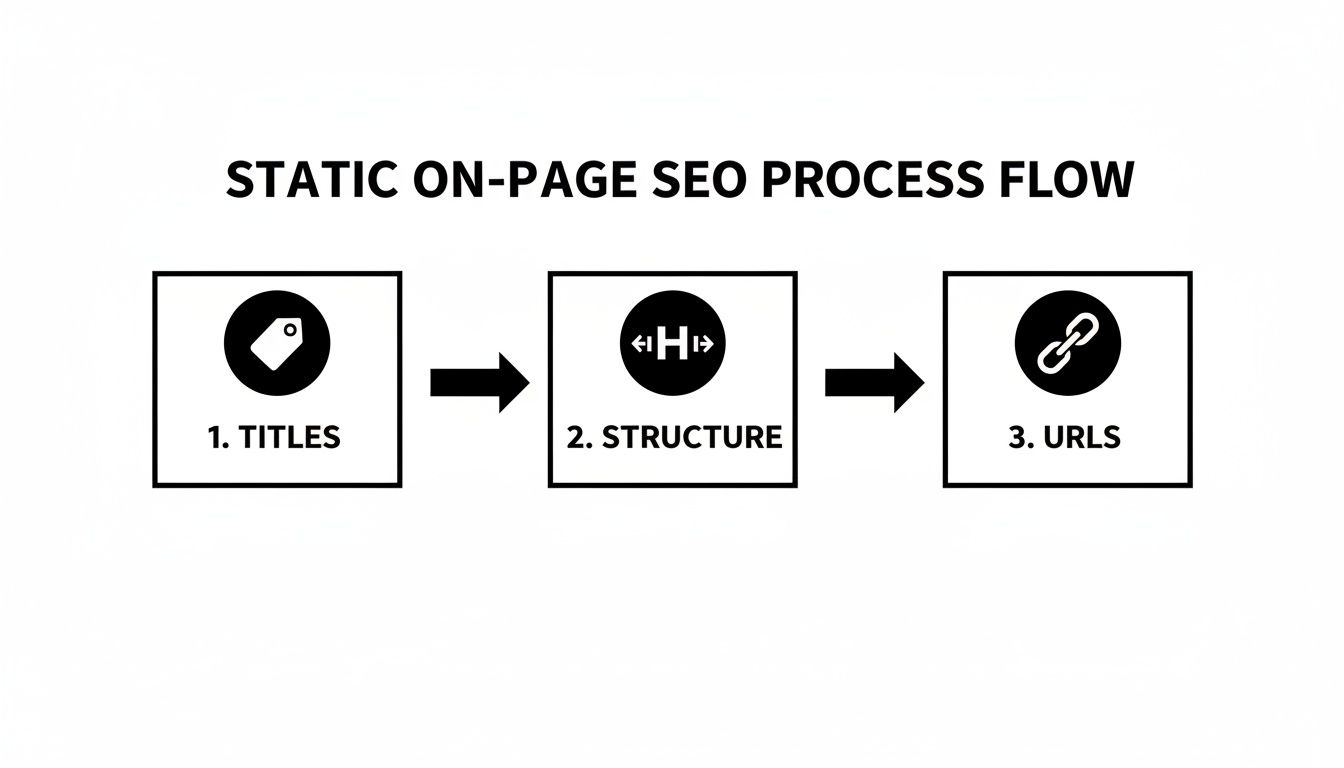
The key takeaway here is that a change in a page's front matter—like updating its title or publication date—should automatically cascade down, triggering updates in the sitemap and canonical tags during the next build. That’s the power of automation.
Generating Essential SEO Files
Three of the most critical files for any search engine crawler are your sitemap.xml, robots.txt, and the rel="canonical" tags on each page. Before we get into the nuts and bolts of automation, it helps to have a solid grasp of what technical SEO involves to understand why these files matter so much.
Thankfully, most modern SSGs make generating them incredibly simple.
- XML Sitemaps: This file is literally a roadmap for search engines. It lists all the important URLs on your site that you want them to discover and index.
- robots.txt: This is a simple text file that gives crawlers instructions, telling them which pages or directories they should not crawl, like staging areas or private content.
- Canonical Tags: These HTML tags prevent duplicate content issues by telling search engines which version of a URL is the "master" copy you want to see in search results.
Different SSGs handle this in their own ways, but it usually comes down to either built-in features or a well-supported community plugin.
Let's take a look at how some of the most popular static site generators automate the creation of these critical SEO files. Some come with these features right out of the box, while others rely on established plugins to get the job done.
Build-Time SEO Automation Comparison for Popular SSGs
| SEO Feature | Jekyll | Hugo | Astro | Eleventy |
|---|---|---|---|---|
| Sitemap Generation | Via jekyll-sitemap plugin (often default) |
Built-in internal template | Via @astrojs/sitemap integration |
Requires a custom template or plugin |
| robots.txt Generation | Manual file or custom logic | Built-in internal template | Manual file in public/ directory |
Manual file in input directory |
| Canonical URL Tags | Via jekyll-seo-tag plugin |
Built-in .Permalink variable in templates |
Manually in layouts or via SEO component | Manually in base layouts using page data |
As you can see, the "how" varies, but the end result is the same: automated, consistent technical SEO. Hugo is a standout for having much of this built-in, but tools like Jekyll's jekyll-seo-tag plugin offer a fantastic, all-in-one solution.
Customizing Your Build Output
Default settings are great for getting started, but the real power comes from tailoring the output to your specific needs. What if you want to exclude all pages tagged with "draft" from your production sitemap? This is where a little bit of templating logic becomes your best friend.
In an Eleventy project, for example, you could easily filter your page collections when generating the sitemap.xml. Instead of just looping through all content, you add a simple condition to only include items that don't have a draft: true flag in their front matter.
Here’s a simplified example of what that might look like in a Nunjucks sitemap template (sitemap.njk):
{%- for page in collections.all %}
{%- if page.data.draft !== true %}
This tiny snippet is a powerful safeguard. It ensures that any post you're still working on won't accidentally get submitted to Google, preventing the indexing of incomplete or internal content. This level of control is where static site SEO really shines. The automation isn't a black box; it's transparent and fully customizable within your project's codebase.
This is especially valuable when you're managing your site with a Git-based workflow. For instance, when you sync your JekyllPad project with GitHub, all these automated SEO configurations are tracked right alongside your content, making collaboration and version history completely straightforward.
Optimizing Performance for Speed and Crawlability
One of the biggest wins for static websites is their inherent speed—they serve pre-built files without any slow server-side thinking. But raw speed isn't enough. To turn that advantage into a real SEO asset, you have to be intentional about optimization. The goal isn't just a fast site; it's an instantaneous experience that makes users happy and gives search crawlers a reason to come back more often.

Honestly, this focus on speed is non-negotiable if you want to rank. The competition for attention is just too fierce. The data tells a pretty clear story: Google's top three organic results get a massive 68.7% of all clicks, while a tiny 0.78% of people ever click to the second page. For a static site, this means that if you're not on page one, you're practically invisible. You can discover more insights about SEO statistics at chad-wyatt.com.
Supercharge Your Visuals with Modern Image Optimization
More often than not, the main thing slowing down a site is large, unoptimized images. Just running your JPEGs through a compressor doesn't cut it anymore. Modern SEO for static websites requires a much smarter approach to your visuals.
First up, you should be using next-gen image formats like WebP or AVIF. These are a huge step up from old-school JPEGs and PNGs, delivering excellent quality with file sizes that are often 25-50% smaller. Many static site generators can even handle the conversion for you automatically during the build process with a simple plugin or configuration.
Beyond the format, you absolutely need responsive images. By using the <picture> element or the srcset attribute in your <img> tags, you can tell the browser to serve different image sizes based on the user's screen. This is a game-changer for mobile performance, as it stops a tiny phone from downloading a massive desktop-sized image it doesn't need. It’s a direct boost to your Core Web Vitals.
My Workflow Tip: I use a build-time script that automatically generates multiple sizes of each image (e.g., 400px, 800px, 1200px) and a WebP version for each. My SSG template then populates the
srcsetattribute, making the entire process hands-off and highly effective.
Leverage Pre-rendering Caching and CDNs
This is where modern deployment platforms like Netlify, Vercel, and Cloudflare Pages really shine. When you push your site live, these services automatically take your pre-rendered HTML, CSS, JavaScript, and images and distribute them across a global Content Delivery Network (CDN).
What does that mean in practice? When someone in Tokyo visits your site, the files load from a server nearby in Asia, not all the way from North America. This simple change drastically cuts down on latency—the travel time for data—and is a huge factor in achieving a low Time to First Byte (TTFB).
These platforms are also brilliant at caching. They set the right cache headers, telling browsers to store your files locally. So when a user comes back, the site loads almost instantly because most of it is already on their device. This is one of the core, powerful benefits of going static.
Minify Everything During the Build Process
Another must-do optimization is minification. This is just a fancy word for stripping out all the unnecessary characters from your code—things like whitespace, comments, and line breaks—that don't affect how it runs. The result is smaller HTML, CSS, and JavaScript files that simply download faster.
Most modern static site generators, including Astro and Hugo, have minification built right in or available through plugins. It's usually just a switch you flip in your configuration.
- HTML Minification: Compresses the final rendered pages.
- CSS Minification: Shrinks your stylesheets.
- JavaScript Minification: Reduces the size of your script files.
Enabling minification makes sure that every single byte you send to the browser is essential. It's this kind of attention to detail that separates a fast static site from one that truly crushes it in the search rankings. If you're using Astro, for example, its build process is already heavily focused on this. For a deeper look, check out our guide to building with Astro JS. These small, automated steps really add up, giving you a serious performance edge.
Keeping Your Site Healthy After Launch
Getting your static site live is a huge win, but your SEO work isn't done. Far from it. Think of the launch as shifting gears—you're moving from building the foundation to actively maintaining its health and visibility in the search results. All the on-page and build-time optimizations are in place; now it's about monitoring, adapting, and making sure Google and other search engines continue to love your site.

The very first thing you should do after deploying is plug your site into the essential webmaster tools. This isn't optional; it's mission-critical for any real SEO effort.
Get Connected to Search Consoles
Google Search Console and Bing Webmaster Tools are your direct lines of communication to the search engines. They're indispensable, offering a firehose of data on your site's performance, flagging technical errors, and giving you a bit of control over how your pages are crawled and indexed.
Your first job here is to verify you own the domain. Once that's done, find the sitemaps section and submit the XML sitemap your static site generator creates during its build process. This simple act tells Google and Bing, "Hey, here's a complete map of my site," prompting them to crawl your content far more efficiently than just waiting for them to find it on their own.
Key Takeaway: I always tell people to think of Search Console as their site's EKG. Flying blind without it is a recipe for disaster. It's the only place Google will tell you directly about crawl errors, indexing problems, or manual penalties that could be silently killing your traffic.
After you're connected, start living in the "Coverage" (or "Indexing") reports. This is where you'll see which pages are indexed, which have issues, and—most importantly—why. It's your go-to diagnostic tool after going live.
Master Your Redirects and Secure Your Site
Your site is a living thing. Pages will move, and URLs will change. Maybe you'll restructure a blog category or tweak a page's slug for clarity. When this happens, you absolutely have to set up a 301 redirect from the old URL to its new home.
A 301 redirect is a permanent move order. It tells browsers and search engines that a page isn't just gone, it has a new address. This is crucial for two reasons: it stops users from hitting a dead "404 Not Found" page, and it passes the vast majority of the SEO value (or "link equity") from the old URL to the new one.
Thankfully, modern static hosting platforms like Netlify and Vercel make this ridiculously easy. You can often just create a simple text file (_redirects or netlify.toml) in your project's root to map out the rules.
A redirect rule can be as straightforward as this:
/old-blog-post/ /new-blog-post/ 301
Another non-negotiable is enforcing HTTPS. Your hosting provider should offer a free SSL certificate (usually through Let's Encrypt) and handle the setup for you. While HTTPS is a minor ranking signal, its real value is in user trust. Make sure your setup forces all HTTP traffic over to HTTPS, preventing search engines from seeing two different (and duplicate) versions of your site.
Keep an Eye on Things: Ongoing Monitoring
Post-launch SEO isn't a "set it and forget it" task. You need to develop a routine for checking in on your site's health. A solid SEO for static websites strategy is all about proactive monitoring.
Here’s a practical checklist I run through regularly:
- Hunt for Crawl Errors: Dive into your Search Console coverage report at least once a week. Are new 404s appearing? Are important pages being blocked for some reason? Track these down and fix them quickly.
- Check Indexing Status: Just published a new cornerstone article? Use the URL Inspection tool in Search Console to see if it's been indexed. If not, the tool often gives you clues as to what's holding it up.
- Scan Your Deployment Logs: Your Netlify or Vercel logs aren't just for developers. A failed build could mean a critical new page or a new redirect rule never actually made it to the live site. A quick scan can save you a headache later.
A word of caution: on certain platforms, like GitHub Pages, handling redirects can be a bit more involved, sometimes requiring a specific Jekyll plugin or a bit of client-side JavaScript. Always consult your host's documentation for the best approach. By staying on top of these tasks, you'll ensure your site not only starts strong but continues to build momentum and organic traffic over time.
Got Questions About SEO for Static Sites?
When you're diving into the world of static site SEO, a few common questions always seem to pop up, especially for those coming from dynamic platforms like WordPress. Let's tackle some of the most frequent ones I hear.
Is WordPress Better Than a Static Site for SEO?
This is probably the most common question, but it’s looking at the problem the wrong way. It’s not about the platform itself, but how you use it. A finely tuned static site will run circles around a bloated, slow WordPress installation. On the flip side, a well-optimized WordPress site with great content will easily outrank a poorly built static one.
The real difference is the workflow.
- WordPress leans on powerful plugins like Yoast SEO or Rank Math to handle SEO. It's all managed in a GUI, which is fantastic for non-developers but can add performance overhead.
- Static sites build SEO fundamentals right into the code. It’s a more hands-on, upfront process, but the payoff is incredible speed and security because there are no databases or server-side scripts to slow things down on page load.
So, which should you choose? It really boils down to your team's skills and comfort level. If your team lives in Git and a code editor, a static site generator is a perfect match. If they prefer a dashboard and a rich plugin ecosystem, WordPress is often the better fit. While WordPress still powers over 43% of all websites as of 2026, the performance gains from a static approach are hard to ignore.
My take: For raw speed and security—two massive ranking factors—a static site has the undeniable advantage. The best platform is the one that helps your team consistently ship well-optimized content, but static gives you a head start on performance.
How Do I Handle Things Like Comments or Forms on a Static Site?
This is a great question. Since a static site has no backend or database, you can't just drop in a standard PHP comment form. But that doesn't mean you can't have dynamic features. The modern Jamstack approach is all about outsourcing this kind of functionality.
Instead of building it yourself, you integrate best-in-class third-party services. It’s surprisingly simple.
- Comments: You can add a service like Disqus or the privacy-focused Commento by just pasting a small JavaScript snippet into your template.
- Forms: Forget setting up a backend to process emails. Services like Netlify Forms, Formspree, or Getform can capture submissions from a basic HTML form.
- Reviews: Need to display customer reviews? Tools like Yotpo or Loox can be embedded directly onto your pages.
This strategy keeps your site incredibly fast and secure while letting specialized services handle the dynamic parts. You get the best of both worlds.
Can Static Sites Still Rank Well With AI Search on the Rise?
Absolutely. In fact, their core strengths might just be their biggest advantage in an AI-driven search world. While organic search still accounts for a massive 53% of all website traffic, user behavior is changing. We're already seeing that when Google shows an AI-powered summary, the click-through rate to the traditional results below it can drop by as much as 50%. You can dive deeper into the numbers by reading this analysis of how AI impacts SEO statistics at nealschaffer.com.
What does this mean for us? It means simply ranking isn't enough anymore. Your content needs to be so clear and well-structured that an AI can easily understand and cite it.
This is where static sites shine. They produce clean, semantic HTML out of the box. By focusing on solid fundamentals—proper headings, rich structured data (like JSON-LD), and lightning-fast load times—you’re basically handing AI crawlers a perfectly organized plate of content. That speed and reliability signals quality, making your site a trustworthy source for AI to pull from.
Juggling all these pieces—from Markdown front matter to build scripts and metadata—can feel like a lot. That's where JekyllPad comes in. It gives you a simple, visual editor right in your browser that syncs everything back to your GitHub repository. You can edit content, tweak metadata with a live preview, and commit your changes without ever needing to open a terminal.