
Imagine building a website where speed isn't just a feature you bolt on at the end—it's the entire foundation. That's the whole idea behind Astro JS, a modern web framework built from the ground up for content-heavy sites like blogs, marketing pages, and online stores. Its killer feature is deceptively simple: it sends almost zero JavaScript to your user's browser by default.
1. Introducing Astro JS: The Content-First Web Framework
Think of most modern websites like a moving truck that shows up with all your furniture, even if you just wanted to sit on a single chair. Astro does the opposite. It delivers just the chair. This "islands architecture" approach leads to mind-blowingly fast load times and lighthouse scores that are hard to beat, which is a huge deal for both user experience and SEO.
The framework is built on a simple, powerful principle: turn as much of your website as possible into plain, static HTML before it ever reaches the user. This is the heart of what a static site generator does, a class of tools famous for speed and security. If you're new to the concept, you can learn more about how it works in our guide on what an SSG is. By cutting down on the code that has to run in the browser, Astro makes sure your pages feel interactive almost instantly.
Astro JS At A Glance
To give you a quick snapshot, here’s a breakdown of what makes Astro such a compelling choice for modern web development.
| Feature | Description | Primary Benefit |
|---|---|---|
| Zero JS By Default | Astro renders pages to static HTML, shipping no client-side JavaScript unless explicitly needed. | Blazing-fast load times and top-tier performance scores out of the box. |
| Component Islands | Interactive UI components are loaded individually, like "islands" in a sea of static HTML. | Interactivity without the performance cost of a full single-page application (SPA). |
| UI Framework Agnostic | You can use components from React, Vue, Svelte, and more—even in the same project. | "Bring Your Own Framework" (BYOF) lets you work with the tools you already love. |
| Content-Focused | Built-in features for Markdown, MDX, content collections, and data fetching are first-class citizens. | Simplifies building blogs, documentation sites, and other content-driven websites. |
This unique combination of features allows developers to build modern, component-driven sites without the usual performance trade-offs.
Why Is Astro Gaining So Much Traction?
One of the biggest reasons developers are flocking to Astro is its incredible flexibility. It lets you write UI components using your favorite tools—React, Vue, or Svelte—and mix them together in the same project. This "bring your own framework" approach is a game-changer because you don't have to throw away your existing skills. You can just drop in interactive components exactly where you need them, leaving the rest of the site as light and fast as possible.
Astro's philosophy is all about delivering content first. Interactivity is treated as a progressive enhancement, not a baseline requirement. This completely flips the traditional SPA model on its head for massive performance wins.
This laser focus on performance and developer experience has really paid off. Since it first launched in 2021, Astro's growth has been explosive. The project recently flew past 3 million monthly npm installs, a clear sign that it's being used for serious, real-world projects. You can check out the full report on Astro's growth and other project news. This kind of rapid adoption shows that developers are hungry for tools that prioritize speed without making them give up modern workflows.
Who Is Astro JS For?
So, is Astro the right fit for your next project? It shines brightest when content and performance are non-negotiable. It's an absolutely fantastic choice if you're building:
- Marketing and informational websites that need to load in a flash to keep visitors engaged.
- Blogs and publication sites where every millisecond counts for reader retention and SEO.
- E-commerce storefronts that have to display products instantly to avoid losing customers.
- Documentation portals that need to be fast, searchable, and easy to navigate.
By putting static HTML first, Astro JS offers a practical escape from the performance headaches that plague JavaScript-heavy sites. It beautifully marries the raw speed of a static site with the power of a modern, component-based workflow, making it a top contender for a huge range of web projects today.
How Astro Islands Deliver Jaw-Dropping Performance
The secret to Astro's incredible speed isn't magic—it's an elegant architecture pattern called Component Islands.
Think of your webpage as a vast ocean of static, blazing-fast HTML. Now, picture a few small, self-sufficient islands scattered across it. These islands are your interactive UI components—a navigation menu, an image carousel, a "buy now" button. Everything else is just static content.
This is the core idea. Instead of treating your entire page as a single, heavy JavaScript application, Astro carves it up. It renders static HTML on the server and then ships only tiny, isolated "islands" of JavaScript to the browser for the interactive parts. This process is called partial hydration.
It's a complete departure from the "all-or-nothing" approach of many frameworks, where one giant JavaScript bundle can slow everything down. With Astro, the default is zero client-side JavaScript.
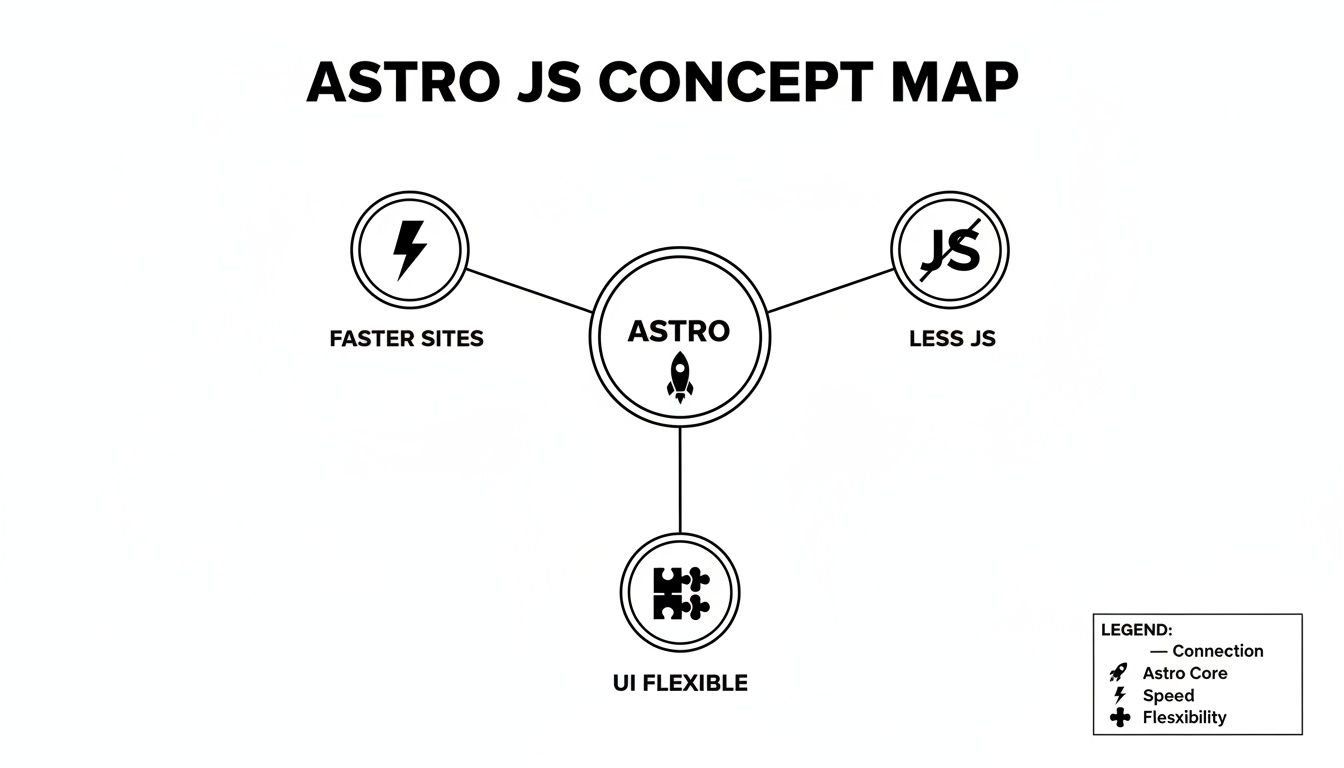
As this shows, the goal of a faster site is a direct result of shipping less JavaScript and giving you the freedom to use any UI framework you like, all powered by Astro's core engine.
Taking Control with Client Directives
The real power of Astro Islands comes alive with client directives. These are simple attributes you add directly to your components, telling Astro exactly when and how they should become interactive on the user's screen.
Think of them as shipping instructions for your JavaScript islands. You get to decide the precise moment they come to life, ensuring the browser only does work when it's absolutely necessary. This is what sets Astro apart—it puts performance decisions back in your hands, on a component-by-component basis.
The Key Hydration Strategies
Astro gives you a handful of powerful directives to manage this, each designed for a specific job. Getting to know these is the key to unlocking maximum performance.
client:load: Use this for critical UI that needs to be interactive immediately. Think of an accessible navigation menu or a theme-switcher in the header. It loads the component’s JavaScript as soon as the page loads.client:idle: This is your go-to for components that are important but not urgent. It waits for the browser to finish loading the critical stuff and fires when the main thread is free. A "like" button or a newsletter signup form are perfect candidates.client:visible: This one is brilliant for performance. The component's JavaScript isn't downloaded or executed until the user actually scrolls it into their viewport. It's ideal for anything "below the fold," like video players, comment sections, or heavy image galleries.client:media: Want to load a component only on certain screen sizes? This is your tool. It lets you hydrate a component based on a CSS media query, like loading an interactive mobile hamburger menu only on small devices.client:only: Sometimes, you have a component that only works in the browser (maybe it heavily uses thewindowobject). This directive tells Astro to skip server-rendering it altogether and just render it on the client side.
By default, Astro components are pure HTML and CSS. No JavaScript is ever sent to the browser unless you explicitly add one of these
client:*directives. This zero-JS by default philosophy is the foundation of Astro's performance-first approach.
A Practical Example: Building a Blog Post
Let's put this all together. Imagine you're building a blog post page with a few interactive elements: a header, the article text, a "like" button, and a photo gallery in the footer.
Here’s how you’d use client directives for peak efficiency:
- Header Navigation: This needs to work right away. You’d add
client:loadto ensure any dropdowns or mobile toggles are instantly interactive. - Like Button: This button is interactive, but nobody can click it until they've read the article.
client:idleis perfect. It makes the button functional without getting in the way of the main content loading. - Photo Gallery: The gallery is way down in the footer and contains a lot of JavaScript. Why load it if the user never scrolls that far? You’d use
client:visible, which defers loading everything until the gallery actually enters the screen.
This is how Astro works its magic. By being deliberate about what needs to be interactive and when, you can build incredibly fast websites that don't compromise on rich, dynamic user experiences.
Comparing Astro JS With Other Popular Frameworks
Picking the right web framework is a huge decision, and honestly, the best choice almost always comes down to the job at hand. While lots of tools can build a website, their core philosophies create very different strengths and weaknesses. The goal here isn't to crown one framework as the ultimate winner, but to get clear on where each one really shines, especially when we put Astro on the stage with its popular rivals.

Understanding these architectural trade-offs helps you make a smart call based on your project's actual goals, not just the latest hype. Let's break down how Astro carves out its own space in the modern web development world.
Astro vs. Next.js: The Core Difference
The comparison I hear most often is Astro versus Next.js. The simplest way to think about it is this: Next.js is the go-to for building complex, highly interactive web applications that feel like desktop software. It’s built on React, so everything is a component, and it’s engineered for dynamic, user-driven experiences like dashboards, social media feeds, or sophisticated e-commerce platforms.
Astro, on the other hand, is the undisputed champ for content-heavy sites where raw performance is everything. You’d build a sprawling, data-intensive web app with Next.js, but you’d grab Astro for a high-traffic marketing site, a detailed documentation portal, or a personal blog that absolutely needs to load in a flash.
While Next.js certainly leads in overall market adoption, Astro is climbing the ranks fast, often blowing past competitors in static-site benchmarks and Core Web Vitals. This performance-first approach has even led to big names like Google and Trivago using it for critical marketing pages. For a deeper dive, check out this excellent comparison of Astro and Next.js.
How Do Other Generators Compare?
It's not just a two-horse race. Tools like Gatsby and Eleventy also hold important spots in the static site generator world, each with its own take on building fast websites.
- Gatsby: Much like Next.js, Gatsby is built on React and leans heavily on GraphQL for pulling in data. It's fantastic for creating rich, data-heavy sites, but it often comes with a steeper learning curve and can ship larger JavaScript bundles than Astro.
- Eleventy (11ty): Known for its beautiful simplicity and flexibility, Eleventy is a "zero-client-side-JS" generator that's philosophically a close cousin to Astro. It's incredibly lightweight, but it expects you to bring your own solutions for components and interactivity, whereas Astro has the "islands" model baked right in.
The key takeaway is this: Astro’s islands architecture offers a powerful middle ground. It gives you the static-first performance of something like Eleventy while still letting you use the component-based interactivity of frameworks like Next.js and Gatsby, but only where you need it.
This unique position lets you have your cake and eat it too: blazing-fast static content with pockets of rich interactivity.
Making The Right Choice For Your Project
So, how do you decide? It all comes back to your project's main purpose.
I've put together a table to help cut through the noise. It lines up the strengths of each framework with common project types, making it easier to see which tool is the right fit for the job.
Framework Feature And Use Case Comparison
| Feature | Astro JS | Next.js | Gatsby |
|---|---|---|---|
| Primary Philosophy | Content-first, performance-focused | Application-first, highly interactive | Data-driven, rich user experiences |
| JavaScript Output | Zero JS by default (Partial Hydration) | Full JS bundle by default (SPA model) | Full JS bundle by default (SPA model) |
| Best For | Blogs, marketing sites, docs, portfolios | Web apps, dashboards, complex e-commerce | Data-heavy sites, PWAs, photo galleries |
| Learning Curve | Low; uses standard HTML/CSS/JS | Moderate; requires deep React knowledge | Moderate; requires React & GraphQL |
| UI Frameworks | Bring your own (React, Vue, Svelte) | React-centric | React-centric |
At the end of the day, if your site is primarily about delivering content as fast and reliably as possible, Astro JS is an exceptional choice. It puts the user first by sending less code, which means faster load times and better performance scores.
However, if your project is less of a "site" and more of a full-blown "application" with constant user interaction and complex state, a framework like Next.js will probably feel more natural. By understanding these core differences, you can confidently pick the framework that truly aligns with your goals.
Building Your First Project With Astro JS
All this theory is great, but the only way to truly appreciate what Astro JS brings to the table is to roll up our sleeves and build something. Let's walk through creating a simple blog from scratch. This will move us from abstract concepts to concrete code, making the ideas we've covered much more tangible.
By the time we're done here, you won't just have a list of terminal commands. You'll have a real, working website and a solid understanding of how Astro transforms a few simple files into a blazing-fast user experience.
Kicking Off Your Astro Project
Getting started is surprisingly painless, thanks to Astro’s command-line interface (CLI). The create astro command is your starting pistol, setting up a new project with all the boilerplate already handled for you.
Just pop open your terminal and run one of these commands:
npm
npm create astro@latest
yarn
yarn create astro@latest
pnpm
pnpm create astro@latest
This command kicks off an interactive setup wizard. It’ll ask for a project name and then offer a few starter templates. For our purpose, go ahead and select the "A blog" template—it gives us a pre-configured structure that's perfect for what we're building. The wizard even helps install dependencies and initialize a Git repository, making the whole process incredibly smooth.
Structuring Your First Site
Once the setup finishes, open the new project folder in your code editor. You’ll find a clean, logical folder structure, but for now, we only need to focus on two key directories: src/pages and src/layouts.
src/pages/: This is where your routes live. Any.astro,.md, or.htmlfile you drop in here automatically becomes a page on your site. For instance, creatingsrc/pages/about.astromeans you'll have a page atyour-site.com/about. It’s that simple.src/layouts/: Think of these as reusable page wrappers. A layout typically holds the<html>,<head>, and<body>tags, plus shared elements like a navigation bar or footer. This keeps your site's look and feel consistent without repeating code.
When you open a .astro file, you’ll notice its unique syntax. It looks like HTML, but at the very top, there's a "code fence" ( --- ) where you can write server-side JavaScript. This is where you'll fetch data, define variables, and import other components before the page is ever sent to the browser.
Managing Content with Collections
For a blog, you'll be writing a lot of Markdown. Astro's Content Collections are a brilliant feature designed to organize content like blog posts or documentation. They offer type-safety, which is just a fancy way of saying Astro helps you avoid typos and keep your data structured.
The blog starter template already has a src/content/blog/ directory. Every Markdown file you add here is a new blog post. The magic happens in src/content/config.ts, where you define the expected "frontmatter" for your posts—things like the title, author, and publishDate. If you forget to add a title to a post, Astro will let you know.
To show these posts, you'd have a page like src/pages/blog.astro that programmatically fetches all the entries from your "blog" collection and generates a list of links.
Astro's real power here is making content management feel like a core part of the development workflow, not an afterthought. By defining clear schemas for your content, you can build data-driven sites with the confidence that everything is structured correctly.
Adding an Interactive Island
Alright, time to see the famous Astro Islands in action. Let's add a simple, interactive theme-switcher button to our blog layout. You can use pretty much any UI framework you like—React, Vue, Svelte—but we’ll use a Svelte component for this example.
First, you'd create your interactive component, ThemeToggle.svelte, which contains the button and the logic for toggling themes. Next, you import it into a layout file, like src/layouts/Layout.astro.
To bring it to life, you just add a client: directive:
import ThemeToggle from '../components/ThemeToggle.svelte';
That little client:load directive is the key. It tells Astro, "Hey, this specific component needs its JavaScript in the browser right away." The component becomes an interactive island, while the rest of the header, and indeed the entire page, remains static, fast-loading HTML. You get the dynamic functionality you need without bogging down the entire site.
Once you’re ready, running the build command will generate a folder full of static files. From there, you can host your site anywhere. A great, free option is GitHub Pages. If you've never used it before, our guide on how to use GitHub Pages will walk you through getting your new Astro blog online for the world to see.
Exploring Core Features And The Astro Ecosystem
Don't let Astro's initial simplicity fool you. Beneath that easy-to-learn surface is a powerful and flexible core, ready to scale up for some seriously demanding projects. While its static-first approach is the main draw, Astro is far from a one-trick pony. It can gracefully handle complex applications with different rendering modes, backend capabilities, and a thriving collection of community tools.
This flexibility is key—it means Astro can grow right alongside your project. It's a solid choice for a small personal site and just as reliable for a large, data-driven application.

From Static To Dynamic Rendering
At its heart, Astro JS is a master of Static Site Generation (SSG). In its default mode, it pre-builds every single page into highly optimized HTML files when you build your site. This is the fastest, most secure way to get content to your users, making it the perfect fit for blogs, marketing pages, and documentation.
But what happens when you need content that changes with every request or is personalized for each user? For those cases, Astro offers Server-Side Rendering (SSR). By adding a simple adapter for a Node.js environment like Vercel or Netlify, you can flip your project into SSR mode. This tells Astro to generate pages on the server at the moment they're requested, letting you build dynamic experiences like e-commerce shopping carts or user dashboards.
The choice is entirely up to what your project needs:
- Go with SSG when speed is everything and your content doesn’t change constantly.
- Opt for SSR when you need to serve up dynamic, real-time data or personalized content for logged-in users.
Building Your Own API Endpoints
One of Astro's standout features is the ability to create your own server-side API endpoints right inside your project. This means you can build backend functionality without spinning up a separate server or dealing with a complex setup.
It's as simple as creating files in a src/pages/api/ directory. From there, you can handle form submissions, query a database, or connect to third-party services. For instance, a file at src/pages/api/subscribe.js could easily process newsletter signups. This built-in capability makes Astro a much more complete solution for building full-stack applications.
Astro's API routes empower you to add server logic directly into your content-focused site. This simplifies your architecture by keeping your frontend and backend code together in one repository.
Navigating The Rich Astro Ecosystem
No framework is an island. Astro is backed by a vibrant and rapidly growing ecosystem of official and community-built integrations that bolt new functionality right onto its core. These tools make it a breeze to add features and connect with other services you already use.
Some of the most popular integrations include:
@astrojs/image: An official tool for optimizing images. It handles automatic resizing, compression, and serves modern formats to seriously boost site performance.@astrojs/mdx: This lets you drop interactive components (think React or Svelte) directly into your Markdown files, perfectly blending static content with dynamic elements.- Headless CMS Integrations: Community plugins make connecting to platforms like Contentful, Sanity, and Storyblok incredibly straightforward. You can also see our guide on using an Astro headless CMS to streamline your content workflow.
- UI Framework Support: Official integrations for React, Vue, Svelte, and Solid ensure you can bring your favorite component library to any Astro project without a hitch.
This thriving ecosystem is a testament to how much developers love working with Astro. In fact, a recent survey on web development trends found an 87% intent-to-continue rate among current users—the highest retention reported for any static site generator in the dataset. For anyone looking to contribute to this ecosystem, understanding general software documentation best practices is a great place to start.
Got Questions About Astro? Let's Clear Things Up.
As you get more familiar with Astro, you're bound to have some questions. That's a good thing—it means you're digging into the details. This section is all about tackling those common "what ifs" and "how does" that pop up when you're learning the ropes.
Think of this as a quick chat to clear up any confusion. We'll cover the big topics, from static vs. dynamic sites to how it plays with your favorite tools, so you can feel confident jumping into your first real Astro project.
Is Astro Just for Static Sites?
That’s probably the biggest misconception out there. While Astro is an absolute beast at creating ultra-fast static sites—that's its default mode, after all—it's not a one-trick pony.
Astro has full support for Server-Side Rendering (SSR). With a simple adapter, you can flip a switch and have your pages built on a server, in real-time, for every visitor. This opens the door to building full-fledged web applications with user logins, database interactions, and personalized content. So no, it's far more than just a static site generator.
Can I Use My Favorite UI Framework?
Yes, you absolutely can. This is one of the features people love most about Astro. It was designed from the ground up to be "UI-agnostic," which is a fancy way of saying you can bring your own tools to the party.
You can drop in components you've already written in:
What's really cool is that you can even mix and match them in the same project. This freedom means your team can stick with the tools they already know and love, making the jump to Astro feel less like a chore and more like an upgrade.
How Does State Management Work in Astro?
This is a great question because it gets to the heart of Astro's philosophy. Since Astro renders most of your site to static HTML, there’s no global, site-wide state management system baked in like you'd find in a Next.js application. The static parts of your page simply don't need it.
But what about your interactive islands? State management is fully supported inside them. If you have a React shopping cart component, you can use any standard React state tool—Context, Redux, Zustand—within that island. The state just stays contained where it's needed.
For sharing bits of information between different islands, you can reach for simple browser tools like
localStorageor custom events. A more elegant solution is a tiny library like Nanostores, which was specifically designed for this island-based world.
This approach keeps your site incredibly light, preventing you from shipping a heavy state management library to users who don't need it.
Is Astro Good for SEO?
Astro isn't just "good" for SEO; it's practically built for it. Its entire architecture is designed to nail the performance metrics that search engines, especially Google, obsess over.
By shipping zero JavaScript by default, Astro sites load at lightning speed. This directly improves your Core Web Vitals scores for things like Largest Contentful Paint (LCP) and First Input Delay (FID). The clean, static HTML output is also a dream for search engine crawlers to read and index. Plus, Astro has excellent integrations for generating sitemaps, RSS feeds, and managing all the metadata you need to rank well.
What’s the Difference Between an Astro Component and a UI Component?
Understanding this is key to mastering Astro.
An .astro component is a template. It only ever runs on the server during the build process. Its job is to structure your HTML, pull in data, and organize the page layout. It spits out pure HTML and CSS, and that’s it. No JavaScript from an .astro file ever reaches the user's browser.
A UI component (like a .jsx or .svelte file) is what you use for anything interactive. These are your "islands." You import them into your .astro files and add a client: directive, which is your signal to Astro to load its JavaScript in the browser.
Here’s a simple way to think about it: .astro files build the static house, while your UI components are the interactive appliances you place inside it.
Ready to manage your Astro site's content without the headache of complex setups? JekyllPad offers a seamless, browser-based editing experience with real-time preview and direct GitHub integration. It’s the perfect visual CMS for your static site, letting you focus on creating great content. Get started for free at jekyllpad.com.