
Static websites are making a major comeback, prized for their blazing-fast speed, enhanced security, and simplified deployment. But what makes a static site truly great? It’s more than just raw performance; it's about thoughtful design, clever content architecture, and choosing the right tools for the job. This guide moves beyond theory to provide a deep dive into real-world static website examples that excel in both form and function.
We will dissect a curated collection of high-quality sites, from personal blogs and portfolios to extensive documentation hubs and high-converting marketing pages. For each example, you won't just see a screenshot; you'll get a strategic breakdown of its success. We will explore the "why" behind their build, including the specific static site generator they use (like Hugo, Jekyll, Astro, or Eleventy) and the design principles you can immediately apply to your own projects.
By the end of this article, you will have a clear roadmap and actionable insights for building your own high-performing static site. We've included direct links and analysis to help you find the best approach for your specific needs, whether you're a developer, a content creator, or a marketing professional.
1. ThemeForest (Envato Market) – HTML Site Templates
ThemeForest isn't a single static website example but a massive marketplace where you can find over 23,000 production-ready static site templates. Instead of building from scratch, developers can acquire professionally designed HTML/CSS templates for portfolios, business sites, landing pages, and more, which can then be integrated with static site generators like Hugo, Jekyll, or Eleventy.
Its primary strength lies in its sheer volume and variety, offering a structured environment for finding high-quality designs. Every template is hand-reviewed by Envato, and the platform includes user ratings, live previews, and clear version histories, which helps filter out lower-quality options. This curated approach provides a reliable starting point for projects where design is critical but a custom build isn't feasible.
Strategic Analysis & Key Features
ThemeForest solves a common problem: the "blank page" syndrome. By providing a pre-built, visually polished foundation, it allows developers to focus on content integration and backend logic rather than spending weeks on front-end design and CSS.
- Licensing Model: It operates on a clear licensing system. The Regular License covers use on a single, non-commercial or free end-product. The Extended License is required if you plan to charge users for access to the final site.
- Author Support: Most templates come with optional 6-month author support, which can be extended. This is invaluable for troubleshooting bugs or getting clarification on the template's structure.
- Cost and Access: Templates are a one-time purchase, typically ranging from $5 to $80. After purchase, you get lifetime access to template files and future updates.
Actionable Takeaways
ThemeForest is your best bet when you need a professional, unique design for a static site but lack the budget or time for a custom design process. The key is to vet authors carefully.
To use ThemeForest effectively:
- Filter Aggressively: Use filters for "Bestsellers," "Newest," and "Top Rated" to surface high-quality templates. Pay close attention to the number of sales and the author's overall rating.
- Inspect the Live Preview: Thoroughly test the live preview on both desktop and mobile. Check for performance issues, console errors, and accessibility compliance using browser developer tools.
- Read the Comments: The comments section is a goldmine. Look for feedback on code quality, documentation clarity, and the author's responsiveness to support requests.
By leveraging ThemeForest, you can significantly accelerate the development of beautiful, high-performance static website examples.
Website: ThemeForest HTML Site Templates
2. TemplateMonster – HTML Website Templates
Similar to ThemeForest, TemplateMonster is a veteran digital marketplace offering a vast library of over 3,000 HTML website templates. It serves as a rich resource for developers seeking a professional design foundation for their static sites. The platform's templates are built on frameworks like Bootstrap, making them responsive and relatively easy to integrate with static site generators.
TemplateMonster's key differentiator is its long-standing presence and focus on transparent pricing and frequent promotions. The marketplace provides a robust filtering system, user reviews, and clear feature lists, which helps streamline the process of finding a suitable design. This makes it an excellent choice for agencies and freelancers who need reliable, pre-built themes for client projects on a budget.
Strategic Analysis & Key Features
TemplateMonster directly addresses the need for cost-effective, high-quality design in static site development. By offering production-ready templates, it allows teams to bypass the initial design and front-end coding phase, shifting focus immediately to content and customization.
- Transparent Pricing: HTML templates generally have clear, one-time purchase price bands, often accompanied by seasonal discounts and bundle deals, making it very budget-friendly.
- Curated Categories: The platform organizes templates into specific niches like "Business & Services," "Fashion & Beauty," and "Portfolio," which simplifies the search for industry-relevant designs.
- Reviews and Support: Each template includes a dedicated reviews section and information about author support. This user-generated feedback is crucial for assessing the quality of the code and the responsiveness of the creator.
Actionable Takeaways
TemplateMonster is a strong contender when you need a well-priced, industry-specific HTML template with the assurance of an established marketplace review system.
To use TemplateMonster effectively:
- Look for Promotions: Keep an eye out for seasonal sales, bundle offers, or special discounts, which are frequently available and can provide significant savings.
- Scrutinize Live Demos: Use the "Live Demo" feature extensively. Test the site's responsiveness, check for clean HTML structure using browser inspector tools, and evaluate its performance with Google PageSpeed Insights.
- Prioritize Well-Reviewed Items: Filter templates by "Best-sellers" or "Highest-rated." Read through recent user reviews to gauge the template's real-world performance and the quality of author support.
By leveraging TemplateMonster's extensive catalog, you can quickly find and deploy polished static website examples without a significant upfront investment in custom design.
Website: TemplateMonster HTML Website Templates
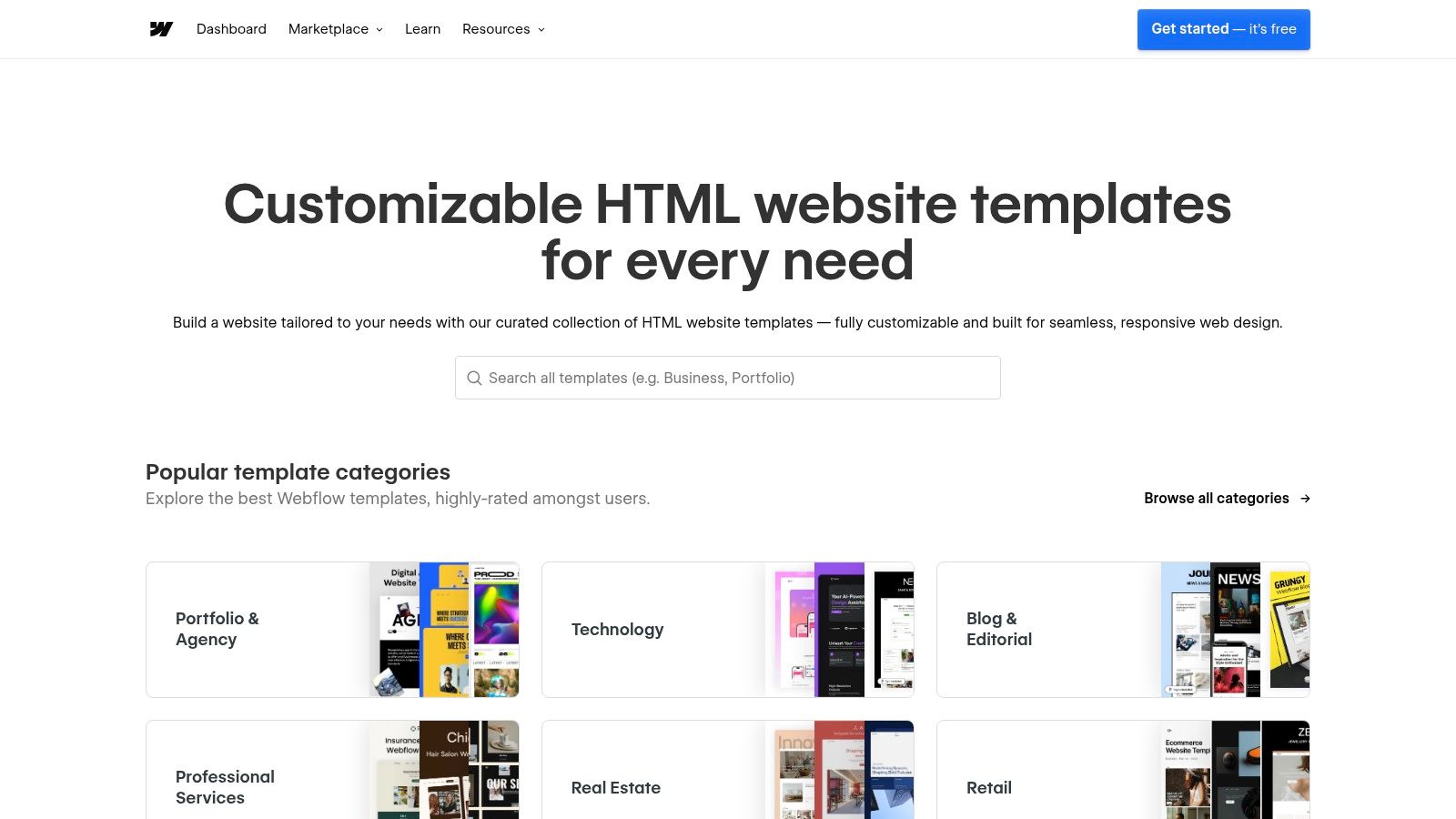
3. Webflow Templates – Visual Builder with Static Export
Webflow serves as both a high-fidelity visual web design tool and a marketplace for premium templates. Unlike traditional marketplaces, Webflow allows designers and teams to visually build and customize sites without writing code, then export the project as clean, production-ready static HTML, CSS, and JavaScript. This hybrid approach is ideal for those who prefer visual development workflows but still want the performance and security benefits of a self-hosted static site.
The platform excels at bridging the gap between design and development. Its visual editor is incredibly powerful, offering precise control over styling, interactions, and responsive layouts. This makes it a go-to for designers who want to create bespoke experiences without being limited by typical template constraints, providing a unique pathway to generating high-quality static website examples.
Strategic Analysis & Key Features
Webflow's core strategic advantage is its "design-first, code-later" philosophy. It empowers non-coders to produce developer-friendly static assets, streamlining the handover process and reducing iteration time. It's a powerful tool for agencies and freelancers who need to create custom static sites quickly. For those evaluating visual builders, a detailed Framer vs. Webflow comparison can help determine the best fit for your static site project.
- Static Code Export: Available on paid Workspace plans, this feature lets you download a zip file containing minified HTML, CSS, and JS. This code can be hosted on any static hosting provider like Netlify or Vercel.
- Integrated Visual Editor: The template marketplace is directly tied to the Webflow Designer, allowing for seamless purchase-to-customization workflow.
- Webflow University: An extensive library of high-quality tutorials and documentation that significantly flattens the learning curve for using the powerful visual editor.
Actionable Takeaways
Webflow is the perfect solution when a project demands a highly custom visual design, but the final output must be a portable, self-hosted static website. It empowers designers to build what they envision without immediate developer involvement.
To use Webflow effectively for static exports:
- Verify Export Compatibility: Before purchasing a template, check if its features (like CMS or complex forms) are designed to work well after export. You may need to wire up forms to a third-party service like Netlify Forms or Formspree.
- Utilize "Made in Webflow": Explore the "Made in Webflow" showcase to find cloneable projects. This is a great way to deconstruct how advanced layouts and interactions are built before starting from scratch or buying a template.
- Clean Up Classes: Use Webflow's Style Manager to audit and clean up unused CSS classes before exporting. This ensures your final static code is as lean and maintainable as possible.
Website: Webflow Templates
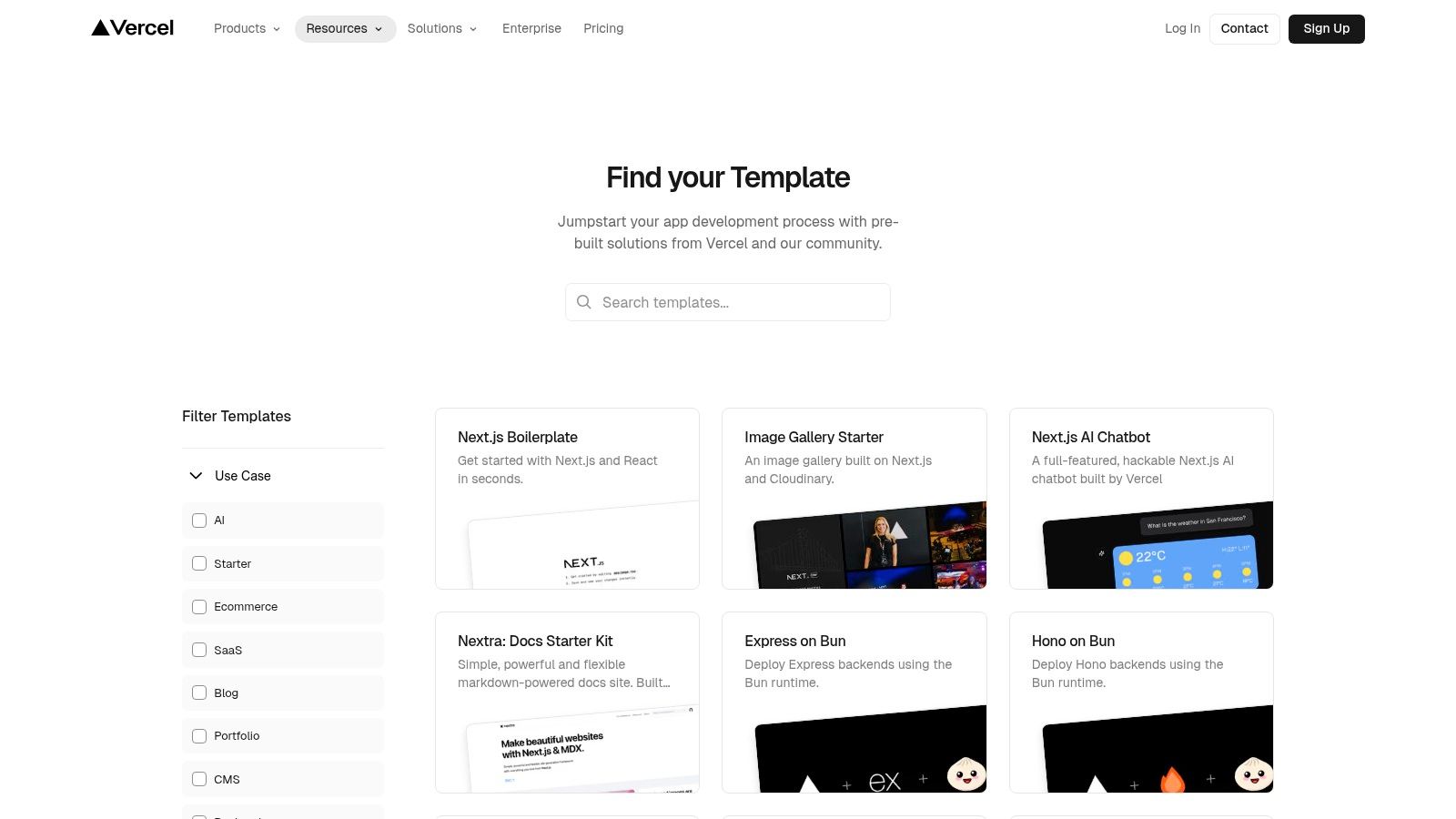
4. Vercel Templates – Free Starters with 1-Click Deploy
Vercel Templates is a gallery of free, open-source starter projects designed for instant deployment. Unlike a marketplace, its focus is on providing functional, pre-configured examples for modern frameworks like Next.js, Astro, and SvelteKit, many of which are perfect for building high-performance static sites. This makes it an invaluable resource for developers who want to learn a new framework or kickstart a project with a solid foundation.
The platform’s core advantage is its seamless integration with the Vercel hosting platform. With a single click, you can clone a template's repository to your GitHub account and deploy it to Vercel's global CDN, establishing a complete CI/CD pipeline in seconds. This frictionless experience removes the setup overhead, allowing you to go from idea to live URL almost instantly.
Strategic Analysis & Key Features
Vercel Templates directly addresses the need for modern, production-ready starting points in the Jamstack ecosystem. It shifts the focus from just design (like ThemeForest) to functional architecture, providing examples that incorporate best practices for performance, data fetching, and deployment.
- 1-Click Deploy: This is the standout feature. It automates repository creation, environment variable setup, and the initial deployment, making it incredibly easy to launch new projects.
- Framework Variety: The gallery includes templates for a wide range of static site generators and frameworks, from a simple HTML starter to complex Next.js applications with database integrations.
- Cost and Access: All templates are free to use and deploy. Vercel’s generous "Hobby" tier offers free hosting for personal projects and non-commercial sites, with no credit card required to start.
Actionable Takeaways
Vercel Templates are ideal for developers who want to rapidly prototype or start new projects using modern Jamstack frameworks without the hassle of manual configuration.
To use Vercel Templates effectively:
- Filter by Framework and Use Case: Start by filtering for your preferred static site generator (e.g., Astro, Next.js) and the type of site you're building (e.g., "Portfolio," "Blog").
- Deploy First, Customize Later: Use the 1-click deploy feature to get the template live immediately. This verifies the deployment process works before you spend any time modifying code.
- Inspect the Repository: After deploying, dive into the cloned GitHub repository. Analyze the file structure, build scripts (
package.json), and framework configuration files to understand how it's built.
This approach provides some of the most practical and modern static website examples available, giving you a live, working project to deconstruct and learn from.
Website: Vercel Templates
5. Jamstack Themes – Open-Source Theme/Starter Directory
Jamstack Themes is a comprehensive directory that aggregates over 800 open-source themes and starters for a wide range of static site generators. Instead of offering premium templates for purchase, it serves as a central hub for discovering free, community-built foundations for projects using technologies like Hugo, Jekyll, Astro, Eleventy, and Next.js. It’s an invaluable resource for developers looking to quickly launch a blog, portfolio, or documentation site.
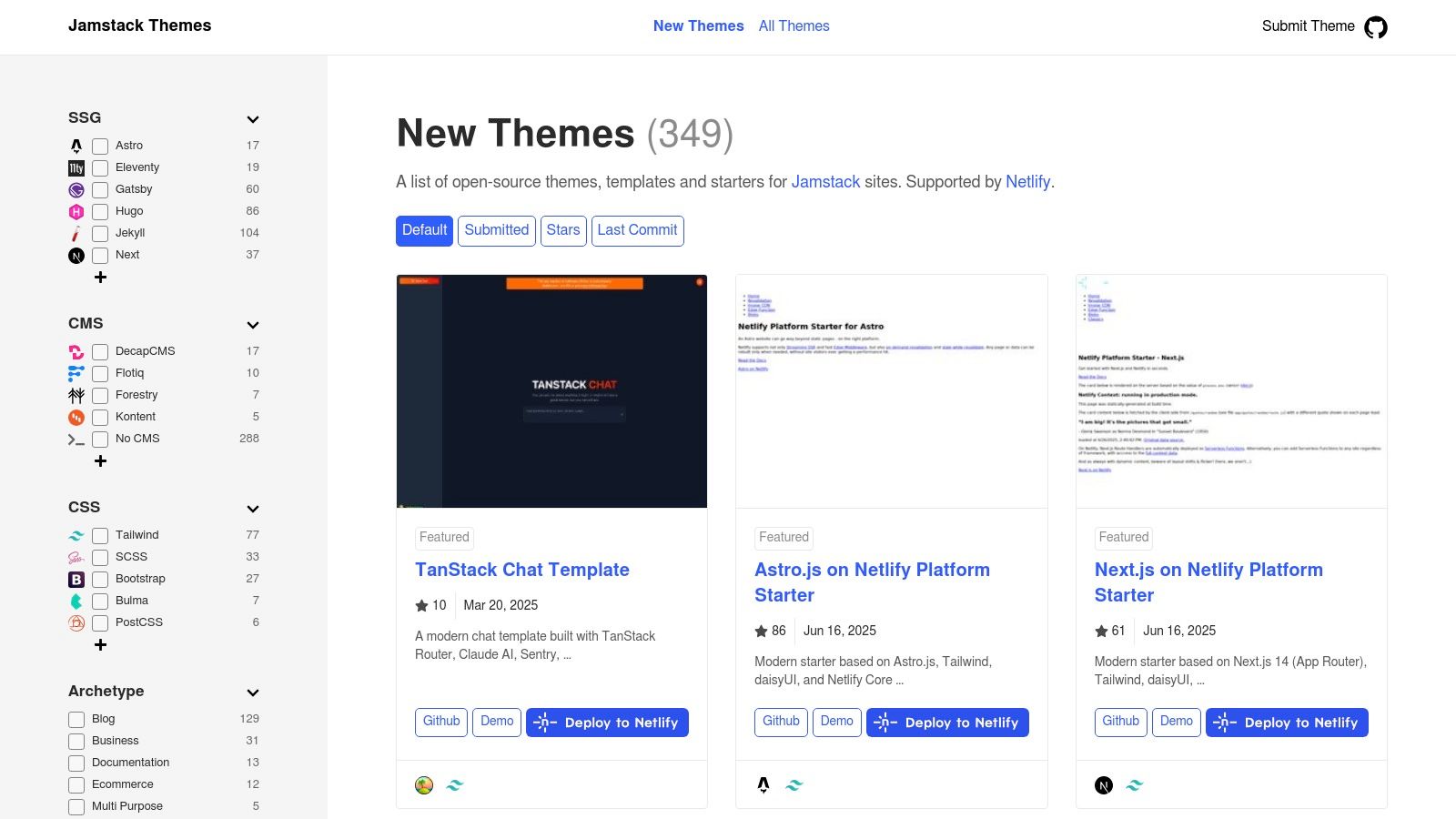
The platform's core strength is its powerful filtering and sorting system, which allows users to find themes tailored to specific needs. You can filter by SSG, supported CMS (like Contentful or Sanity), and archetype (e.g., portfolio, e-commerce, docs). This makes it easy to find a relevant starting point and often includes one-click deploy buttons for services like Netlify, streamlining the setup process significantly.
Strategic Analysis & Key Features
Jamstack Themes directly addresses the discovery problem within the open-source ecosystem. It saves developers countless hours of searching through GitHub repositories by curating and categorizing high-quality themes in one place. Its focus is on function and community-driven development, providing a practical launchpad for numerous static website examples.
- Open-Source and Free: All themes listed are free to use under various open-source licenses. This eliminates budget constraints and encourages experimentation.
- Powerful Filtering: Users can drill down by SSG, CMS, and site type. The ability to sort by GitHub stars or last commit helps identify popular and actively maintained projects.
- Direct Repository Access: Each listing links directly to its GitHub repository and a live demo. This transparency allows for immediate code inspection and a preview of the end product. Many themes can also be paired with a GitHub-based CMS for streamlined editing.
Actionable Takeaways
Jamstack Themes is the ideal starting point for developers who prefer an open-source workflow and want a functional, well-structured theme without the cost of a premium marketplace.
To use Jamstack Themes effectively:
- Sort by Recent Activity: Use the "Last Commit" sort option to find themes that are actively maintained. This helps avoid starters with outdated dependencies or unresolved issues.
- Verify CMS Compatibility: If you plan to use a headless CMS, use the "CMS" filter to find starters pre-configured for platforms like Strapi, Forestry, or Sanity.
- Check the GitHub Issues: Before committing to a theme, review the open issues on its GitHub repository. This provides insight into common problems, the author’s responsiveness, and the overall health of the project.
Website: Jamstack Themes
6. Hugo Themes – Official Gallery (Free, Open-Source)
The official Hugo Themes gallery is an open-source alternative to commercial marketplaces. Instead of selling templates, it curates a community-driven collection of free themes for the Hugo static site generator. This makes it an ideal starting point for developers who want to quickly launch a project without an initial design investment. Every theme includes a live demo and a direct link to its source code repository, often on GitHub.
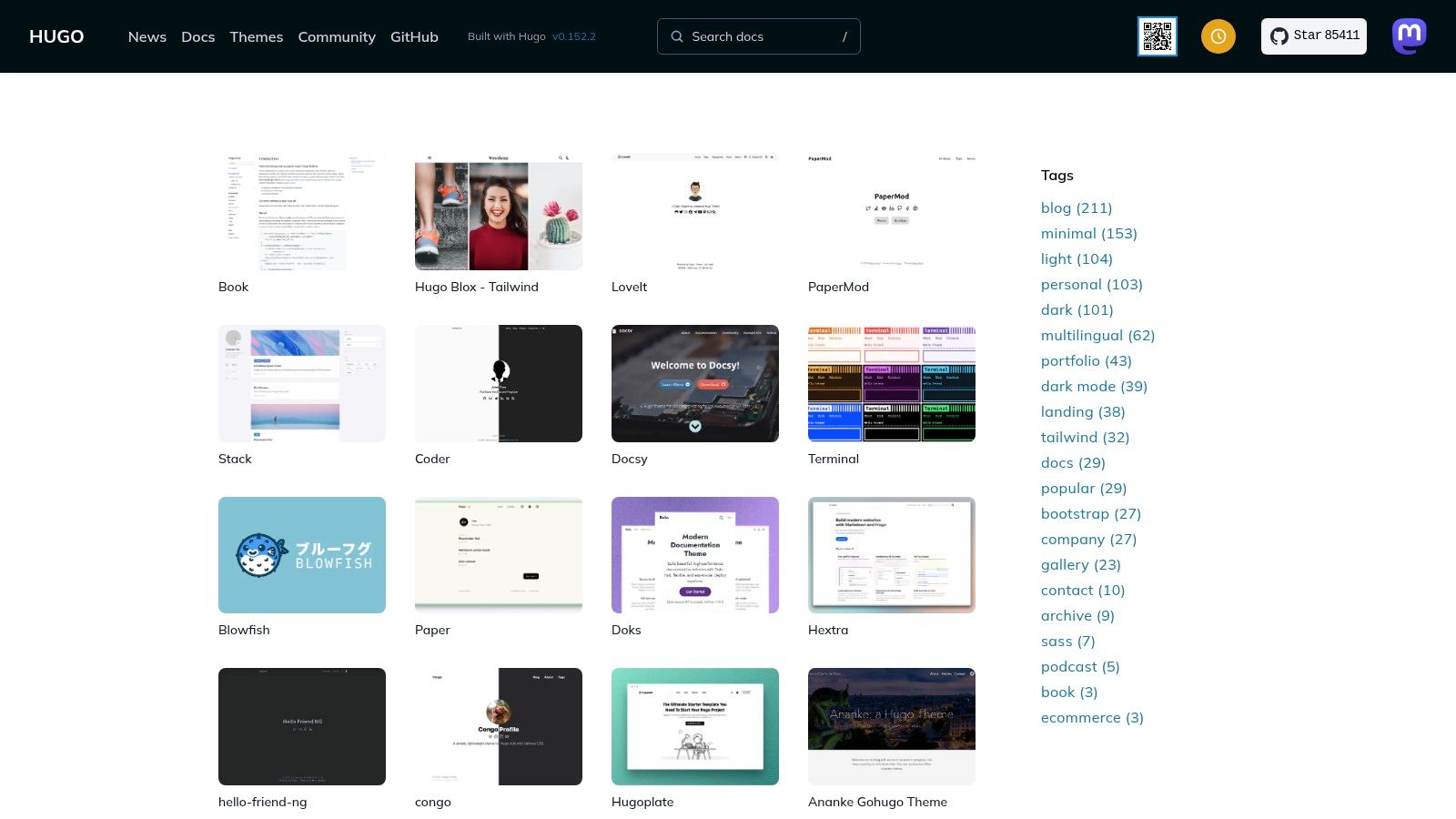
The gallery’s primary strength is its direct integration with the Hugo ecosystem. The themes are built by the community for the community, meaning they generally follow best practices and showcase Hugo's features effectively. This resource is invaluable not only for finding a ready-made design but also for learning how to structure a Hugo project by examining well-built static website examples. This approach aligns perfectly with the principles behind what an SSG is, promoting speed, security, and simplicity.
Strategic Analysis & Key Features
Hugo Themes solves the need for fast, free, and functional project scaffolding. It empowers developers to bypass the design phase and jump straight into content creation by providing a diverse selection of themes for blogs, portfolios, documentation sites, and landing pages. This community-driven model fosters a culture of sharing and improvement.
- Licensing Model: Most themes are released under permissive open-source licenses like MIT or Apache 2.0. This allows for free use, modification, and distribution in both personal and commercial projects.
- Community Support: Support is decentralized and community-based. Users typically raise issues or ask questions directly on the theme's GitHub repository, relying on the theme author and other users for help.
- Cost and Access: All themes listed are completely free. Users can clone or download the source code directly from the linked repository without any cost or sign-up.
Actionable Takeaways
Use the Hugo Themes gallery when you need a functional, no-cost starting point for a Hugo project and are comfortable with Git and basic command-line operations for installation and customization.
To use Hugo Themes effectively:
- Check for Recent Activity: Before choosing a theme, check its repository for recent commits. An actively maintained theme is more likely to be secure, compatible with the latest Hugo version, and responsive to issues.
- Examine the
exampleSite: Most high-quality themes include anexampleSitefolder. This is a pre-configured demo that shows you how to structure your content and configure theconfig.tomlfile correctly. - Read the Documentation: A well-documented theme will save you hours of frustration. Look for a detailed
README.mdthat explains installation, configuration options, and how to use custom features like shortcodes.
By leveraging the Hugo Themes gallery, you can quickly build and deploy powerful static sites while learning from the work of experienced Hugo developers.
Website: Hugo Themes
7. Start Bootstrap – Free MIT-Licensed Static Templates
Start Bootstrap provides a curated collection of high-quality, completely free static templates built with the Bootstrap framework. Unlike a massive marketplace, its focus is on offering well-maintained, open-source themes for common use cases like landing pages, business portfolios, and personal blogs. Every template is released under the permissive MIT license, making it an ideal resource for commercial and personal projects without attribution requirements.
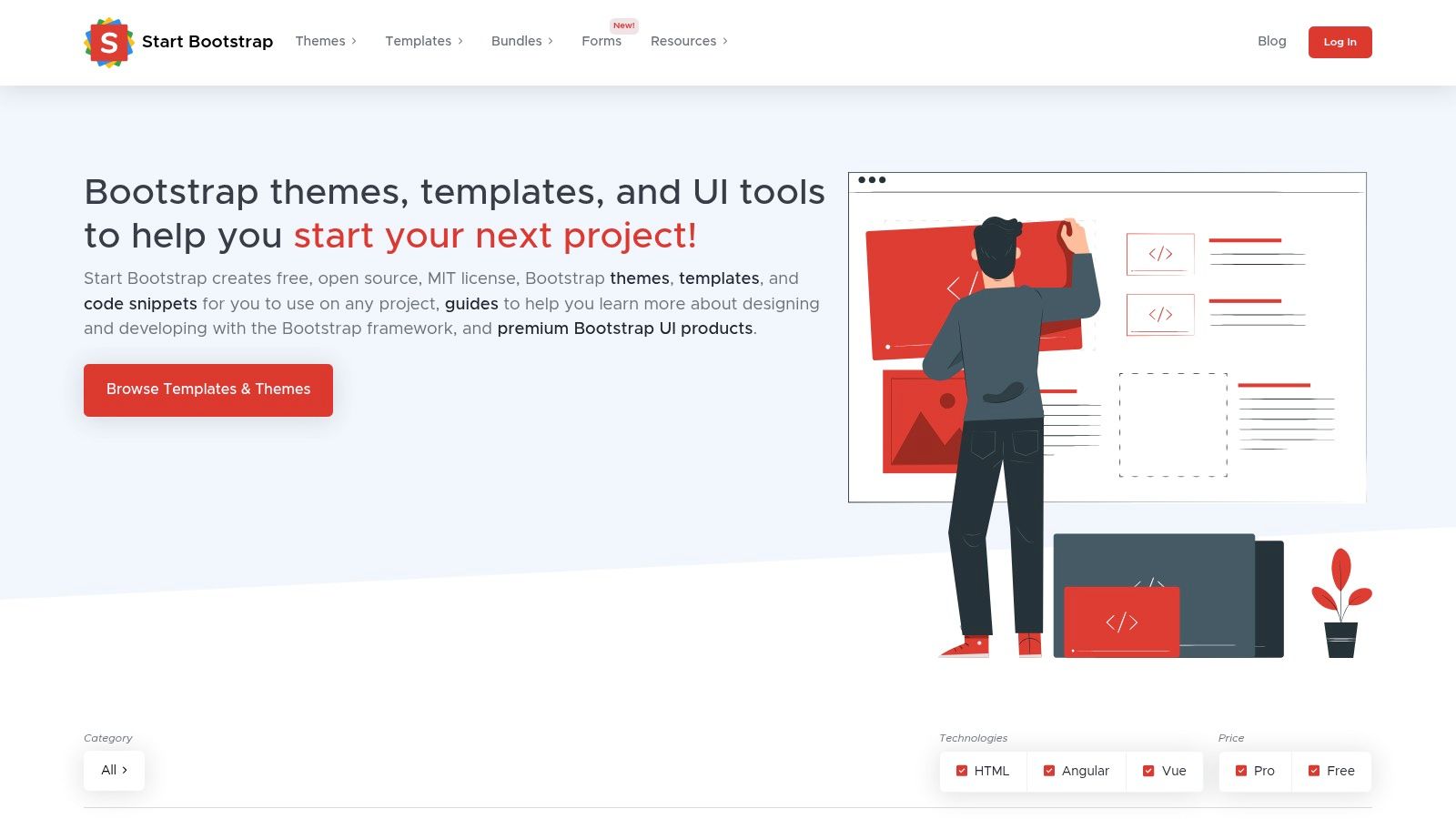
The platform's core value is its accessibility and zero-cost entry point. Developers can rapidly prototype or launch a professional-looking static site by downloading a template and integrating it with their preferred static site generator. The templates are available as direct downloads or npm packages, simplifying integration into modern development workflows. This makes it a go-to for projects where speed and a reliable, responsive foundation are top priorities.
Strategic Analysis & Key Features
Start Bootstrap eliminates the cost barrier to professional design, providing a solid starting point for developers who are comfortable with the Bootstrap ecosystem. It solves the need for quick, clean, and modern designs for standard web pages without the overhead of licensing fees or complex design processes.
- Licensing Model: All templates use the MIT License, which is one of the most permissive open-source licenses. It allows for free use, modification, and distribution in both private and commercial projects without requiring attribution.
- Ease of Integration: Templates are provided as clean HTML, CSS, and JavaScript files. They can also be installed via npm, making them easy to include in build processes for tools like Hugo, Jekyll, or Eleventy.
- Cost and Access: Everything is 100% free. There are no premium versions or hidden costs. Users get immediate access to download all template files directly from the website or its GitHub repository.
Actionable Takeaways
Start Bootstrap is the perfect choice for projects needing a fast, free, and reliable foundation based on a widely-used framework. It's especially useful for bootstrapping MVPs, marketing landing pages, or simple business sites.
To use Start Bootstrap effectively:
- Choose a Purpose-Built Template: Browse the categories (e.g., "Landing Page," "Portfolio") to find a template that structurally matches your project's goal. This minimizes the amount of layout customization required.
- Use the Live Preview: Test the live demo on different screen sizes to confirm its responsiveness and user experience. Check the browser's developer console for any errors before committing.
- Deploy with Ease: These simple HTML templates are perfect for static hosting providers. You can follow a streamlined process to get your site live quickly; explore this guide on how to use GitHub Pages for a popular, free hosting option.
By using Start Bootstrap, you can launch impressive static website examples with minimal upfront investment in time or money.
Website: Start Bootstrap
Top 7 Static Site Template Comparison
| Template Source | 🔄 Implementation Complexity | ⚡ Resource Requirements | ⭐📊 Expected Outcomes | Ideal Use Cases | 💡 Key Advantages |
|---|---|---|---|---|---|
| ThemeForest (Envato Market) – HTML Site Templates | 🔄 Low–Medium — ready-made HTML/CSS but varies by author | ⚡ Moderate — purchase/license cost; basic hosting; optional paid support | ⭐ Polished results common, 📊 quality varies by author | Polished static sites, dashboards, landing pages, agencies | 💡 Massive selection, clear licensing, live previews |
| TemplateMonster – HTML Website Templates | 🔄 Low–Medium — curated HTML5/Bootstrap templates; selection effort | ⚡ Moderate — one-off purchase; hosting; time to shortlist | ⭐ Consistent professional templates, 📊 style breadth requires searching | One-off site purchases, agencies, price-sensitive projects | 💡 Competitive pricing, established reviews/support |
| Webflow Templates – Visual Builder with Static Export | 🔄 Low — visual editor for designers; export step may require paid plan | ⚡ Higher — Webflow paid plan for export/hosting; learning curve for builder | ⭐ High for designer-driven builds, 📊 exported static may need tweaks (forms/CMS) | Designers/teams who want visual design then static export | 💡 Fast visual iteration, strong docs, optional managed hosting |
| Vercel Templates – Free Starters with 1-Click Deploy | 🔄 Low (deploy); Medium if learning framework (Next/Astro/etc.) | ⚡ Low — free templates and generous hosting tier; Git integration | ⭐ Reliable modern starters, 📊 instant deploys with CDN | Learning examples, quick prototypes, modern SSG deployments | 💡 1‑click deploy, free starters, CI/CD integration |
| Jamstack Themes – Open-Source Theme/Starter Directory | 🔄 Medium — varies by SSG and repo setup | ⚡ Low — open-source (free) but needs SSG tooling and build steps | ⭐ Broad coverage across SSGs, 📊 quality depends on theme maintenance | Exploring SSG ecosystems, comparing starters, free deploys | 💡 Large directory, many demos and 1‑click deploy links |
| Hugo Themes – Official Gallery (Free, Open-Source) | 🔄 Medium — requires Hugo familiarity for install/customize | ⚡ Low — free/open-source; requires Hugo toolchain | ⭐ Predictable Hugo-compatible results, 📊 permissive licensing | Hugo sites: blogs, docs, portfolios | 💡 Official curated gallery, live demos, permissive licenses |
| Start Bootstrap – Free MIT-Licensed Static Templates | 🔄 Low — plug-and-play Bootstrap templates | ⚡ Very low — free (MIT), minimal tooling; available via npm | ⭐ Reliable Bootstrap-based pages, 📊 excellent for prototypes | Rapid prototyping, landing pages, portfolios, zero-budget projects | 💡 MIT license, live demos, well-maintained Bootstrap examples |
Bringing Your Static Site to Life: Your Next Steps
We've explored a diverse collection of high-quality static website examples, from professional portfolios and vibrant blogs to comprehensive documentation hubs and high-converting marketing pages. Across all these showcases, a consistent theme emerges: success in the Jamstack ecosystem hinges on a powerful combination of the right static site generator, a well-structured design, and an efficient, friction-free content workflow.
Inspiration is a powerful catalyst, but the true challenge lies in translating that inspiration into a tangible, high-performing website. This is where your development and content management process becomes critical.
Distilling the Core Lessons
Reflecting on the examples, several core principles stand out. The best static sites prioritize lightning-fast performance, which directly impacts user experience and search engine rankings. They also benefit from enhanced security by eliminating server-side vulnerabilities and maintain lower operational costs due to simpler hosting requirements.
These benefits are not accidental; they are the direct result of choosing a modern, static-first architecture. The strategic decision to use generators like Hugo for its build speed, Astro for its island architecture, or Jekyll for its simplicity and vast ecosystem allows teams to focus on what matters most: creating exceptional content and user experiences.
Choosing Your Path Forward
Selecting the right tool is your first critical step. Your choice should align with your project's goals and your team's technical comfort level.
- For speed and large-scale content: Hugo is an unparalleled choice, known for its incredible build times, making it ideal for sites with thousands of pages.
- For content-rich, performance-focused sites: Astro offers a unique "islands architecture," shipping zero JavaScript by default for maximum speed.
- For community and plugin support: Jekyll remains a solid, dependable option with extensive documentation and a rich history, especially for blogs and project sites hosted on GitHub Pages.
- For JavaScript developers: Eleventy and Gatsby provide powerful, flexible environments that leverage the npm ecosystem for deep customization.
Once you've chosen a generator and a theme, the focus shifts to optimization and content creation. To ensure your new static site gains visibility and attracts the right audience, it's crucial to stay current with search engine best practices. As algorithms evolve, you can future-proof your visibility by delving into effective AI SEO strategies that align with modern ranking factors.
The final piece of the puzzle is establishing a sustainable workflow. The examples we reviewed succeed because their creators can update content quickly and reliably. The traditional Git-based workflow can be a bottleneck, especially for non-technical team members. This is precisely the problem that modern content management solutions are designed to solve. By abstracting away the complexity of Git commands and YAML front matter, you empower your entire team to contribute effortlessly.
Your journey from inspiration to implementation is now clear. The static website examples in this article serve as your blueprint. By selecting the right tools, focusing on performance and user experience, and adopting a streamlined content workflow, you are well-equipped to build a fast, secure, and scalable website that achieves your goals.
Ready to turn these examples into reality without the command-line hassle? JekyllPad provides a visual, browser-based editor for your Jekyll, Hugo, and Astro sites on GitHub. Streamline your content workflow and empower your team to publish updates with ease. Try JekyllPad today and experience the future of static site management.