
If you’ve ever felt like writing a single blog post is a monumental effort, you’re not imagining things. The real secret to writing blog posts faster isn’t about some magic typing trick or an overnight burst of inspiration. It’s about having a rock-solid system. The biggest delays usually happen before you’ve even written a complete sentence, stuck in the disorganized mess of research and planning.
By building a smart workflow, you can slash your production time while actually improving the quality of your work.
The Real Reason Writing Blog Posts Takes So Long
Let's be honest, the pressure is on. Gone are the days of quickly knocking out a 500-word post. Today, both readers and search engines expect in-depth, well-researched, and genuinely helpful content. This change has turned what used to be a sprint into a full-blown marathon for many writers.
And it’s not just a feeling—the numbers tell the story. Back in 2022, the average blogger spent a whopping 4 hours and 10 minutes on a single article. That's a 119% increase from 2014. At the same time, the typical post length has ballooned to over 1,300 words. You can dig deeper into these blogging trends to see how the landscape has shifted.
So, where is all that time actually going? It's rarely the act of typing itself. The real culprits are the hidden inefficiencies baked into the process.
Common Time Sinks in a Typical Blogging Workflow
This table pinpoints the hidden bottlenecks slowing you down and shows how a modern, systemized approach turns them into strengths.
| Bottleneck | The Old, Slow Approach | The Modern, Fast Solution |
|---|---|---|
| Idea Generation | Waiting for a great idea to pop into your head, leading to sporadic posting. | Systematically building an "idea bank" from customer questions and keyword research. |
| Outlining | Jotting down a few vague bullet points that don't really guide the writing process. | Creating a detailed "zero-draft" outline that acts as a complete roadmap for the article. |
| Drafting | Agonizing over every word and editing sentences as you write them. | Powering through a rapid "shitty first draft" without stopping to self-correct. |
| Editing | Making endless, separate passes for grammar, then style, then flow. | Grouping all editing tasks into one or two focused, high-impact sessions. |
| Publishing | Manually wrestling with formatting, uploading media, and configuring post settings. | Using templates and tools to automate the tedious, repetitive parts of publishing. |
A systemized approach helps you escape the frustrating cycle of researching while you write, editing while you draft, and formatting at the last minute. This constant task-switching destroys your focus and momentum.
The big mindset shift is this: stop trying to create a perfect article in one go. By separating the creative, analytical, and technical parts of blogging, you build a production line that moves faster and produces better results.
Each stage has a single, clear goal. This approach gets rid of indecision and keeps you moving forward. This guide will walk you through how to build that exact system.
Plan Your Attack: The Secret to Writing Insanely Fast
Want to know the real secret to writing faster? It has nothing to do with your typing speed. It’s all about what happens before your fingers even hit the keyboard.
Investing a little time upfront to plan your article is the single best way to conquer that intimidating blank page. Think of it like an architect designing a house—they don’t just start hammering nails. They draw up a detailed blueprint. That's what we're going to do for your blog post.
Start with a Brain Dump (The Messier, the Better)
First things first: get every single thought, idea, and random tangent about your topic out of your head and onto the page. Don't filter yourself. Don't worry about grammar or whether an idea is "good" or "bad." Just open a document and let it all pour out.
It's like cleaning out your mental closet. You'll find some gems, some half-baked ideas, and probably a bit of junk. That's okay. The goal here is pure volume.
Ask yourself a few questions to get the ball rolling:
- What are the most common questions people have about this?
- What are the absolute must-know points?
- Do I have any personal stories or killer examples to share?
- If the reader only remembers one thing, what should it be?
This process might feel chaotic, but it's essential. You're gathering all the raw materials you'll need to build a great article.
Find the Patterns and Group Your Ideas
Okay, now you have a glorious mess of notes. Your next job is to bring some order to the chaos. Scan through everything you wrote down and start looking for related ideas or common threads. Group them into logical themes.
Let's say you're writing about "How to Start a Podcast." After your brain dump, you might start grouping your notes into clusters like this:
- Gear: (All your notes on mics, headphones, software)
- Content Strategy: (Ideas about choosing a niche, episode formats, scripting)
- The How-To: (Notes on finding a quiet place to record, basic editing)
- Getting it Out There: (Thoughts on submitting to directories, social media promo)
See what happened? Those scattered thoughts just became the foundational pillars of your blog post. Each theme is now a major section, giving your article a clear, logical flow.
Create a "Zero-Draft" Outline
This is where the magic really happens. A simple bulleted list isn't going to cut it. To really set yourself up for speed, you need to create a zero-draft outline. This is a much more detailed, conversational framework that reads like a super rough version of the final article. It’s the bridge between a basic plan and the actual first draft.
Instead of a bullet point that just says "Introduction," your zero-draft outline might look more like this: "Open with a relatable story about the struggle of staying consistent with publishing. Then, introduce the main idea: a solid system is the only way to win."
This detailed approach does more than just organize your thoughts—it builds momentum. You're making all the small, tricky decisions during the outlining phase. That frees you up to just write when it's time to draft, eliminating friction and letting the words flow.
This kind of pre-planning is also what allows bloggers to publish consistently. And consistency pays off. HubSpot's research shows that bloggers who stick to a regular publishing schedule can drive up to 30% more traffic to their sites. You can dig into more stats on how efficient blogging impacts traffic growth to see the full picture.
Build Reusable Content Briefs
Want to take it to the next level? Turn your best outlines into reusable templates, often called content briefs. A content brief is simply a standardized document that maps out everything a post needs to succeed: its goal, target audience, keywords, and structure.
For example, a "how-to" guide template might always include these sections:
- The Problem: Hook the reader by vividly describing the problem they’re trying to solve.
- Tools & Materials: Give them a checklist of everything they need upfront.
- The Step-by-Step: Break down the process into clear, actionable steps.
- Common Pitfalls: Share your expertise by telling them what not to do.
- Wrap-Up & Next Steps: Summarize the outcome and point them toward what's next.
By creating these skeletons for your most common article types—listicles, reviews, guides, you name it—you stop reinventing the wheel every single time. You get to start with a proven structure, which saves a ton of time and keeps your content consistently high-quality.
From Outline to First Draft: It's All About Speed
You've got your blueprint. Now comes the part where you build, and the only rule is to build fast. This isn't the time to worry about picking the perfect turn of phrase or polishing every sentence. It's about getting words down on the page.
Think of it as your "shitty first draft," a term the brilliant author Anne Lamott coined. Your only mission is to get your ideas out of your head and onto the screen.
The biggest trap writers fall into here is editing as they go. Every time you stop to second-guess a word or look up a quick fact, you kill your momentum. Right now, you're just mining for raw material; the polishing comes later.
Write in Focused Sprints
To get in the zone and stay there, I swear by the Pomodoro Technique. It's a dead-simple method: you work in hyper-focused 25-minute bursts with short breaks in between. For those 25 minutes, your only job is to write. Period.
This works because it creates a healthy sense of pressure. That ticking clock is a powerful motivator to ignore your phone, close your other tabs, and just type.
Here’s how I break it down:
- Set a timer for 25 minutes. No exceptions.
- Write like your hair is on fire, following your outline. If you hit a spot where you need a statistic or a quote, just drop in a placeholder like
[ADD STAT ABOUT WRITING SPEED HERE]and keep moving. - When the timer dings, take a real 5-minute break. Get up. Stretch. Look out a window. Do anything but stare at your draft.
- After four of these cycles, take a longer 15-30 minute break. You've earned it.
This rhythm keeps you from burning out and, over time, trains your brain to switch into "deep work" mode on command. It’s a game-changer if you’re trying to figure out how to write blog posts faster.
Talk it Out, Don't Type it Out
Let's be honest: sometimes our fingers just can't keep up with our brains. That gap between thought and text is where great ideas get lost. This is exactly where voice-to-text tools come in handy.
Most modern writing software, like Google Docs and Microsoft Word, has solid speech-to-text built right in. Just pull up your outline, hit the microphone button, and start talking through each section as if you were explaining it to a colleague.
Sure, the transcript will be a bit messy. It’ll be conversational. That’s the whole point. You're bypassing the keyboard entirely and capturing your thoughts in their most natural form, often generating a huge amount of content in a fraction of the time.
This technique is fantastic for nailing an authentic tone. Your draft will sound more like you, which usually means less editing is needed later to make it feel human. Once you have that raw text, our guide on how to properly format a blog post can show you how to structure it beautifully.
Use AI as a Brainstorming Buddy
Writer's block is often just the fear of not getting it perfect on the first try. An AI writing assistant can be the perfect sparring partner to help you push through that. The trick isn't to have it write for you, but to use it to get unstuck.
If you're interested in getting more out of these tools, learning to deploy AI apps from Google AI Studio can give you a powerful creative assistant.
Here are a few ways I use AI to keep the words flowing during a draft:
- Find a better angle: "Give me three fresh ways to introduce the Pomodoro Technique."
- Ask for an analogy: "What's a good metaphor for why you shouldn't edit while you write?"
- Expand on a quick thought: "Flesh out this note into a simple paragraph: 'Voice-to-text is faster than typing.'"
Think of AI as scaffolding. It gives you a temporary structure to build on, but you're still the one doing the real work. When you treat the first draft as a low-pressure brain dump, you free yourself up to write faster and more creatively.
Streamline Publishing with Smarter Tools
Even the most brilliant draft can get stuck at the finish line. That final stretch—formatting, dropping in images, and actually hitting "publish"—is often a frustrating maze of technical busywork. This is where you can reclaim a huge chunk of time by swapping clunky, multi-step processes for smarter, more integrated tools.
The trick is to bring that same batching mindset from the drafting phase into your publishing workflow. Instead of bouncing between editing, formatting, and adding media, handle each task in its own dedicated block. First, you edit. Then, you format. Then, you deal with all the visuals. It’s a simple, systematic approach that keeps you focused.
Escape the Context-Switching Trap
Let’s be honest: the traditional workflow for a static site can be a total mess. You might be writing in one text editor, firing up a local server to preview your changes, then wrestling with the command line to push updates. Every single step yanks you out of your creative headspace.
Modern tools are built to kill that chaos. A great visual editor with a real-time preview, for instance, keeps everything in one environment. You see exactly how your content will look as you type, which gets rid of all the guesswork and the constant need to flip between windows.
This is what a truly integrated writing and publishing space feels like.
On the left, you've got your raw Markdown; on the right, a live preview. This dual-pane view means you can work efficiently without ever leaving the editor just to check your formatting.
Automate the Repetitive Setup
Every blog post comes with a little bit of administrative baggage, especially if you're using a static site generator like Jekyll or Hugo. I'm talking about the front matter—that block of YAML at the top of your file that defines the title, date, author, and other metadata. Manually typing this out for every single post is a small but surprisingly persistent time-waster.
This is a perfect candidate for automation. Instead of starting from a blank slate, you can create front-matter templates for different content types. In a tool like JekyllPad, a "Standard Blog Post" template could automatically fill in:
- layout:
post - author:
your_name - date:
{{current_date}} - categories:
[]
With just one click, your post is properly set up, letting you dive right into the good part: writing. Standardizing this also kills typos and ensures every article has a consistent, predictable structure. For a deeper dive, check out our guide on finding the best online Markdown editor that comes with these kinds of time-saving features.
From Draft to Live in a Single Click
The final hurdle—and often the most intimidating one for many—is actually deploying your changes. The classic Git workflow involves staging files, crafting commit messages, and pushing to GitHub through the command line. It’s a process that can feel slow and unforgiving if you make a mistake.
By streamlining the entire workflow from writing to publishing, tools like JekyllPad can dramatically reduce time spent on administrative tasks. What used to take 30-45 minutes in setup and publishing now happens in seconds with one-click GitHub commits and a client-side visual CMS.
Now, imagine replacing that entire command-line dance with a single "Publish" button sitting right inside your editor. That's what native GitHub integration does for you. Every save can automatically become a commit, building a version history without you ever having to think about it. It completely removes that final technical barrier standing between your draft and your audience.
To really get ahead, you can also learn how to use AI for writing effectively as a partner for brainstorming and outlining. When you combine smart AI assistance during creation with a frictionless publishing tool, you create a powerful end-to-end system built for speed. The goal is to make publishing feel as effortless as writing that final word.
Build a Sustainable High-Speed Content System
If you want to move from writing a single blog post quickly to running a high-velocity content engine, you need a different mindset. It’s not about random bursts of speed; it's about building a sustainable system. This is where content batching becomes a total game-changer for anyone serious about publishing consistently.
Instead of treating each blog post as its own massive project, batching encourages you to break the process down into its core parts. You set aside specific, focused blocks of time for a single type of work across multiple articles. This simple shift dramatically reduces the mental cost of switching between tasks and helps you get into that "flow state" where the real magic happens.
For example, you could block off Monday morning for outlining. Your only job during that time is to create detailed blueprints for the next four blog posts. You’re not writing, you’re not researching—you’re just structuring. This singular focus keeps your brain on one track, making you far more efficient.
Create a Repeatable Weekly Workflow
A solid schedule is the backbone of any good content system. It gets rid of the daily "What should I work on now?" paralysis and replaces it with a clear, repeatable plan. The goal is to make your content production predictable and reliable, like a creative assembly line.
Here’s a look at what a weekly schedule built around batching might look like:
- Monday (The Blueprint Day): Dedicate 2-3 hours just to outlining. This is when you brainstorm topics, do some initial keyword research, and build out detailed "zero-draft" outlines for the whole week's content.
- Tuesday & Wednesday (The Drafting Days): With your outlines ready to go, these days are for pure writing. Use a technique like the Pomodoro method to power through first drafts for two articles each day. The only rule? No editing. Just get the words down.
- Thursday (The Polish Day): Now it’s time to put on your editor hat. Review all the drafts you wrote, focusing on flow, clarity, grammar, and style. Because you're in a dedicated editing mindset, you'll spot more mistakes and work much faster.
- Friday (The Publishing Day): This is for all the final production tasks. Add your images, drop in internal links, format the posts, write meta descriptions, and get everything scheduled to go live.
An approach like this turns blogging from a chaotic, reactive mess into a calm, proactive process. You always know what’s coming next, which cuts down on decision fatigue and helps keep burnout at bay.
The real power of batching isn't just speed; it's consistency. When you have a reliable system, you're no longer at the mercy of inspiration. You're building a content machine that runs smoothly, week after week.
The Tools That Make Systems Work
A great system gets a serious boost from the right tools. Your workflow should be supported by tech that removes friction, not adds it. For instance, a Gartner report found that automation and better content management can improve the productivity of content teams by up to 50%. By automating repetitive tasks, teams are able to produce more without sacrificing quality. You can see more on how automation is shaping content strategies and delivering these kinds of results.
This is especially true when you get to the publishing stage. A tool with native GitHub integration, for example, can completely eliminate the command-line headaches of deploying a static site. Publishing becomes a single click inside your editor instead of a complicated, multi-step process. To see just how simple this can be, check out our guide on how to sync your Jekyll or Hugo site with GitHub.
When you combine the batching method with smart automation, you create an editorial workflow that’s not only fast but also incredibly resilient. It's a system designed to help you produce high-quality content consistently, turning what was once a stressful chore into a manageable—and even enjoyable—part of your work.
Your Quick-Start Guide to Faster Blogging
Let's distill everything we've covered into a quick, actionable framework you can use immediately. Think of this as your personal cheat sheet—something to bookmark and pull up every time you sit down to write.
The whole point is to turn these strategies into muscle memory. Making faster, smarter blogging a habit isn't about some one-off trick; it’s about having a repeatable process you can trust.
The Power of Batching Your Work
At the heart of this entire workflow is one core principle: content batching. It’s about focusing on one type of task at a time to keep your brain in the zone.
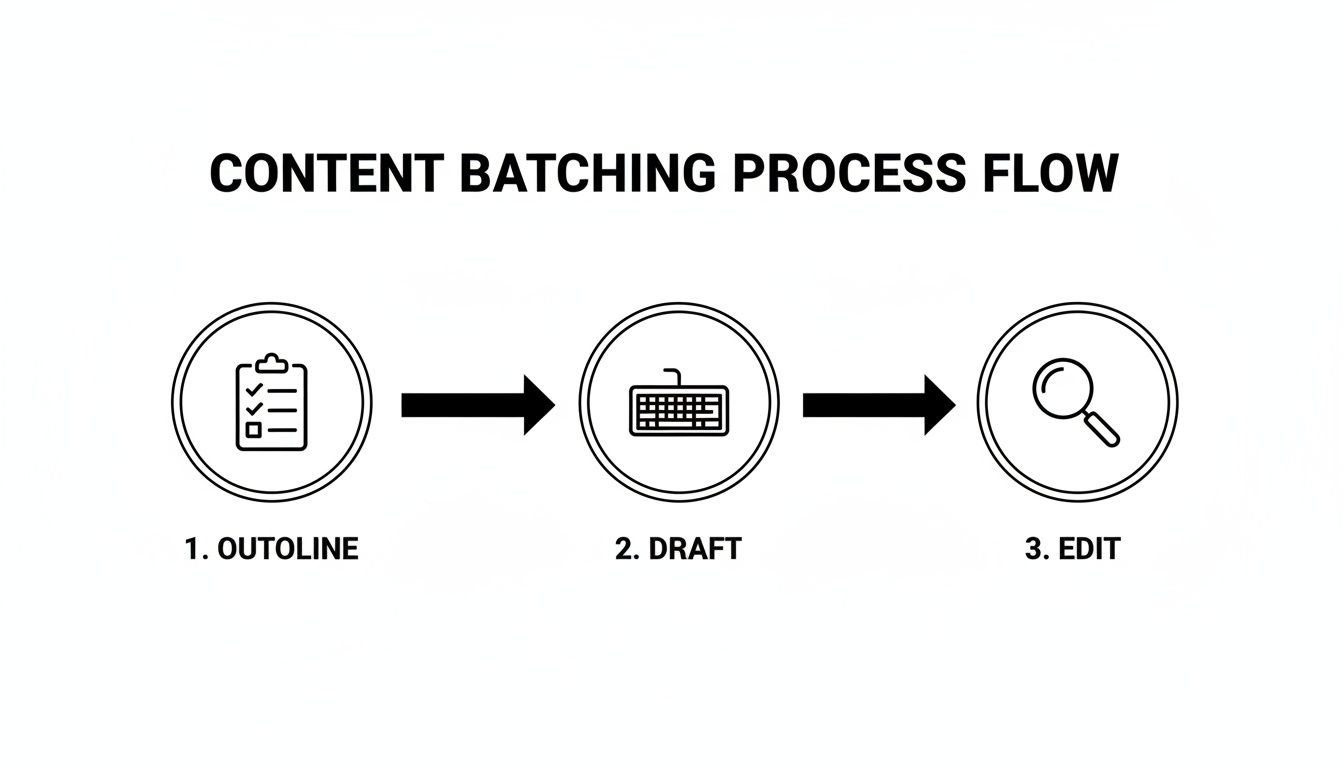
This simple, three-stage approach—Outline, Draft, Edit—is your best defense against context switching. Jumping between writing, finding images, and fixing typos is the biggest enemy of speed, and this process eliminates it entirely.
Your 10-Point Checklist for Faster Blog Post Creation
Ready to put this into practice? I've boiled down the entire process into a 10-point checklist. Follow these steps in order, and you'll find yourself finishing posts in record time without sacrificing quality.
| Phase | Action Item | Key Benefit |
|---|---|---|
| 1. Planning | Brain Dump: Get all your raw ideas, stats, and notes down first. | Clears your head and creates a pool of raw material to work with. |
| 1. Planning | Create a "Zero Draft" Outline: Build a detailed, structured outline with all H2s/H3s. | Provides a solid roadmap, so you never stare at a blank page. |
| 1. Planning | Gather Assets: Collect all necessary links, quotes, and research upfront. | Prevents constant task-switching and distractions during drafting. |
| 2. Drafting | Use the "Pomodoro Technique": Write in focused 25-minute sprints. | Maximizes concentration and prevents burnout. |
| 2. Drafting | Write Ugly First Drafts: Focus purely on getting words down without self-editing. | Overcomes writer's block and builds momentum quickly. |
| 2. Drafting | Utilize Templates: Use pre-made front matter and content structures. | Saves time on repetitive setup and formatting tasks. |
| 3. Editing | Batch Your Edits: Dedicate a separate session just for grammar and flow. | Catches more errors by focusing your brain on a single task. |
| 3. Editing | Format in a Second Pass: Handle all formatting, images, and embeds at once. | Creates a clean, visually appealing post efficiently. |
| 3. Editing | Preview and Tweak: Use a real-time preview to make final adjustments. | Ensures the final product looks exactly as intended before publishing. |
| 4. Publishing | Publish and Promote: Hit publish and immediately move to your promotion checklist. | Completes the entire workflow and moves you to the next task. |
By treating each phase as a distinct step, you're not just writing faster—you're working smarter. This checklist helps you build a system that consistently produces high-quality content without the last-minute scramble.
Still Have Questions About Writing Faster?
Switching gears to a faster writing process can feel a little weird at first. It’s totally normal to worry that speeding things up might mean sacrificing the quality you’ve worked so hard to build. Let's dig into a few common questions that pop up when people decide to put the pedal to the metal.
The biggest fear? That quality will take a nosedive. Does writing faster automatically mean your content will be worse? Absolutely not. I've found that a structured, high-speed system actually improves quality because it forces you to separate the creative, messy drafting from the cold, analytical editing. This mental separation helps you find your flow and keeps your voice consistent.
How Can I Write Fast About Complex Topics?
Trying to write quickly about something complicated feels like running in mud if you're researching as you go. The secret is to do all the heavy lifting upfront. Block out a specific chunk of time just for research and outlining before you even think about writing a single sentence.
When you finally sit down to draft, you shouldn't need to open another browser tab. Your detailed outline is your roadmap, and the writing part is just about fleshing out those points into paragraphs. This approach keeps you from getting derailed halfway through a thought.
Is It Better to Write Longer Posts Slower?
We've all heard the saying "more time equals better results," and there's some data to back that up. Bloggers who spend over six hours on a post report getting 'strong results' 26% of the time. For those spending less than two hours, that number drops to just 16%. The goal isn't just to be fast; it's about being effective. You can learn more about how post creation time correlates with results and what it means for your strategy.
The real win is using a smarter workflow to create a high-quality, in-depth post in less time. A good system helps you produce that "six-hour" quality in a three or four-hour window.
What If My First Draft Is a Total Mess?
Perfect! A messy first draft is a sign you're doing it right. If you aim for perfection out of the gate, you’re just setting yourself up for writer's block.
You have to embrace the "shitty first draft." Its only job is to get words on the page. Once that raw material is there, you can put on your editor hat and start refining. It’s infinitely easier to shape and polish something that exists than to conjure perfect sentences from a blank screen. The editing stage is where the real magic happens.
Ready to close the gap between your draft and your live site? JekyllPad gives you a powerful visual editor and one-click GitHub publishing, so you can spend your time creating, not wrestling with your tools. Start writing faster with JekyllPad today.