
Think of a writing tool that's as simple as a notepad but powerful enough to publish directly to the web, all from your browser. That's the magic of a markdown online editor. It's a web-based app that lets you write in a clean, plain-text format and instantly see how it will look as a finished webpage. It’s the perfect bridge between your raw ideas and polished, web-ready content.
What Is a Markdown Online Editor and Why Should You Care?
Let's compare this to a traditional word processor like Microsoft Word or Google Docs. They're loaded with toolbars, menus, and formatting options. While great for certain tasks, all that complexity can get in the way of what matters most: getting your thoughts down. You end up spending more time fiddling with fonts and margins than focusing on your message.
A markdown online editor cuts through all that noise. It acts like a universal translator for your text. You use simple symbols—like asterisks for italics or hashtags for headings—to mark up your content, and the editor automatically converts it into clean HTML. Your hands stay on the keyboard, and your mind stays on the words.
Solving Common Content Frustrations
This straightforward approach solves a lot of the headaches writers, developers, and content teams deal with every day. It gets rid of the need for clunky, installed software, letting you work from any device with a web browser. That kind of flexibility is a huge win for modern workflows.
It also tackles collaboration and version control chaos. Instead of emailing documents back and forth, a good markdown online editor often plugs directly into a central hub like GitHub. This creates a single source of truth where every change is tracked, so you never have to wonder if you're working on the right version.
Bridging the Gap Between Writers and Developers
The real game-changer is how these editors bring different roles together. They create a common workspace where technical and non-technical people can collaborate without stepping on each other's toes.
- For Writers: It’s a clean, distraction-free space that puts the focus back on writing. You don't need to know a lick of code to create perfectly structured articles or documentation.
- For Developers: It generates clean, predictable HTML. No more fighting with the messy, inline code that word processors often spit out, making it a breeze to integrate content into websites and static site generators.
By using a simple, text-based syntax, Markdown creates a standard that both humans and machines can easily read. This fundamental principle is why a markdown online editor is so effective for web content.
At the end of the day, these editors are essential for anyone creating content for the web. They make the entire process more efficient, accessible, and collaborative—whether you’re a solo blogger, a technical writer, or part of a sprawling content team.
5 Essential Features Every Great Markdown Editor Needs
When you start looking, you'll quickly realize that not every markdown online editor is created equal. While they all handle the basic job of turning plain text into formatted content, the best ones pack in features that completely change how you write. These aren't just fancy add-ons; they are practical tools that boost your speed, slash errors, and make the whole process feel natural.
Knowing what to look for is the first step in picking an editor that actually helps you. Think of it like a chef choosing their knives—the right tool makes all the difference. For anyone creating content, a powerful editor means less time fighting with formatting and more time crafting great work.
Real-Time Previews and Syntax Highlighting
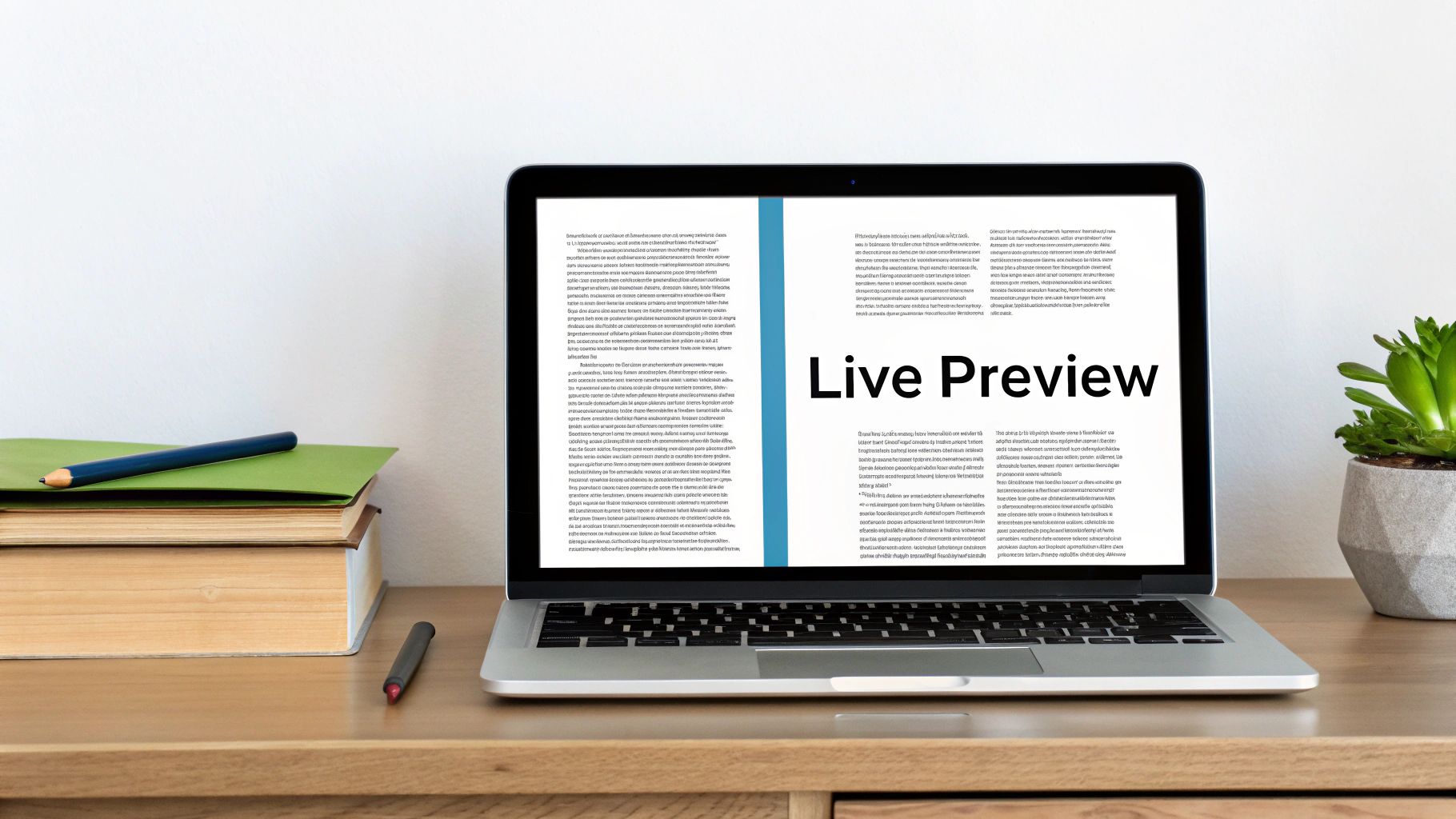
The absolute must-have feature is a real-time preview. This handy function shows you exactly what your formatted text will look like, as you type. No more flipping back and forth between a code window and a preview tab, a clumsy process that constantly breaks your concentration. For a blogger, seeing the final post take shape live is a game-changer.
Working right alongside the preview is syntax highlighting. It intelligently colors your Markdown syntax—making headings, links, bold text, and code blocks stand out from your regular text. This instant visual feedback makes it incredibly easy to spot mistakes, like a forgotten parenthesis in a link, before you even think about hitting publish.
A live preview with syntax highlighting is like having a proofreader and a designer looking over your shoulder as you write, giving you instant feedback to make sure the final output is flawless.
This kind of visual clarity is what a smooth workflow is all about. You can see just how a top-tier online markdown editor pulls these features together to feel completely seamless.
WYSIWYG and Markdown Mode Switching
Flexibility is everything. The best editors understand that people have different comfort levels and workflows, so they offer both a pure Markdown mode and a WYSIWYG (What You See Is What You Get) mode. A WYSIWYG interface works more like a familiar word processor, giving you toolbar buttons to bold text or create a bulleted list.
This dual-mode approach is a lifesaver for teams with a mix of technical skills. A content marketer can jump right in and start drafting in the friendly WYSIWYG view, while a developer can flip over to the raw Markdown to add complex elements like front matter or tweak the code. It lets everyone collaborate without forcing anyone into a workflow they don't like.
Effortless Media Embedding and Management
Let's be honest: handling images and other media can be a real pain. A modern markdown online editor needs to make this effortless. Adding images, videos, or other files should be as simple as dragging and dropping them into the editor. A truly great tool won't just insert the file—it will handle the upload and generate the correct Markdown link for you automatically.
Imagine a workflow this smooth:
- Drag and Drop: You pull an image file from your desktop right into the editor.
- Automatic Upload: The editor uploads the image to a designated folder in your project repository.
- Link Insertion: It then places a perfectly formatted
tag right where you need it.
This turns a clunky, multi-step chore into a single, fluid action. More importantly, it keeps all your content and its related assets organized together, which is critical for managing a project over the long haul.
To give you a clearer picture, here’s a quick breakdown of the core features that really matter.
Essential Markdown Editor Features at a Glance
This table summarizes the core features of a modern markdown online editor and highlights the primary benefits for different types of users.
| Feature | What It Does | Primary Benefit |
|---|---|---|
| Real-Time Preview | Instantly renders Markdown as formatted text in a side-by-side pane. | Eliminates guesswork, speeds up writing, and helps visualize the final output as you work. |
| Syntax Highlighting | Applies different colors to Markdown syntax (like **bold** or # Heading). |
Makes it easy to spot formatting errors and distinguish between content and code. |
| WYSIWYG Mode | Provides a toolbar with buttons for common formatting actions, like in a word processor. | Lowers the learning curve for non-technical users and allows for quick edits. |
| Cloud Storage/Sync | Saves your work automatically to the cloud and syncs it across all your devices. | Prevents data loss and lets you pick up your work from anywhere, on any machine. |
| Git & SSG Integration | Connects directly to Git repositories (like GitHub) and static site generators (like Jekyll). | Streamlines the entire content lifecycle, from writing and versioning to publishing. |
These five features are the foundation of a great Markdown editor. They work together to create an environment where you can focus purely on your writing, confident that the tool is handling the technical heavy lifting for you.
Unlock Your Workflow with Git Integration
This is the point where a good online Markdown editor goes from being a handy writing app to the central hub of your entire content operation. When you hear "Git integration," it might sound overly technical, especially if you're not a developer. But don't let that fool you.
Think of it like a save button with a perfect memory.
Instead of juggling files, emailing drafts back and forth, or wondering if you're working on the latest version, Git creates a single, reliable home for all your content. Every single change, revision, and tweak is recorded automatically. This connection turns your simple editor into a full-blown content management system, giving you security, easier collaboration, and a ridiculously smooth publishing process.
The Power of a Single Source of Truth
At its heart, Git integration simply connects your editor directly to a repository on a platform like GitHub. This creates a seamless workflow where all your content lives in one central, version-controlled place.
Imagine the old way of doing things. You probably have drafts saved in different folders, you email versions to a colleague for feedback, and then you have to manually upload the final file to your website. It’s a messy process, full of opportunities to overwrite good work or accidentally publish the wrong draft.
Git integration makes all that chaos just… disappear.
- Automatic Backups: Every time you save your work, it’s pushed safely to your repository. No more panic attacks over a crashed hard drive.
- Complete History: You can see a complete timeline of every change ever made to a document. If you make a mistake, you can roll back to an earlier version with just a click.
- Seamless Collaboration: Team members can work on the same content without stepping on each other's toes. The system keeps a clear record of who changed what and when, making reviews a breeze.
This integration effectively ends the era of "final_draft_v3_reviewed_final.docx." Your repository becomes the undisputed source of truth, accessible to your entire team from anywhere.
From Writing to Publishing Instantly
For anyone using a static site generator (SSG) like Jekyll, Hugo, or Astro, this workflow is a total game-changer. These tools build your website directly from the Markdown files sitting in a Git repository. When your editor is hooked into that same repository, you create a direct pipeline from your first draft to your live site.
This is especially powerful for content teams. Markdown has become a go-to format for content creation because it’s simple, clean, and built to last. Its universal compatibility with platforms like GitHub and SSGs is a huge advantage.
Here’s a look at how a tool like JekyllPad makes this dead simple:
- You write and edit your article in the editor, just like you normally would.
- When you hit save, the changes are "committed" straight to your GitHub repository.
- Your web host (like GitHub Pages or Vercel) sees that new commit, automatically rebuilds your site, and publishes the changes.
This automated flow means your content can go live in minutes, with no manual file transfers or complicated deployment steps. It completely closes the gap between writing and publishing. You can see exactly how to sync your JekyllPad editor with GitHub to set up this exact workflow.
Stepping back, you can see how connected tools are reshaping how we work. A deep dive into the rise of business automation reveals why these integrated systems are no longer a luxury but a necessity for scaling content, even for the smallest of teams.
Finding the Right Editor for Your Specific Role
Choosing a markdown online editor is a lot like picking the right tool for a job. A sledgehammer and a finishing hammer are both hammers, but you wouldn't use them for the same task. The best editor for a developer writing documentation is going to feel clunky and overly technical for a content marketer, and vice versa.
To find your perfect fit, you have to look past a generic list of features and think about what problems you need to solve every day. The goal is to find a tool that feels like a natural extension of your workflow, not another frustrating obstacle.
For the Technical Blogger
If you're a developer who blogs or a technical writer creating documentation, your priorities are all about precision and clarity. Your number one concern is making sure your code looks perfect. That means you need an editor with robust syntax highlighting for all the languages you use, whether it's Python, JavaScript, or something more obscure. Clean, readable code snippets are non-negotiable.
Just as important is how the editor handles front matter. You're constantly tweaking metadata like titles, dates, categories, and tags. A great editor won't make you fuss with this in the main text area. A tool like JekyllPad really shines here, giving you a separate, clean interface for managing front matter that hooks directly into your static site generator's build process.
For the Collaborative Documentation Team
When you're working with a team on a large documentation project, things can get chaotic fast. Consistency and version control are everything. For a team like this, deep Git integration isn't just a nice-to-have feature; it's the absolute foundation of a sane, collaborative workflow.
You should be looking for an editor that lets your team:
- Commit changes directly: Every time someone saves their work, it should create a new, traceable version in your shared repository.
- Track revisions: Being able to see who changed what and when is crucial for accountability and code reviews.
- Work from a single source of truth: A Git-powered editor ensures everyone is always on the latest version, which puts an end to conflicting files and lost work.
This kind of setup eliminates the nightmare of emailing files back and forth and gives you a clear, auditable history for every single piece of content your team creates.
Deciding to use Git is usually the first fork in the road when setting up your publishing pipeline, as this diagram shows.
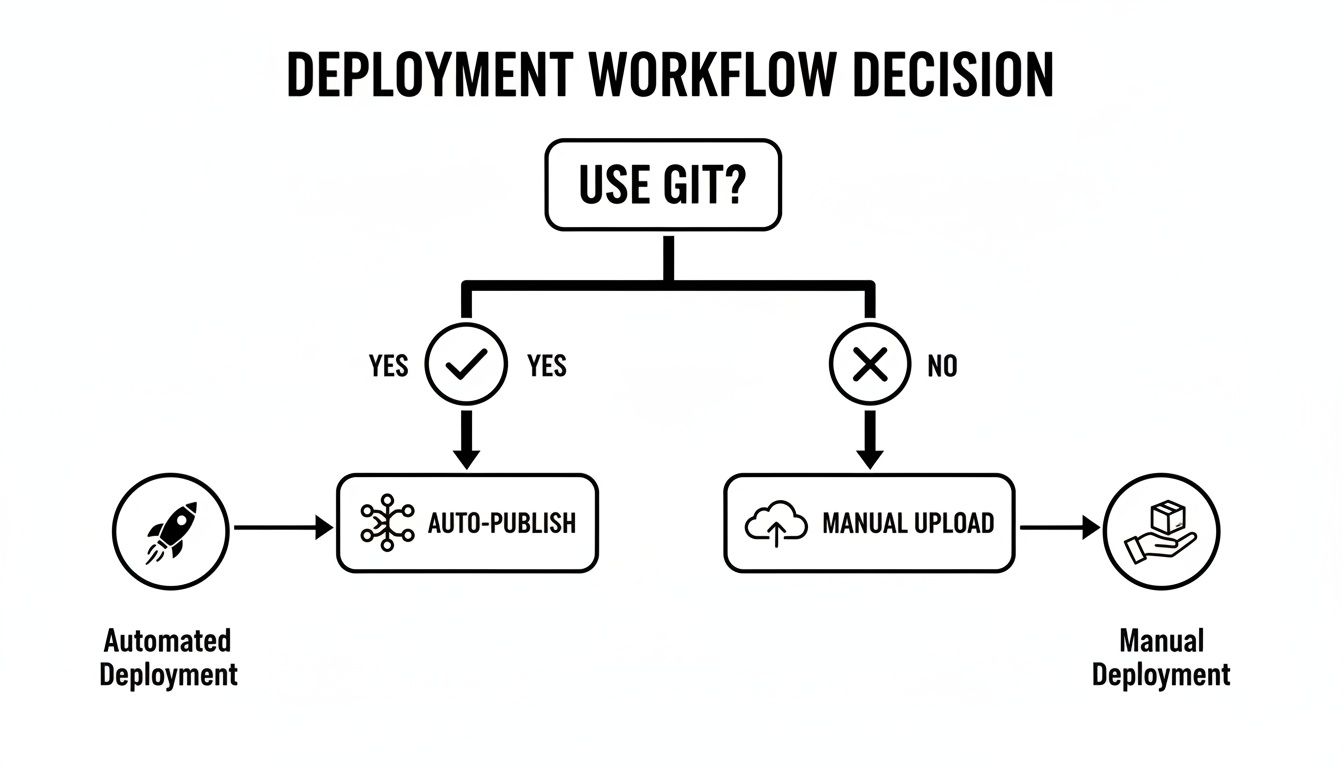
As you can see, integrating Git directly into your editor is what enables a fully automated publishing workflow—a huge time-saver for any team.
For the Non-Technical Content Marketer
As a content marketer, your job is to tell a compelling story, not fight with syntax. The best editor for you is one that’s so intuitive you forget you’re even using it. Your ideal workflow probably revolves around a visual or WYSIWYG editor that feels as comfortable and familiar as writing in Google Docs.
You need a simple toolbar for formatting text and—this is a big one—effortless media handling. The ability to just drag and drop images into your document without having to think about file paths or manual uploads is a game-changer. It lets you stay in your creative flow while the editor takes care of the technical heavy lifting behind the scenes.
The demand for universal, easy-to-use formats is driving major growth in this space. The text editor industry, which includes Markdown editors, is projected to hit $5.2 billion by 2033. This surge reflects a clear need for tools that can adapt to all kinds of different users and workflows.
By matching an editor's features to your specific role, you can find a tool that doesn't just get the job done, but actually makes your work feel easier and more efficient. To keep exploring your options, take a look at our breakdown of the top 5 online markdown editors on the market right now.
Understanding Security in an Online Editor
It's natural to feel a bit uneasy when you're pasting sensitive work into a web-based tool. Is your content safe? Who else can see it? The answer really boils down to how a markdown online editor is built. The biggest difference comes down to where your data gets processed: on their server or on your machine.
Think of a server-side editor like sending a sensitive document to a printing shop. You hand it over, they do the work on their equipment, and then give you the final copy. Your content lives, even if just for a moment, on someone else's computer.
The Client-Side Security Advantage
A client-side editor, on the other hand, is like having the entire printing press right on your own desk. All the magic happens inside your web browser, on your computer. Your work is never sent to a third-party server, because the application's code runs locally.
This approach gives you a massive advantage when it comes to privacy and control. Your data only ever exists in two places: your browser and, if you connect it, your private Git repository. It's a simple, secure model that puts you in the driver's seat.
A client-side markdown online editor ensures that you remain the sole custodian of your content. By design, your work is never uploaded or saved to the editor's servers, eliminating a major privacy concern.
This is a game-changer if you're working on business documents, a confidential project, or anything else you wouldn't want floating around on the web.
How Git Integration Enhances Privacy
When you combine a client-side editor like JekyllPad with Git, you create a completely private workflow. The data flow is clean and direct.
Here’s exactly what happens:
- You write and edit your content right in your browser.
- All the Markdown processing happens locally, on your machine.
- When you're ready to save, the editor talks directly to the GitHub API and pushes the changes straight to your repository.
The editor itself never holds onto your content. The data simply travels from your computer to your secure, private repository—that’s it. Since you're working with web-based tools, it pays to understand the bigger picture of digital safety. Following established website security best practices is always a good idea.
So, the next time you're evaluating an editor, ask one simple question: is it client-side? Your content's security depends on it.
Got Questions About Online Markdown Editors? We Have Answers.
Jumping into a new tool always brings up a few questions. Even with something as simple as Markdown, it's smart to think about how it fits into your workflow, who owns your data, and how it works for a team. Let's tackle some of the most common things people ask when they're thinking about switching to a Markdown editor online.
Think of this as the practical advice you need to go from just understanding the idea to actually using a new tool with confidence every day.
Do I Need to Be a Coder to Use a Markdown Editor?
Not at all. In fact, most modern online editors are designed specifically for writers, not developers. Many come with a WYSIWYG (What You See Is What You Get) interface, which feels a lot like a standard word processor. You get a toolbar with buttons for bolding text, making lists, and adding links.
When you click the bold button, the editor just handles the **bold text** syntax for you in the background. It's the best of both worlds: you get the clean, universal output of Markdown without having to memorize a single piece of syntax to get started.
Will My Content Be Stuck on One Platform?
Nope, and this is probably the single biggest reason people fall in love with Markdown. Your files are just simple plain text (.md), which means they are completely platform-independent. You're not locked into a proprietary format that only one company's software can read. You can open and edit your Markdown files with just about any text editor, on any computer, anywhere.
Because Markdown files are just plain text, the content you write today will still be perfectly readable and usable decades from now. You truly own your work and can switch tools whenever you want without going through a painful data migration process.
This freedom from "vendor lock-in" gives you total control over your creative output.
How Do These Editors Deal With Images and Other Media?
A good online editor makes handling images feel effortless. For instance, if you're using an editor connected to your Git repository, you can usually just drag and drop an image right into your document.
The editor then does all the heavy lifting for you:
- It uploads the image file to the right folder within your Git project.
- It automatically inserts the correctly formatted Markdown link right where you dropped it.
This little bit of magic keeps your content and all its images neatly organized and linked together. What used to be a tedious, multi-step process becomes one smooth, simple action.
Are Online Markdown Editors a Good Fit for Big Teams?
Absolutely. They're fantastic for team collaboration, especially when they integrate with Git. Since Git is the standard for professional version control, connecting it to your markdown online editor brings serious benefits to your team's workflow.
Every change is saved directly to a shared repository, so your team can easily track edits, review new content, and have multiple people work on a project at the same time without stepping on each other's toes. It creates a clear, accountable, and super-efficient system that's perfect for documentation teams, company blogs, or any group creating content together.
Ready to see how a simple, powerful editor can clean up your content workflow? JekyllPad gives you a beautiful visual editor with seamless GitHub integration, all running securely in your browser. Get started for free at https://www.jekyllpad.com.