
Finding the right free online Markdown editor can dramatically streamline your writing workflow, whether you're a developer documenting a project, a blogger crafting your next post for a static site, or a content marketer managing a GitHub Pages site. The core challenge is simple: you need a tool that lets you focus on writing clean, structured content without getting bogged down by a complex interface or the need for local software installation. These browser-based editors solve that problem, providing immediate access to a powerful writing environment from any device.
This guide is designed to help you navigate the crowded field of available options and select the perfect editor for your specific needs. We've curated a comprehensive list of the best platforms, moving beyond surface-level descriptions to provide a detailed analysis of each one. You'll find a practical breakdown of their key features, such as live preview functionality, WYSIWYG capabilities, and support for critical extras like YAML front-matter and GitHub integration.
For each tool, we offer:
- A concise description and ideal user profile.
- An honest assessment of its pros and cons based on real-world use.
- Practical scenarios where each editor excels.
- Direct links and screenshots to help you evaluate them quickly.
From collaborative platforms like HackMD to minimalist previewers and powerful, IDE-like environments such as GitHub.dev, this resource provides the clarity you need. We'll even include a detailed comparison matrix to help you weigh the options side-by-side, ensuring you find the best free online markdown editor to enhance your productivity and content creation process.
1. JekyllPad
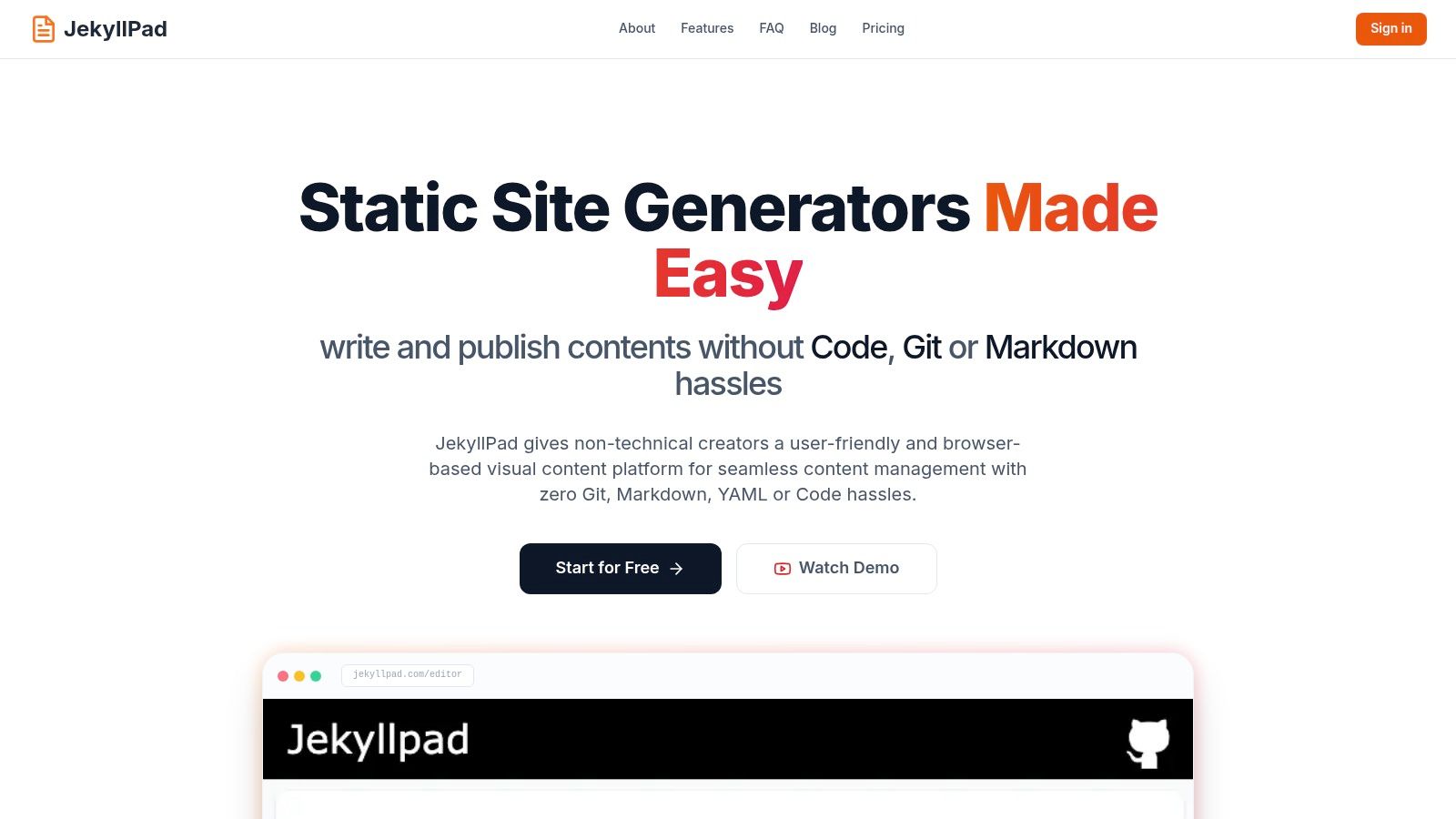
JekyllPad elevates the concept of a free online markdown editor by positioning itself as a visual Git-based CMS for static site generators. It masterfully bridges the gap between raw Markdown editing and a user-friendly, WYSIWYG experience, making it an exceptional choice for a wide range of creators, from technical bloggers to non-technical content managers. Its core strength lies in its native GitHub integration, which transforms content creation into a seamless "edit and commit" workflow directly from the browser.
This platform removes the friction often associated with static site content management. Instead of cloning a repository, editing files locally, and pushing changes via the command line, JekyllPad allows you to authenticate with GitHub, select a repository, and start writing immediately. It’s a powerful abstraction that delivers the benefits of Git (version control, backups, CI/CD-triggered builds) without the typical learning curve.
Key Features & Analysis
JekyllPad is engineered for efficiency and security, focusing on a client-side architecture that ensures your data only moves between your browser and your GitHub repository.
- Hybrid Editing Experience: The editor provides a side-by-side view with a rich text (WYSIWYG) panel and a raw Markdown panel, which sync in real-time. This dual approach accommodates users who prefer visual editing and those who need the precision of pure Markdown syntax.
- Integrated Front-Matter Editor: Managing metadata like titles, dates, tags, and custom fields is effortless with a dedicated UI. This feature is a significant advantage over basic editors, as it prevents common YAML syntax errors and simplifies content organization for Jekyll, Hugo, Astro, and other supported generators.
- Direct GitHub Synchronization: Committing changes is as simple as clicking "Save." This action creates a new commit in your connected repository, which can automatically trigger a build and deployment process via services like GitHub Pages, Netlify, or Vercel.
- Privacy-First Architecture: Because the application runs entirely in your browser (client-side), there is no backend server processing or storing your content. This enhances data privacy and security, a critical consideration for proprietary documentation or sensitive content.
Ideal Use Cases
JekyllPad is particularly effective for:
- Technical Bloggers & Documentation Teams: Developers and writers using Jekyll, Hugo, or Astro can draft, edit, and publish articles and docs without leaving the browser, streamlining their workflow.
- Content Marketers: Teams managing blogs on GitHub Pages can empower non-technical marketers to contribute content safely and independently, without needing Git training.
- Agencies & Freelancers: Building static sites for clients becomes more appealing when you can offer them a simple, secure, and intuitive interface for managing their own content updates.
Pricing & Access
JekyllPad operates on a freemium model. The free tier is available forever and includes basic use with a limit of five free posts per month, making it accessible for individuals and small projects to get started without any cost.
- Pros:
- Excellent hybrid WYSIWYG and Markdown editor.
- Native GitHub sync simplifies version control and publishing.
- 100% client-side for enhanced privacy and speed.
- Supports all major static site generators.
- Generous free plan for getting started.
- Cons:
- Primarily focused on GitHub; lacks native support for GitLab or Bitbucket.
- Free tier is limited to five posts per month.
- Advanced collaboration features are still in development.
Website: https://www.jekyllpad.com
2. StackEdit
StackEdit is a mature, in-browser Markdown editor that functions as a powerful Progressive Web App (PWA). It’s designed for serious writers and developers who need robust features, offline access, and extensive integration capabilities. Unlike simpler editors, StackEdit provides a complete writing environment directly in your browser, making it an excellent free online markdown editor for long-form content.
Its standout feature is its offline-first approach, allowing you to continue working without an internet connection. Changes are automatically saved in your browser and synced when you reconnect. The platform's real power lies in its publishing and synchronization workflows. You can link accounts from Google Drive, Dropbox, and GitHub, or publish directly to platforms like WordPress and Blogger, streamlining content management.
Key Features and Use Cases
- Offline-First PWA: Continue writing and editing even without an internet connection. Your work is saved locally and syncs upon reconnection.
- Cloud Sync & Publishing: Directly connect to Google Drive, Dropbox, GitHub, WordPress, and more. This is ideal for bloggers and technical writers who manage content across multiple platforms.
- Rich Markdown Support: Includes advanced features like mathematical expressions (KaTeX), UML diagrams, and a table of contents generator.
- Scroll Sync: The live preview panel scrolls in perfect sync with the editor pane, making it easy to track changes in complex documents.
StackEdit's comprehensive feature set can present a slight learning curve, but it's a worthwhile investment for those needing an all-in-one writing and publishing tool. If you want to explore more options tailored to specific static site generators, you can find a detailed comparison in our guide on choosing an online editor for Markdown.
Website: https://stackedit.io
3. Dillinger
Dillinger is a long-standing and reliable online Markdown editor praised for its simplicity and speed. It offers a clean, split-pane interface that gets straight to the point, making it an excellent free online markdown editor for users who need to draft content quickly without distractions. Its minimalist design and no-signup requirement mean you can start writing the moment the page loads.
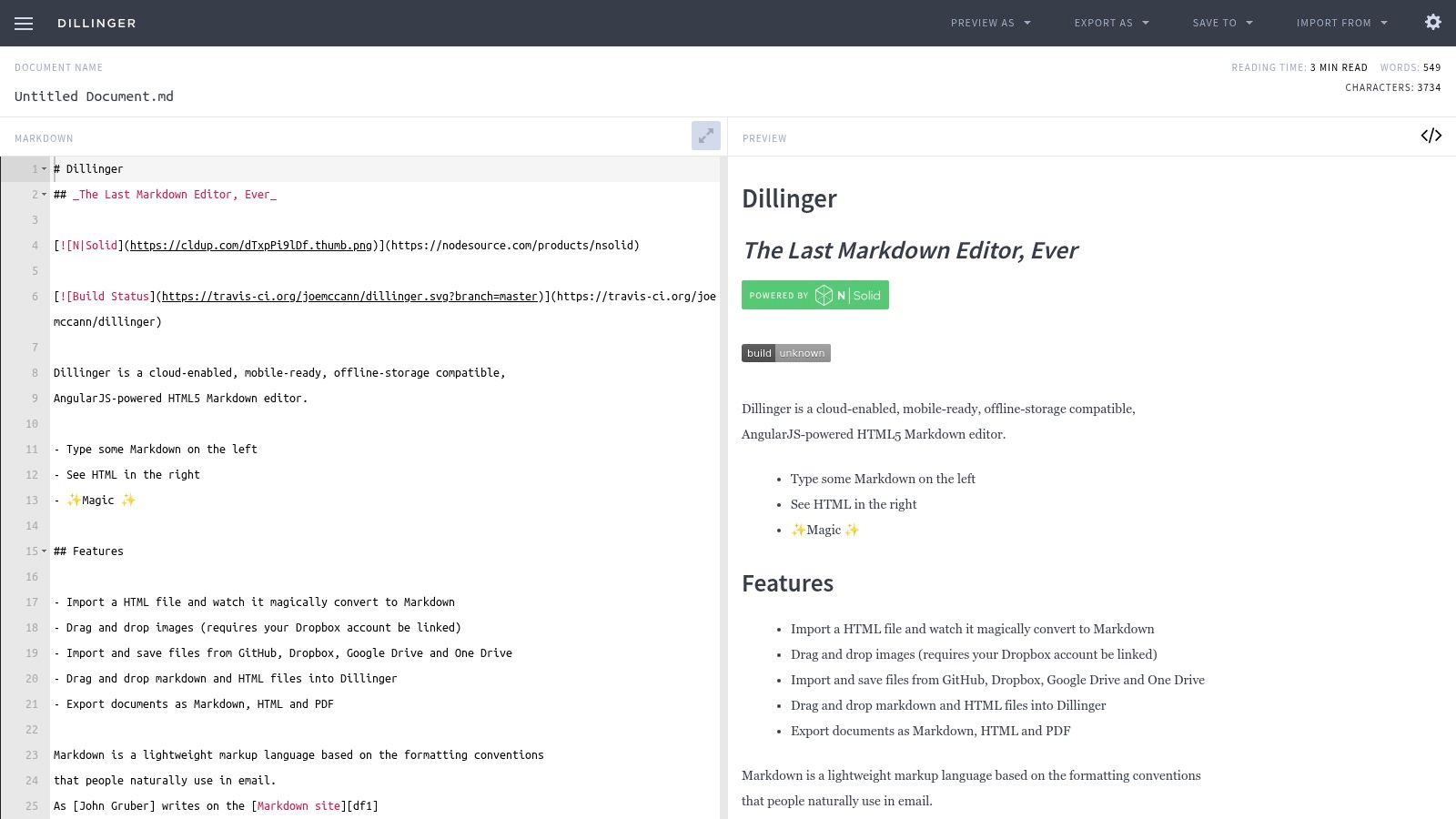
The platform stands out for its straightforward import and export functionality. Users can easily link their GitHub, Dropbox, Google Drive, or OneDrive accounts to pull in existing documents or save new ones. This makes it particularly useful for developers editing README files or writers who store their drafts in the cloud. It provides a hassle-free bridge between local editing and cloud storage.
Key Features and Use Cases
- Cloud Service Integration: Directly import from and export to GitHub, Dropbox, Google Drive, and OneDrive, which is perfect for managing READMEs and blog drafts.
- Multiple Export Formats: Download your work as Markdown, HTML, styled HTML, or PDF, offering flexibility for different publishing needs.
- No Sign-Up Required: Instantly access the editor without needing to create an account, ideal for quick, one-off editing tasks.
- Core Editor Features: Comes equipped with essentials like auto-save, scroll sync, and word/character counts to support a productive writing session.
While Dillinger excels at single-document editing and quick drafting, it lacks the advanced project management and collaborative features of more complex tools. It is best suited for individuals looking for a dependable and uncluttered environment for everyday Markdown writing.
Website: https://dillinger.io
4. HackMD
HackMD is a collaborative, cloud-based Markdown editor built for real-time teamwork. It excels in scenarios requiring shared access, such as team documentation, meeting notes, and collaborative brainstorming. While many editors focus on individual use, HackMD operates like a Google Docs for Markdown, making it a powerful free online markdown editor for teams that need to work together seamlessly.
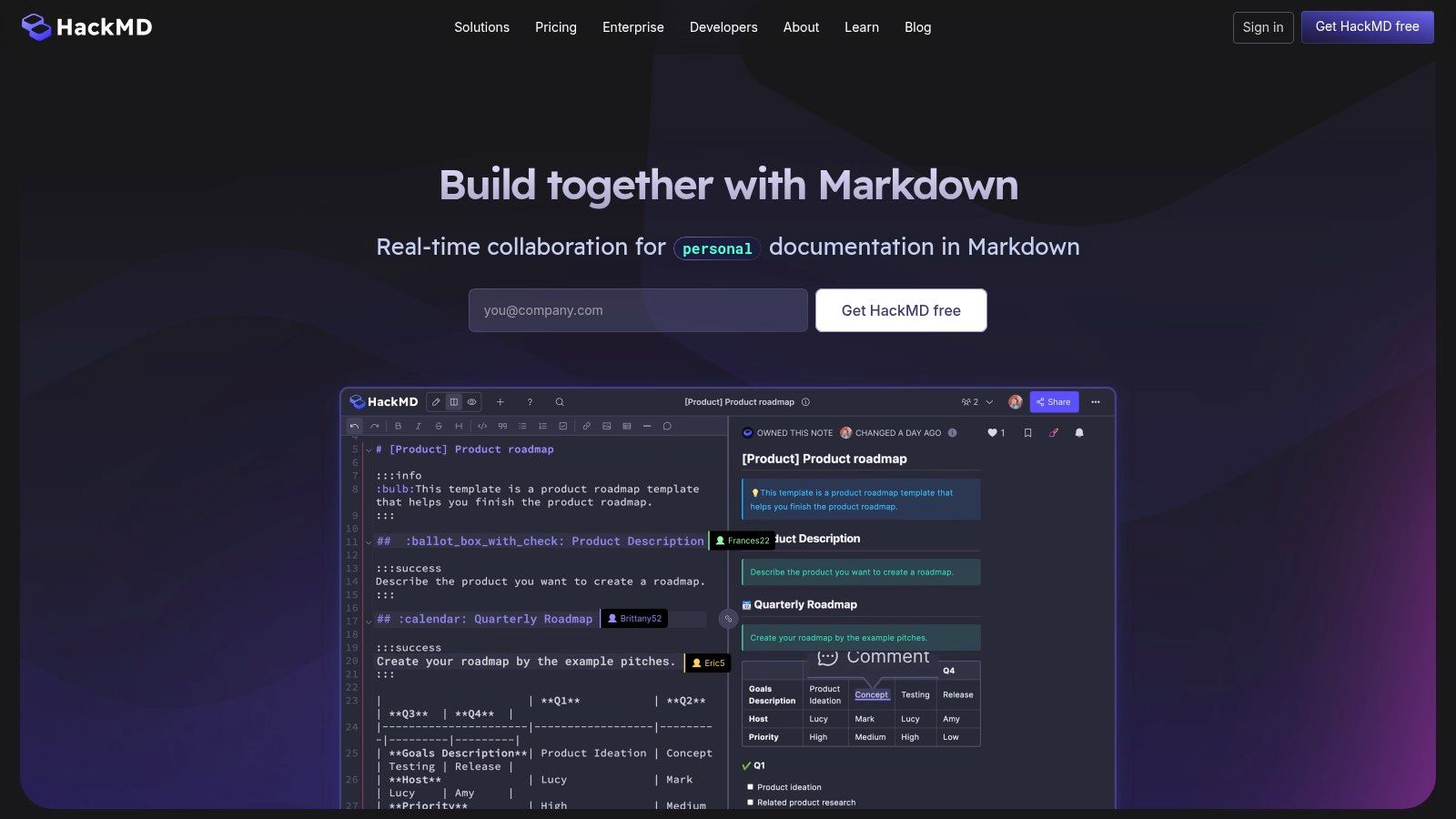
Its standout feature is its smooth, real-time co-editing experience, complete with comments and version history. Teams can create and reuse templates for consistent documentation, publish notes as web pages, and integrate directly with GitHub to push changes to repositories. This makes it an ideal solution for developers, project managers, and content teams who manage shared knowledge bases or technical documentation.
Key Features and Use Cases
- Real-Time Collaborative Editing: Multiple users can edit the same document simultaneously, with changes visible to everyone instantly. This is perfect for live meeting notes and pair writing.
- GitHub Integration: Connect your GitHub account to sync notes, push commits, and pull files directly from repositories, streamlining documentation workflows.
- Templates and Publishing: Create reusable note templates to standardize documents and publish finished work directly to the web with a unique URL.
- Comments and Versioning: Leave comments to provide feedback and review a detailed history of all changes, allowing you to revert to previous versions if needed.
The free plan is generous but has limitations on collaborators and file upload sizes. For teams needing more advanced features, paid plans offer full-text search and larger storage. To see how HackMD's collaborative features compare to other tools, you can find a deeper dive in our guide to choosing an online markdown editor.
Website: https://hackmd.io
5. HedgeDoc (Demo)
HedgeDoc is a powerful, open-source collaborative Markdown editor designed for real-time teamwork. While it's primarily intended for self-hosting, its public demo instance offers a convenient way to test its impressive features without any setup. This platform is perfect for teams who need to co-author documents, take shared meeting notes, or create presentations directly from Markdown, making it an excellent free online markdown editor for collaborative projects.
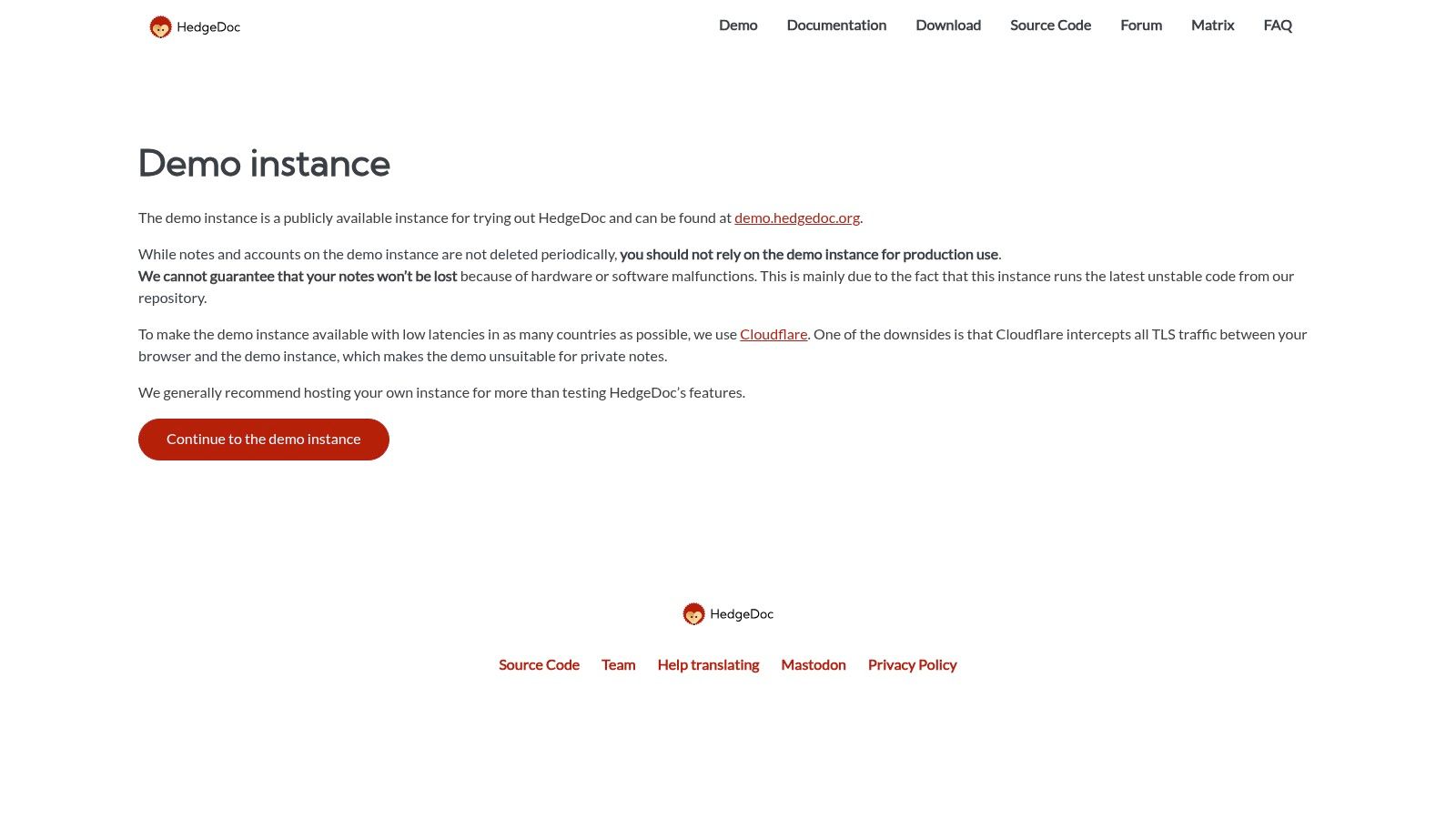
The standout feature of HedgeDoc is its real-time collaboration, where multiple users can edit a single document simultaneously and see each other's changes instantly. Its permission controls allow you to manage who can view or edit documents, adding a layer of control absent in simpler editors. The demo is a fantastic playground, but users should be aware that it is not intended for private or permanent work; documents can be lost and are not secure.
Key Features and Use Cases
- Real-Time Collaboration: Multiple users can edit the same document at once, with changes visible to everyone instantly. This is ideal for team meetings, brainstorming sessions, and co-authoring articles.
- Presentation Mode: Instantly turn your Markdown notes into a slide deck using
---to separate slides. This feature is invaluable for developers and educators creating quick presentations. - Rich Content Support: Includes advanced support for UML diagrams, graphs, and mathematical formulas, catering to technical documentation and academic writing.
- Open-Source and Self-Hostable: For users prioritizing privacy and data control, HedgeDoc can be self-hosted on a private server, providing a completely secure editing environment.
The public demo is an excellent way to evaluate HedgeDoc's capabilities, but for any serious or private work, deploying your own instance is the recommended path.
Website: https://hedgedoc.org/demo/
6. GitHub.dev
GitHub.dev brings the full power of Visual Studio Code directly into your browser, transforming any GitHub repository into an instant, cloud-based development environment. For anyone managing documentation or content within a Git workflow, it's an exceptional free online markdown editor. Simply press the . key in any repository, and a complete VS Code instance launches, ready for you to edit, preview, and commit changes without cloning the repo locally.
Its biggest advantage is the seamless integration with the GitHub ecosystem. You can edit Markdown files, see a live preview side-by-side, and then commit your changes directly to a new or existing branch. This workflow is perfect for making quick fixes to documentation, correcting typos in blog posts, or collaborating on content with team members, all without leaving your browser or installing any software.
Key Features and Use Cases
- Instant VS Code Environment: Get a familiar and powerful editor by simply changing
.comto.devin a repository URL. It’s ideal for developers and technical writers already comfortable with VS Code. - Integrated Git Workflow: Edit, stage, and commit changes directly from the web interface. This streamlines the process for contributing to open-source docs or managing your own content.
- Live Markdown Preview: The built-in preview pane renders your Markdown as you type, ensuring your formatting for lists, tables, and code blocks is correct.
- Zero Installation: Perfect for making edits on devices where you can't install software, like a Chromebook or a public computer, offering incredible flexibility.
While GitHub.dev is an indispensable tool for repository-based content, it requires a GitHub account and an internet connection to function. For those managing sites on GitHub Pages, learning to leverage this editor can significantly speed up your content updates. To dive deeper into this topic, you can explore our guide on setting up a site with GitHub Pages.
Website: https://github.dev
7. VS Code for the Web (vscode.dev)
VS Code for the Web brings the familiar and powerful Visual Studio Code interface directly into your browser, offering a first-class experience for editing Markdown. It’s an ideal choice for developers and writers who are already comfortable with the desktop version and want a consistent environment on any machine. As a free online markdown editor, vscode.dev provides a robust, no-install solution for editing both local files and remote repositories.
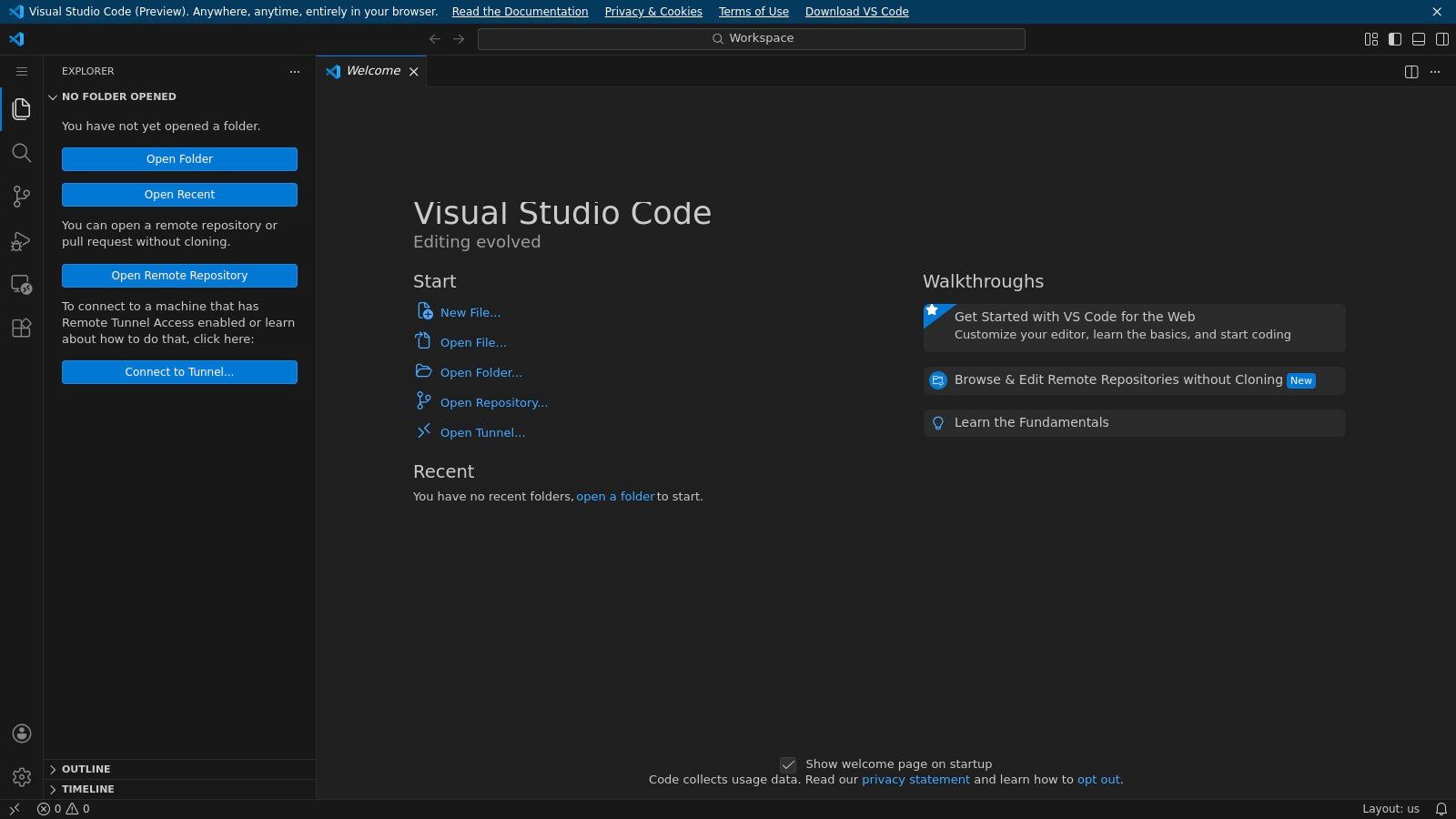
Its standout capability is using the browser's File System Access API, which allows you to open and edit local files and folders securely without uploading them to a server. This feature is perfect for quick edits on devices like Chromebooks or locked-down workstations. The editor includes a native split-view preview that renders CommonMark accurately and can be extended with web-compatible extensions for enhanced functionality.
Key Features and Use Cases
- Familiar VS Code Interface: Leverage the same UI, keyboard shortcuts, and command palette you know from the desktop application, minimizing the learning curve.
- Local File Editing: Securely open and edit files from your computer directly in the browser, making it feel like a native application without any installation.
- Extendable Markdown Preview: The built-in preview supports CommonMark and can be enhanced with web-enabled extensions for features like diagrams or advanced syntax.
- GitHub Integration: Seamlessly open and edit repositories from GitHub, making it a powerful tool for documentation teams and open-source contributors.
While vscode.dev is incredibly powerful, not all desktop extensions are compatible with the web version. However, for core Markdown editing and an integrated development environment feel, it’s an unbeatable browser-based option.
Website: https://vscode.dev
8. GitLab Web Editor / Web IDE
For developers and technical teams already embedded in the GitLab ecosystem, the built-in Web Editor and more advanced Web IDE offer a highly convenient way to edit Markdown files directly within a repository. This integrated approach removes the need for external tools by placing the editor right where the code and documentation live, making it a seamless free online markdown editor for project-related content.

The primary advantage is its tight integration with GitLab's version control and CI/CD workflows. You can edit a README.md, update project documentation, or write a blog post for a GitLab Pages site and then commit the changes directly to a new branch. This process can trigger a merge request, allowing for a complete review and deployment pipeline without ever leaving your browser.
Key Features and Use Cases
- Integrated Git Workflow: Edit Markdown files and commit changes, create new branches, and open merge requests all from within the GitLab UI. This is perfect for teams managing documentation as code.
- Live Markdown Preview: Both the simple Web Editor and the full Web IDE feature a live preview tab, allowing you to see how your rendered Markdown will look as you type.
- Drag-and-Drop Image Uploads: Easily add images to your documents by dragging and dropping them into the editor, which automatically uploads them to the repository and inserts the correct Markdown link.
- Contextual Editing: Since you are working directly in the repository, context switching is eliminated. It’s the fastest way to make small fixes or substantial updates to documentation for GitLab-hosted projects.
While incredibly efficient for existing GitLab users, it’s not a standalone tool and requires a GitLab account and repository. The preview rendering may also differ slightly from your final static site if custom CSS or plugins are used.
Website: https://gitlab.com
9. GitHub Gist
GitHub Gist is a simple yet powerful way to share code snippets, notes, and single-file documents. While not a dedicated editor, its seamless Markdown rendering and version control make it a go-to tool for developers and technical writers. Gist functions as a lightweight, shareable notepad, making it a fantastic free online markdown editor for quick documentation, shareable instructions, or embedding formatted text snippets into websites and blogs.
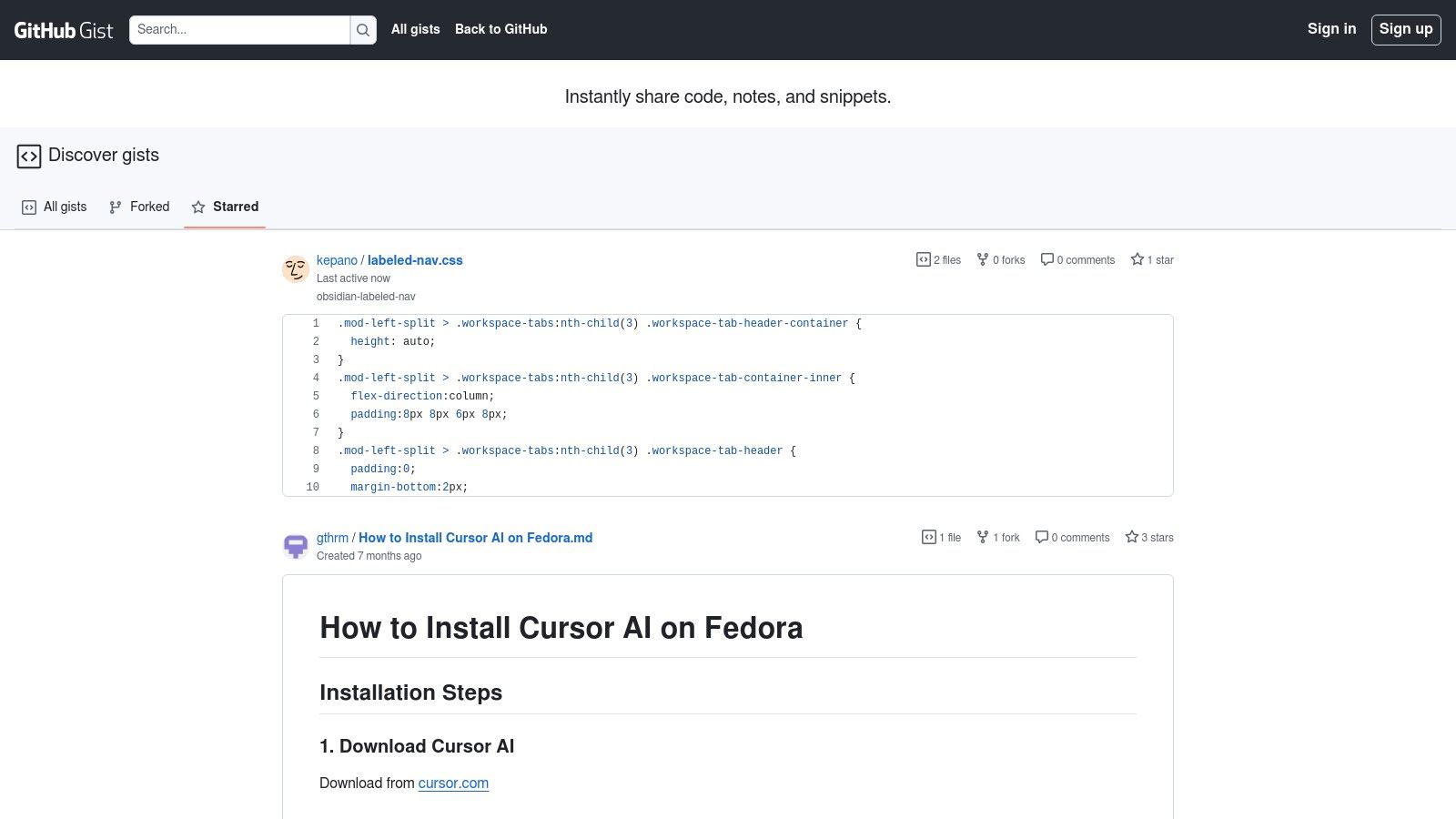
Its primary strength lies in its simplicity and integration with the GitHub ecosystem. You can create public or secret gists, and each one is a mini-repository with a full version history, allowing you to track changes over time. This makes it ideal for collaborating on configuration files, sharing bug reports with formatted logs, or drafting quick Markdown-based tutorials that can be easily shared via a simple URL.
Key Features and Use Cases
- Version History: Every change is saved, providing a complete revision history for your snippets. This is perfect for tracking updates to code examples or instructional text.
- Easy Sharing and Embedding: Gists can be shared with a direct link or embedded into any webpage with a simple script. This is ideal for bloggers who want to include styled code or Markdown in their posts.
- Public or Secret Gists: You have control over who sees your content. Public gists are discoverable, while secret gists are only accessible to those with the URL.
- Markdown Rendering: Simply create a file with a
.mdextension, and Gist will automatically render it as formatted HTML when viewed, providing a clean preview.
GitHub Gist is not a replacement for a full-featured document editor, as its tooling and formatting options are minimal. However, for quickly creating and sharing one-off Markdown files with the reliability of version control, it is an exceptionally fast and efficient tool.
Website: https://gist.github.com
10. Editor.md (Online Demo)
Editor.md is not a standalone writing application but an open-source, embeddable component that developers can integrate into their own projects. The online demo serves as a powerful showcase and testing ground, making it a unique entry on this list. It allows users to experience a highly extensible and developer-centric free online markdown editor before deciding to implement the library in their own web applications.
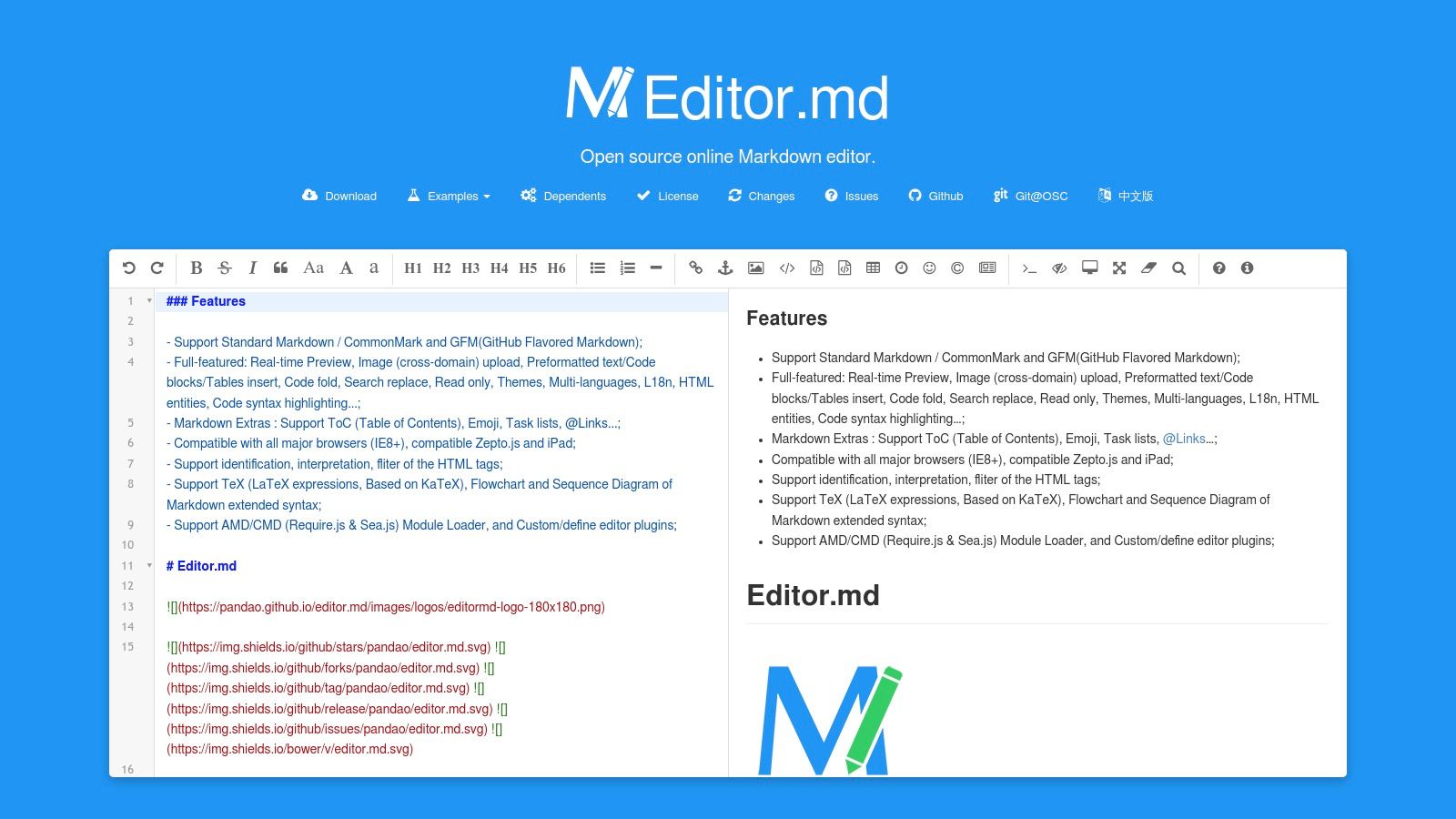
Its primary distinction is the sheer breadth of its extended Markdown support, which includes complex elements often missing from other editors. The demo is an excellent way for technical writers and developers to validate how their specialized content, such as mathematical formulas or complex diagrams, will render. While it's a component preview without any storage or collaboration features, it provides an invaluable sandbox environment.
Key Features and Use Cases
- Advanced Markdown Extensions: Test rendering for KaTeX mathematical expressions, sequence diagrams, and flowcharts directly in the browser. This is perfect for scientific and technical documentation.
- Live Theming: The demo allows you to switch between different editor and preview themes on the fly, helping you visualize how it would fit into your own site's design.
- Comprehensive GFM Support: Includes full support for GitHub Flavored Markdown, such as task lists, emoji, and table of contents generation.
- Developer-Focused Preview: Ideal for developers looking for a robust Markdown library to embed in a project. You can test its full capabilities before committing to integration.
While the UI is developer-centric and lacks the user-friendly polish of a dedicated writing app, its demo is an unmatched resource for testing advanced rendering capabilities.
Website: https://pandao.github.io/editor.md/en.html
11. Markdown Live Preview
Markdown Live Preview is a minimalist, browser-based tool that excels at one thing: providing an instant, no-frills preview of your Markdown syntax. It operates entirely on the client side, meaning there's no sign-up, no server interaction, and no data is ever sent elsewhere. This makes it an incredibly fast and private free online markdown editor for quick tasks like validating syntax, drafting a short document, or generating a PDF.
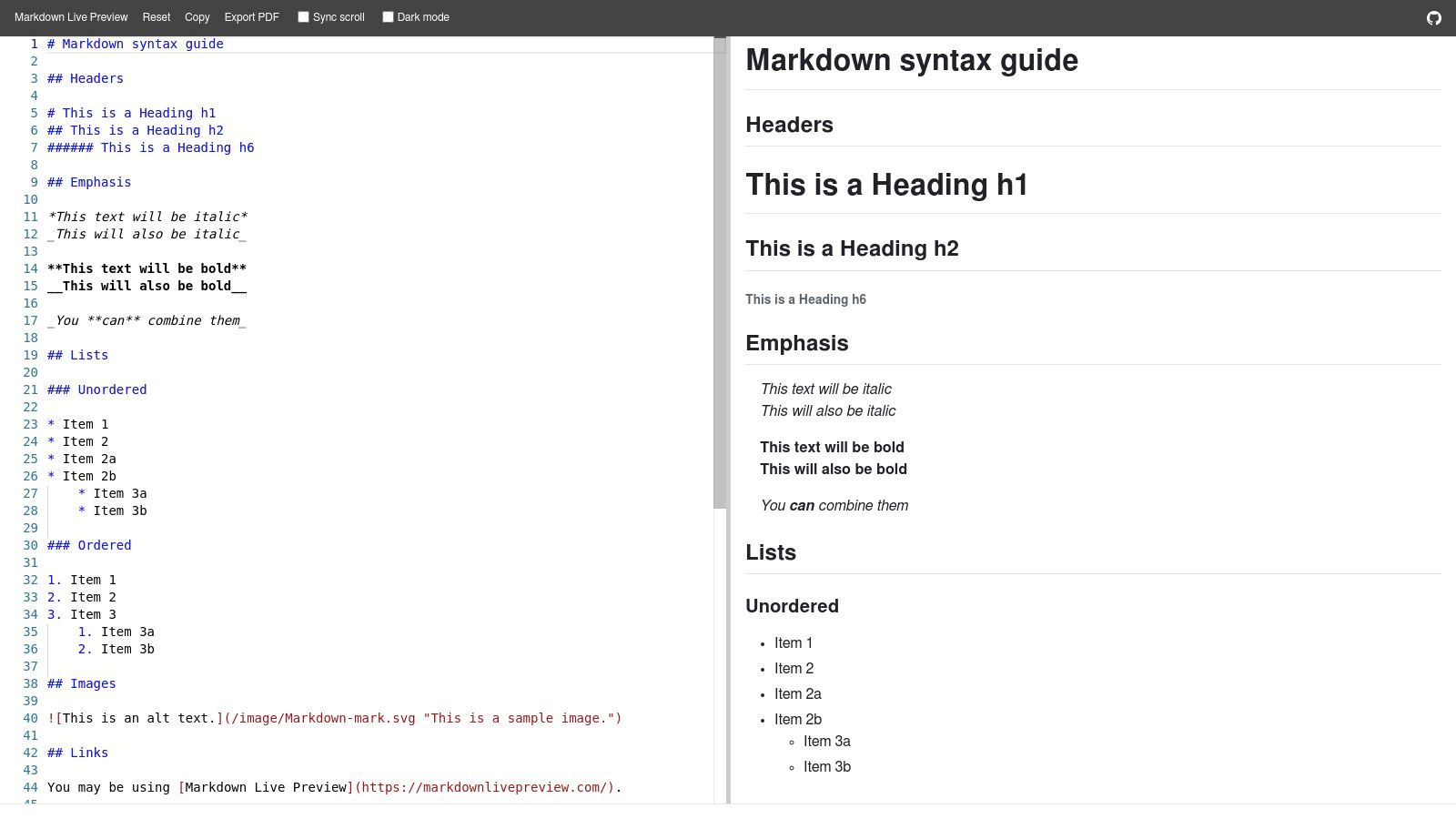
Its primary strength is its simplicity and speed. When you just need to see how your Markdown will render without the overhead of a full-featured application, this tool is perfect. There are no projects, file systems, or cloud integrations to worry about; you just open the site, start typing, and see the results immediately. The interface is clean, offering a simple split-screen view with optional dark mode and scroll sync.
Key Features and Use Cases
- Instant Client-Side Rendering: Everything runs in your browser, ensuring your work is private and the preview is instantaneous.
- Zero Sign-Up Required: Ideal for users who need a quick syntax check or a temporary scratchpad without creating an account or installing software.
- Export to PDF: A straightforward feature for converting your rendered Markdown into a portable PDF document with a single click.
- Lightweight and Fast: The minimal feature set means the site loads almost instantly and runs smoothly on any device.
Markdown Live Preview is not built for complex projects or collaborative work. It lacks integrations, file management, and advanced tooling. However, for developers, writers, or students who need a quick, reliable, and private way to preview Markdown, it is an excellent and efficient choice.
Website: https://markdownlivepreview.com
12. jbt’s Live GitHub-Flavored Markdown Editor
For developers and writers who need a no-frills tool to quickly check GitHub-Flavored Markdown (GFM), jbt’s Live Markdown Editor is a perfect fit. It is a lightweight, open-source tool that does one thing exceptionally well: providing an accurate, real-time preview of how your Markdown will render on GitHub. This makes it an ideal free online markdown editor for drafting Gists, pull request descriptions, or project documentation.
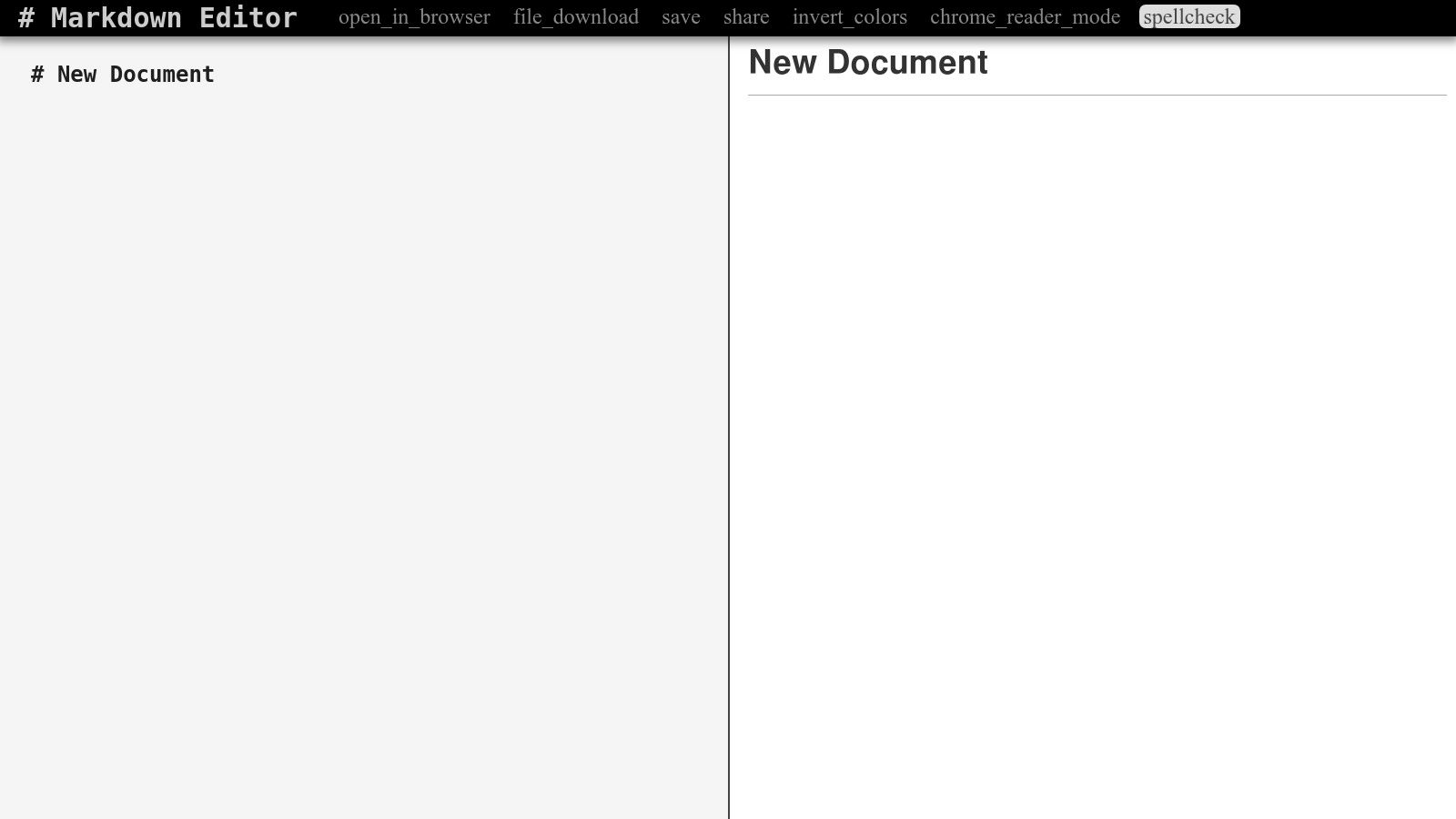
The interface is a classic split-pane layout with the editor on the left and the live preview on the right. There are no complex menus or settings, which makes it incredibly fast and easy to use. You simply type your Markdown and see the result instantly. While it lacks advanced features like cloud synchronization or publishing integrations, its strength lies in its simplicity and reliability for its specific purpose.
Key Features and Use Cases
- GitHub-Style Rendering: The live preview accurately mimics GitHub's rendering engine, including support for tables, task lists, and code syntax highlighting. This is essential for anyone writing content for the GitHub platform.
- Minimalist Interface: The straightforward, two-pane view is free of distractions, allowing you to focus purely on writing and previewing your Markdown.
- Quick Save & Share: You can save your work as a Markdown or HTML file directly from the browser or generate a permalink to share your document with others.
- Open-Source: As an open-source tool, it is transparent and can be self-hosted or modified if needed, offering flexibility for development teams.
This editor is best suited for quick checks and learning GFM syntax rather than for managing large writing projects. Its utilitarian design and limited feature set are its biggest drawbacks, but for a dependable GFM scratchpad, it remains an excellent choice.
Website: https://jbt.github.io/markdown-editor/
12 Free Online Markdown Editors — Feature Comparison
| Product | Core features | UX / Quality (★) | Value / Price (💰) | Target (👥) | Unique selling points (✨) |
|---|---|---|---|---|---|
| 🏆 JekyllPad | WYSIWYG + Markdown, front‑matter editor, real‑time preview, native GitHub commits | ★★★★★ Fast, privacy‑focused | 💰 Free tier (5 posts/mo) + paid | 👥 Technical & non‑technical creators, bloggers, docs teams | ✨ Client‑side + direct GitHub commits, SSG support, minimal setup |
| StackEdit | Rich Markdown, syntax highlight, offline PWA, cloud publish | ★★★★ Robust, steeper learning curve | 💰 Free, cloud integrations | 👥 Long‑form writers, publishers | ✨ Offline‑first PWA, multi‑cloud publishing |
| Dillinger | Split‑pane live preview, import/export cloud, PDF/HTML export | ★★★★ Quick, minimal UI | 💰 Free | 👥 Quick drafters, README editors | ✨ Zero sign‑up, simple import/export |
| HackMD | Real‑time collaboration, comments, templates, GitHub push | ★★★★★ Smooth team co‑edit | 💰 Freemium (limits on free) | 👥 Teams, docs, meeting notes | ✨ Real‑time co‑editing + publishing templates |
| HedgeDoc (Demo) | Real‑time collab, presentation mode, diagrams, self‑hostable | ★★★★ Collaborative, demo not private | 💰 Open‑source / self‑host | 👥 Privacy‑minded teams, self‑hosting users | ✨ AGPL self‑hostable, diagrams & presentations |
| GitHub.dev | Web VS Code for repos, Markdown editing, direct commits | ★★★★ Familiar VS Code experience | 💰 Free (GitHub account required) | 👥 Repo maintainers, quick editors | ✨ Instant web VS Code (press '.'), direct commits |
| VS Code for the Web (vscode.dev) | Browser VS Code, Markdown preview, split view, local file edit | ★★★★ Powerful, familiar | 💰 Free | 👥 Developers, power users | ✨ Full VS Code UI in browser, local file support |
| GitLab Web Editor / Web IDE | Live Markdown preview, paste‑to‑upload images, commit/MR workflows | ★★★ Seamless for GitLab projects | 💰 Free with GitLab account | 👥 GitLab repo owners, internal docs | ✨ Built‑in repo workflows and image upload |
| GitHub Gist | Create public/secret gists, version history, embeds | ★★★ Extremely fast, minimal | 💰 Free | 👥 Snippets, quick sharing | ✨ Lightweight sharing & embed, simple versioning |
| Editor.md (Online Demo) | Real‑time preview, GFM, KaTeX, flowcharts, theming | ★★★ Developer‑centric demo | 💰 Free (demo/component) | 👥 Developers testing extensions | ✨ KaTeX, flowcharts, ToC & extended renderers |
| Markdown Live Preview | Instant client‑side preview, scroll sync, PDF export | ★★★ Ultra‑lightweight, instant | 💰 Free | 👥 Quick drafts, syntax checks | ✨ Zero sign‑up, instant client‑side rendering |
| jbt’s Live GFM Editor | Split‑pane live preview, GitHub‑style rendering, save/share | ★★★ Lightweight, dependable | 💰 Free (open‑source demo) | 👥 Learners, quick GFM checks | ✨ Exact GitHub‑flavored rendering, simple UI |
Choosing Your Ideal Free Online Markdown Editor: A Final Verdict
Navigating the landscape of free online Markdown editors can feel overwhelming, but the perfect tool is ultimately the one that seamlessly integrates into your specific workflow. As we've explored, the "best" editor is not a one-size-fits-all solution; it's a deeply personal choice dictated by your technical comfort, project requirements, and collaboration needs. From fully-featured, browser-based IDEs to minimalist, single-pane previewers, the diversity of options ensures there is a powerful, no-cost solution available for everyone.
The key takeaway is to move beyond a simple feature comparison and instead focus on your primary use case. A technical blogger managing a Jekyll or Hugo site has vastly different needs than a content marketer who needs to quickly draft and share a document. The former requires robust Git integration and front-matter support, while the latter prioritizes real-time collaboration and easy export options.
Key Takeaways and Decision-Making Framework
To distill our comprehensive analysis, let’s revisit the core decision points that will guide you to the right choice. Consider these factors not as a checklist but as a framework for evaluating which tool truly aligns with your day-to-day tasks.
For the Git-Centric Workflow: If your entire content lifecycle lives within GitHub or GitLab, your most efficient options are the native editors. GitHub.dev, VS Code for the Web, and the GitLab Web IDE offer an unparalleled, integrated experience. They eliminate context switching, providing direct access to your repository, version control, and a familiar, powerful editing environment. These are the go-to choices for developers, documentation teams, and anyone managing a static site generator repository.
For Collaboration and Real-Time Sharing: When your priority is working with a team, HackMD and HedgeDoc stand out. Their real-time co-editing, commenting, and permission-management features are built for dynamic, collaborative environments. They are ideal for drafting meeting notes, creating internal documentation, or co-authoring articles before they are committed to a repository.
For Simplicity and Standalone Drafting: Sometimes, you just need a clean, reliable space to write without the overhead of a full development environment. StackEdit and Dillinger excel here, offering excellent live previews, cloud synchronization, and multiple export formats. They are perfect for freelance writers, students, or anyone who needs a dependable free online markdown editor for drafting content that will be published across various platforms.
For the Non-Technical Static Site User: Bridging the gap between powerful static site generators and user-friendly content management is a significant challenge. This is where a tool like JekyllPad carves its niche. It provides a WYSIWYG-like interface that abstracts away the complexities of Git and YAML front matter, making it accessible for clients, content marketers, and non-technical team members to contribute directly to a Jekyll site.
Final Thoughts on Finding Your Perfect Match
The journey to finding the right free online markdown editor is an investment in your productivity. The goal is to find a tool that feels like an extension of your own process, one that removes friction rather than adding it. Don't be afraid to experiment. Spend an afternoon test-driving your top two or three contenders with a real piece of content.
Import one of your existing blog posts, try out the collaboration features with a colleague, or connect it to your GitHub account. Only through hands-on use will the subtle differences in user experience and workflow integration become apparent. The modern web provides a remarkable suite of powerful, free tools. By aligning your specific needs with the unique strengths of the editors we've covered, you can unlock a more efficient, enjoyable, and productive writing experience.
If you manage a Jekyll-powered website and need a way for non-technical users to easily edit content without touching Git or code, JekyllPad was built for you. It transforms your GitHub repository into a user-friendly CMS, providing a streamlined free online markdown editor experience for your entire team. Take the complexity out of content management and empower your contributors by trying JekyllPad today.