
An online Markdown editor is simply a web-based tool for writing in Markdown—a clean, plain-text language. It’s designed to help you create content for the web, like blog posts or documentation, without getting bogged down by the clunky toolbars and complex formatting options you find in traditional word processors.
What Is an Online Markdown Editor and Why Use One?
Think of your writing tool as a workspace. A program like Microsoft Word or Google Docs is like a massive, cluttered workshop filled with every tool imaginable. You have tools for mail merges, complex print layouts, and intricate table designs—most of which you'll never touch when you're just trying to write a blog post. All that clutter adds weight and often produces messy, unpredictable HTML when you copy the content to your website.
An online Markdown editor, on the other hand, is a clean, minimalist workbench. It's built for one job and does it exceptionally well: writing for the web. Instead of hunting for a "bold" button, you just type **bold**. Need a heading? Just use a hash symbol, like ## My Heading. It’s simple, intuitive, and lets you focus completely on your ideas.
The Power of Simplicity and Portability
The real genius behind this approach is portability. Because Markdown is just plain text, your work isn't trapped in a proprietary format like .docx. A .md file you create today can be opened by any text editor, on any device, ten years from now. This makes your content incredibly flexible and future-proof.
The magic of Markdown is its core philosophy: separate your content from its presentation. You focus on what you're saying, and the system takes care of making it look right. This principle is a cornerstone of modern web development and content management.
This is exactly why developers and technical writers adopted it so early on. It allows content to be managed with version control tools like Git, just like source code. Every single change can be tracked, reviewed, and rolled back if needed, bringing a level of discipline to writing that’s impossible with a standard document. For a deeper dive into how these tools work, you can learn more about the role of an online Markdown editor in modern workflows.
Who Benefits from a Markdown-First Approach?
While it started in the developer world, using an online Markdown editor is a game-changer for anyone creating content for the web.
- Bloggers and Content Creators: You can write clean, perfect HTML for platforms like WordPress, Ghost, or static site generators like Jekyll and Hugo without wrestling with a visual editor.
- Documentation Teams: It's perfect for writing and managing technical guides collaboratively. The text-based format ensures consistency and plugs directly into developer workflows.
- Students and Academics: Take organized, linkable notes that are a breeze to format. Exporting to different formats like HTML or PDF is simple and clean.
- Non-Technical Professionals: Draft emails, project updates, or reports in a distraction-free environment where you can concentrate purely on the message.
At the end of the day, an online Markdown editor helps you write faster and more efficiently. It cuts out the bloat of old-school software and helps you create clean, portable content that just works everywhere online. It's more than just a tool—it's a better way to think about writing.
Choosing the Right Type of Online Markdown Editor
Picking an online Markdown editor isn't a one-size-fits-all deal. The best tool for you really boils down to your workflow and how comfortable you are with code. Not all editors are created equal, and figuring out the core differences is the first step to finding a perfect match that makes your writing life easier.
The world of Markdown editors generally breaks down into four main flavors. Each one takes a different approach to balancing raw text with a polished final look, serving everyone from seasoned developers to content creators who'd rather not see a single line of code. Let's dig into each type to see which one clicks with your needs.
This decision tree can help you visualize the best path forward, whether you're creating straightforward web content or need a more sophisticated editing setup.
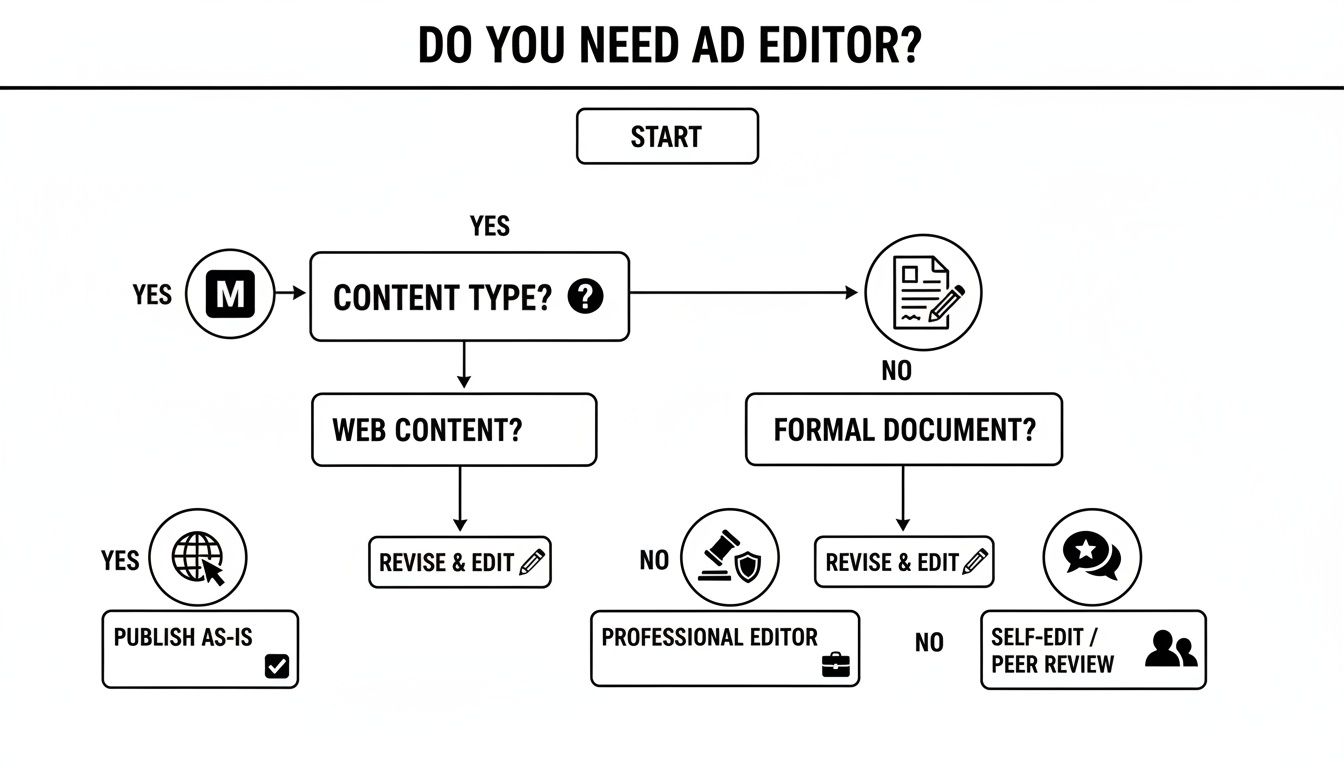
The flowchart shows a critical fork in the road: if your main goal is creating content for the web, a Markdown-based editor is almost always the most direct and efficient way to get it done.
WYSIWYG Editors: The Visual Approach
WYSIWYG—which stands for "What You See Is What You Get"—editors feel a lot like using Google Docs or Microsoft Word. Instead of typing syntax like **bold**, you just highlight text and click a 'B' button on a toolbar. It's a fantastic way to lower the barrier to entry for non-technical users who want to create beautifully formatted content without having to learn any markup. Think of it as painting on a canvas where you see the final result with every brushstroke.
This user-friendly style has made these tools incredibly popular. In fact, the WYSIWYG editor software market is expected to hit USD 416.34 million by 2035. This growth speaks volumes about its appeal to enterprise teams and creators searching for simpler content workflows. You can dive deeper into this trend by checking out the latest market growth reports on editor software.
Split-View Editors: The Best of Both Worlds
Split-view editors are a huge hit with developers and anyone just getting their feet wet with Markdown. These tools literally split your screen in two. On one side, you write your raw Markdown; on the other, you get a live preview of how it will look when published.
This side-by-side setup is a brilliant learning tool because the feedback is instant. You can type ## My Heading and immediately see it transform into a big, bold heading, helping you master the syntax in no time. It gives you the perfect blend of raw control and visual confirmation, so there are no surprises when you hit publish.
Live Preview Editors: The Distraction-Free Workspace
A live preview editor takes the split-view idea and merges it into one seamless experience. As you type Markdown syntax, the editor gently converts it into its final styled form right in front of you. For instance, after you type *italic*, the asterisks might fade away, leaving just the italicized text.
This approach fosters a clean, distraction-free environment that many writers swear by. It cuts out the mental gymnastics of glancing between two panes, letting you stay in the flow and focus completely on your writing.
This style is perfect for anyone tackling long-form content, where maintaining concentration is everything. It offers the directness of Markdown with the clean readability of a finished document.
Git-Integrated Editors: The Powerhouse for Developers
For technical bloggers, documentation teams, or anyone living in a developer's world, Git-integrated editors are a game-changer. These tools plug directly into your GitHub, GitLab, or other Git repositories, effectively turning your editor into a content versioning machine.
Instead of writing in one app and then manually pushing changes via the command line, every save becomes a commit. This tight integration brings the full power of version control directly into your content workflow.
Here’s why that’s such a big deal:
- Effortless Version Control: Every single change is tracked. You get a complete history of your document and can roll back to any previous version in a click.
- Simplified Collaboration: Team members can work on the same files without stepping on each other's toes, as Git handles merging changes.
- Automated Publishing: Committing a change can automatically kick off a build and deploy your static site, making publishing instantaneous.
This type of online editor markdown is the most robust solution for teams who treat their content like code—demanding precision, collaboration, and automation from start to finish.
To help you sort through these options, the table below breaks down the key differences between each editor type.
Comparing Different Online Markdown Editor Types
| Editor Type | Key Feature | Best For (Audience) | Common Use Case |
|---|---|---|---|
| WYSIWYG | A visual, toolbar-based interface that hides Markdown syntax. | Non-technical users, content marketers, beginners. | Creating blog posts or marketing pages without touching code. |
| Split-View | A two-pane view showing raw Markdown on one side and a live preview on the other. | Developers, technical writers, Markdown learners. | Writing documentation or learning Markdown syntax with instant visual feedback. |
| Live Preview | Converts Markdown syntax to styled text within the same writing pane. | Long-form writers, bloggers, anyone seeking focus. | Drafting articles or essays in a clean, distraction-free environment. |
| Git-Integrated | Connects directly to a Git repository for version control and CI/CD pipelines. | Docs-as-code teams, developers, technical bloggers. | Managing a static site blog or collaborative technical documentation. |
Ultimately, the right editor is the one that feels most natural for your specific tasks. A blogger might love the simplicity of a WYSIWYG editor, while a documentation team will find a Git-integrated tool indispensable.
What to Look for in a Great Markdown Editor

When you're picking an online Markdown editor, you're not just choosing a text box. You're choosing a workspace. The best ones feel like they were built with your workflow in mind, packing in features that turn a clunky, multi-step chore into a seamless creative process. Let's break down what separates the basic tools from the real workhorses.
First and foremost, a real-time preview is non-negotiable. Think of it as an instant feedback loop that shows you exactly how your finished content will look. This completely kills that old, frustrating cycle of write, save, switch tabs, and refresh just to check if you got the formatting right. A good preview means what you see is truly what you get.
Core Functionality for Readability and Structure
A solid online Markdown editor needs to make your raw text manageable. Without a few visual assists, a long document can quickly devolve into a confusing wall of symbols and words.
This is where syntax highlighting is a lifesaver. It automatically color-codes your Markdown, making headings, bold text, links, and lists pop out from the rest of your content. Not only does this make everything easier to read, but it also helps you catch formatting mistakes at a glance.
For bloggers and anyone writing documentation, built-in front-matter editing is a huge win. Front matter is that little block of YAML or JSON at the very top of a file holding metadata like the title, author, or publish date. Instead of forcing you to fiddle with raw code, a great editor gives you a simple form to fill out, which is a much cleaner experience.
Must-Have Features for Modern Workflows
Beyond the basics, a few more advanced features are essential for anyone who's serious about creating content efficiently. These are the tools that solve the real headaches of modern publishing.
- Easy Media Embedding: A top-tier editor lets you drag and drop images or videos right into the document. It should handle the file upload and generate the Markdown link for you automatically, saving you from a tedious manual process.
- Seamless GitHub Integration: This is a game-changer for developers, technical writers, and docs-as-code teams. An editor with native Git integration can connect directly to your GitHub repository, turning every save into a commit. It automates your version control and publishing pipeline, so you can stay out of the command line.
- Client-Side Privacy: With security being a top concern, the best editors run entirely in your browser. This means your data is only ever transferred between your computer and your own GitHub account—no third-party servers ever touch or store your work.
When you prioritize these features, you're choosing a tool that doesn't just let you write Markdown. You're adopting a platform that actively improves your entire content creation process, from first draft to final publish. A WYSIWYG Markdown editor often wraps many of these powerful features into an intuitive package.
The demand for tools like this is surging. In fact, the markdown optimization market is on track to hit USD 4.06 billion by 2033, growing at an impressive 14.7% CAGR. This massive growth, detailed in reports on this expanding market and its trends, shows just how many people are moving away from traditional editors toward more efficient, Markdown-based solutions. Keep this checklist handy when evaluating any online editor markdown tool, and you'll find one that genuinely supports your work.
How Different Professionals Use Markdown Editors
An online Markdown editor isn't a one-size-fits-all tool. The "best" editor really depends on who you are and what you're trying to accomplish. A technical blogger’s ideal setup looks nothing like what a documentation team needs, and a content marketer has a completely different set of priorities.
Each role has its own unique workflow. Once you understand these different approaches, it becomes much easier to see which features will actually make a difference for you. Let's break down how different professionals get their work done.
The Technical Blogger: A Workflow Built for Speed
For technical bloggers, the name of the game is speed. They need to get ideas out of their heads and onto a published post as fast as possible. Their content is usually a blend of normal text and detailed code snippets, often published using a static site generator like Jekyll or Hugo.
A typical workflow looks something like this:
- Direct Git Integration: Writing happens inside an editor that’s already connected to their site's GitHub repository. Saving a draft is the same as making a commit, which means version history is handled automatically.
- Clear Syntax Highlighting: With all that code, top-notch highlighting for both Markdown and various programming languages is a must-have. It makes spotting mistakes so much easier.
- Easy Front-Matter Editing: They use simple forms to fill out metadata like the post title, tags, and publish date, instead of having to manually fiddle with YAML code.
The whole process is incredibly efficient. They write, drop in their code, and the editor pushes the finished file straight to the repository. That push can kick off an automated build, and poof—the new post is live.
The Documentation Team: A Workflow Built for Consistency
Documentation teams have a different primary concern: consistency. They’re managing huge libraries of interconnected documents where every detail has to be accurate and version control is everything. For them, the content is the product.
For these teams, a Markdown editor is less of a simple writing app and more of a central command center for collaborative work. Their entire process has to support multiple writers, careful reviews, and a single source of truth.
Their workflow depends on features that support a rigorous, team-based model:
- Rock-Solid Version Control: Direct GitHub integration isn't just nice—it's non-negotiable. It enables pull requests, letting others review content changes just like code, and provides a full audit trail for every edit.
- Client-Side Privacy: Documentation can include sensitive information. A client-side editor that keeps all data processing within the user's browser is crucial for security.
- Templates and Reusable Content: To keep things uniform, teams rely on templates. This ensures every new article starts with the same structure and front-matter, maintaining consistency across thousands of pages.
This "docs-as-code" methodology brings the discipline of software development to the world of content, resulting in documentation that is reliable and easy to maintain.
The Non-Technical Creator: A Workflow Built for Simplicity
Finally, we have non-technical content creators and marketers. Their main goal is to create great content without getting bogged down in the technical weeds. They might be posting to a blog built on GitHub Pages, but they have zero interest in learning Git commands or memorizing Markdown syntax.
For this group, the best online editor markdown tool is one that makes the complexity disappear.
Their ideal workflow is all about visual feedback and ease of use. A WYSIWYG editor is perfect, letting them format text with familiar buttons just like in a word processor. They can embed images and add links without ever seeing a single bracket or parenthesis. Content creators often use a whole suite of tools to make their lives easier; you can check out a great list of the best tools for content creators to see what else is out there.
Ultimately, a powerful Git-integrated editor that feels like Google Docs is the dream solution, giving them the ability to contribute to a technical platform without the steep learning curve.
So, Is JekyllPad the Right Online Markdown Editor for You?
After weighing the pros and cons of different Markdown editors, you start to realize the best tool is one that perfectly balances power and simplicity. This is exactly where JekyllPad comes in. It’s designed to be that sweet spot, taking the best features from various editor types and merging them into a single, smooth experience that just works.
Think of it as the bridge between technical and non-technical worlds. If you're a content creator who loves a visual, intuitive interface, JekyllPad’s modern WYSIWYG editor feels right at home. But if you’re a developer who needs raw Markdown control, it’s got you covered there, too. This dual-mode approach means nobody has to compromise their workflow.
The entire experience is built around a clean, unified dashboard, letting you manage your files, edit front matter, and see a live preview all in one place.
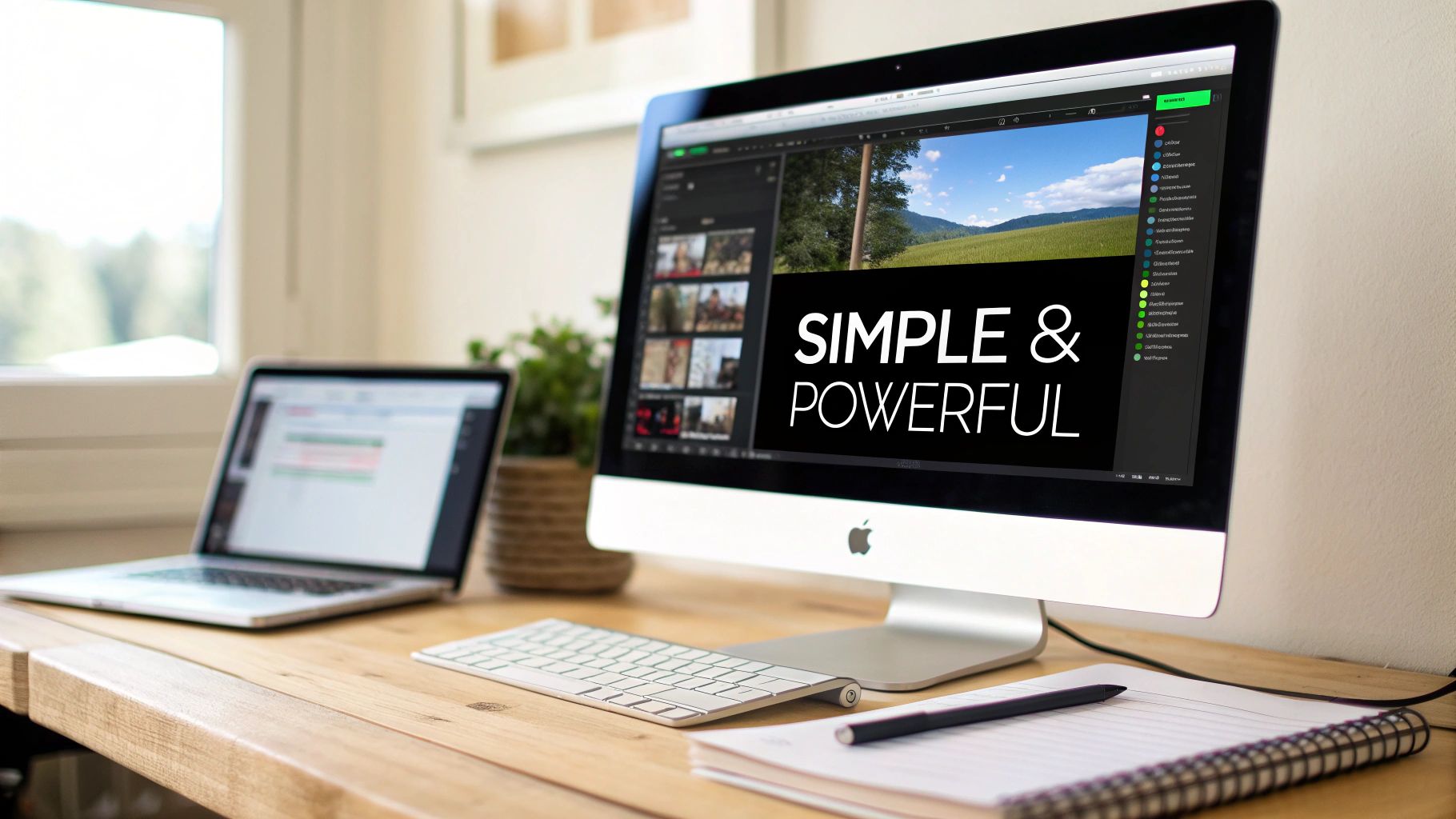
This setup is incredibly efficient. You can handle every aspect of your content without ever needing to jump between different windows or apps.
Unifying Workflows with Seamless GitHub Integration
One of JekyllPad's most impressive features is its native GitHub integration. For many people, this is the biggest obstacle to adopting a docs-as-code or static site workflow. Fiddling with Git commands and the terminal can be a real headache. JekyllPad gets rid of that barrier completely by handling the entire Git process for you.
Once you connect your GitHub account, the editor syncs directly with your repository. Every time you save a document, your changes are automatically committed and pushed behind the scenes. It’s a simple action with some powerful perks:
- Effortless Version Control: You get a complete, automatic history of every change without even thinking about it.
- Automatic Backups: Your content is always safe and sound, stored in your own GitHub repo.
- Simplified Publishing: That simple save can trigger your website to automatically build and deploy.
This makes a sophisticated, Git-based workflow accessible to literally everyone, from a solo blogger to a large documentation team. You can get a deeper look into the mechanics by reading about how JekyllPad connects to GitHub to automate your publishing pipeline.
Prioritizing Security with a Client-Side Architecture
In a world where data privacy is a huge concern, the way an online tool handles your content really matters. JekyllPad is built on a 100% client-side architecture. This might sound technical, but it has a simple, crucial benefit: your content is never stored on JekyllPad's servers.
Everything runs entirely within your web browser. When you edit a document, the data only travels between your computer and your own GitHub repository. This design eliminates a major security risk by cutting out the middleman.
This client-side model means you always have full ownership and control over your work. This focus on privacy is part of a bigger trend. The global text editor market, valued at USD 3.1 billion in 2024, is projected to hit USD 5.2 billion by 2033, driven partly by the demand for secure, user-centric tools.
An Editor for Every Creator
JekyllPad was built to serve a wide range of users without watering down its features. It’s an online editor markdown tool that truly meets you where you are.
- For technical bloggers, it provides syntax highlighting, easy front-matter editing, and direct Git integration for a workflow that’s fast and lean.
- For documentation teams, it creates a collaborative, version-controlled environment that keeps everything consistent and secure.
- For non-technical creators, it offers a straightforward WYSIWYG experience that makes writing for a static site feel as easy as using a word processor.
By weaving these essential features into one intuitive platform, JekyllPad empowers everyone to stop worrying about the technical hurdles and focus on what they do best: creating fantastic content.
Common Questions About Online Markdown Editors
As you dive into the world of Markdown, you're bound to have some questions. Getting a handle on these common queries will help you figure out if an online editor is the right move for your projects and give you the confidence to pick the best tool for the job. Let's tackle a few of the most frequent ones.
Is Markdown Better Than a Traditional Word Processor?
This really boils down to what you’re trying to create. For anything destined for the web—like blog posts, articles, or technical documentation—Markdown is often the clear winner. It generates clean, lightweight HTML and plays beautifully with version control systems like Git, keeping your content completely separate from its final styling.
On the other hand, traditional word processors are still king when it comes to print documents or projects that demand intricate visual layouts right from the start. But for web writing, Markdown’s simplicity and portability are tough to beat.
Do I Need to Know Git to Use a Modern Editor?
Absolutely not. While many of the best online Markdown editors are built with Git integration at their core, they’re designed to hide all that complexity from you.
A great Git-integrated editor handles the technical heavy lifting behind the scenes. After a one-time setup to connect your GitHub account, the tool manages all the commits and pushes for you. You get the full power of version control without ever having to open a terminal.
This setup means your work is automatically saved, backed up, and versioned every time you make a change, bringing a professional-grade workflow within reach for everyone, regardless of their technical skill.
Are Online Markdown Editors Secure for Private Work?
The security of your work depends entirely on how the editor is built. The most secure options by far are client-side editors, which do all their processing right inside your web browser.
This design is a huge win for privacy. It means your content is only ever transferred between your local machine and your own GitHub repository. No third-party server ever sees, touches, or stores your data, dramatically reducing security risks and ensuring your private drafts stay private.
Ready to simplify your content workflow without giving up professional features? JekyllPad combines a clean, visual editor with seamless GitHub integration, all within a secure, client-side application. Get started for free with JekyllPad and get back to focusing on what matters—your content.