
Choosing between a static or dynamic website often comes down to a fundamental trade-off: simplicity versus functionality. Think of a static site like a printed brochure—it's pre-built, incredibly fast, and looks the same for everyone. A dynamic site, on the other hand, is more like a live conversation, creating pages on the fly to deliver personalized content and interactive experiences.
Unpacking the Static vs Dynamic Decision

Deciding to go static or dynamic is one of the first and most critical forks in the road for any web project. This single choice has a ripple effect on everything that follows, from page load speed and security posture to development costs and day-to-day content management. Getting this right means aligning your technical foundation with your actual goals.
At its core, a static website is just a collection of pre-rendered HTML, CSS, and JavaScript files sitting on a server. When someone visits your site, the server grabs the exact file they requested and sends it straight to their browser. It's a clean, direct delivery system built for raw performance.
A dynamic website works completely differently by generating pages in real-time. When a visitor lands on a page, it triggers a chain reaction: the server runs code (using languages like PHP or Python), pulls information from a database, and assembles a brand-new HTML page just for that user. This approach is essential if your site needs features like:
- User Accounts: To let people log in and see personalized dashboards or content.
- Real-Time Content: For displaying ever-changing information like news feeds or stock tickers.
- E-commerce Functionality: To manage shopping carts, process orders, and track inventory.
To help you see the differences more clearly, here’s a quick breakdown of how these two architectures stack up against each other.
Core Differences Static vs Dynamic Websites at a Glance
This table offers a high-level summary comparing the fundamental attributes of static and dynamic websites to help you quickly grasp the key trade-offs.
| Attribute | Static Website | Dynamic Website |
|---|---|---|
| Performance | Extremely fast; files served directly from a CDN. | Slower; requires server processing and database queries. |
| Security | Highly secure; no database or server-side processing to attack. | More complex; larger attack surface (server, database). |
| Scalability | Scales easily and cheaply with CDN distribution. | Scaling requires more complex server infrastructure. |
| Personalization | Limited; same content for all users. | High; content can be tailored for each user. |
As you can see, the "best" choice really isn't about one being universally better than the other. It's about picking the right tool for the job based on your project's specific needs for speed, security, and interactivity.
Understanding the Core Web Architectures
Before you can choose between a static or dynamic website, you have to get a handle on what makes them tick. These aren't just technical buzzwords; they represent fundamentally different philosophies for building and delivering web pages to your visitors. The path you pick will shape everything from your site's speed and security to its cost and how you manage it.

I like to think of it like this: a static site is like a pre-recorded show, ready for instant playback. A dynamic site is more like a live broadcast, assembled in real-time for every single viewer.
The Static Site Build Process
A static website is all about doing the work upfront. The magic happens during a "build" process, where a tool called a Static Site Generator (SSG) takes all your content, templates, and data and mashes them together. The output is a complete set of simple HTML, CSS, and JavaScript files.
These finished files are then pushed out to a Content Delivery Network (CDN), which is just a fancy name for a worldwide network of servers. When someone visits your site, the CDN simply hands them the pre-made HTML file from whatever server is physically closest. The result? Ridiculously fast load times, because there’s no on-the-fly thinking or database lookups required. If you want to dive deeper into this modern approach, check out our guide: https://www.jekyllpad.com/blog/what-is-ssg.
Key Takeaway: With a static site, all the heavy lifting happens once, during the build. Visitors get a lightweight, finished product, which is what makes these sites so incredibly fast and secure.
The Dynamic Site Server-Side Architecture
Dynamic websites are the complete opposite. Instead of serving up pre-built files, they construct each page from scratch every time a visitor requests it. This real-time assembly line has a few critical moving parts.
- Web Server: This is the front door. It fields the user's request for a page.
- Application Logic: The server then runs code (in languages like PHP, Python, or Ruby) that acts as the blueprint for building that page.
- Database: This application code talks to a database (like MySQL or PostgreSQL) to pull in the necessary content—maybe a blog post, product information, or user data.
Only after grabbing all the pieces does the server put together the final HTML page and send it over to the user's browser. To really get this, it helps to understand what dynamic content is and how it enables all those personalized experiences we see online.
Out of the 1.13 billion websites online, there's a fascinating trend taking shape. While dynamic platforms like WordPress are still titans, powering a staggering 43.5% of the web, a growing number of developers are flocking to the simplicity and power of static architectures. This shift underscores a clear demand for the performance and security wins that static sites bring to the table.
Comparing the Critical Decision Factors
Picking between a static or dynamic website boils down to a series of important trade-offs. Each approach has its own strengths, and really getting a feel for these differences is the key to matching your tech stack to your project's goals. Let's dive in and compare them head-to-head.

This isn't a simple "one is better than the other" situation. The right call depends entirely on what your website needs to accomplish, not just today but down the road. If you prioritize something like raw performance, that decision will naturally affect other areas, like your ability to offer personalized content.
Performance and User Experience
When it comes to pure, unadulterated speed, static sites have a natural, built-in edge. It's not even a fair fight. Since all the HTML, CSS, and JavaScript files are built ahead of time, they can be pushed out to a global Content Delivery Network (CDN). This means when someone visits your site, the files are served from a server that's physically close to them, leading to lightning-fast, almost instant load times.
Dynamic sites, on the other hand, have to construct each page as it's requested. This process involves a whole chain of events—server processing, database lookups, and running code—all of which adds precious milliseconds of delay. Even with smart caching, that roundtrip to the server makes it tough to compete with the immediate feel of a static site. Knowing how these architectural choices impact engagement is crucial if you want to increase website conversion rate and turn visitors into customers.
This performance difference isn't just a number on a report; it has huge real-world consequences. We’ve all been there, impatiently waiting for a page to load. Pages that load in 1 second see much higher conversion rates, while slow sites suffer from an 88.5% bounce rate. Static sites deliver that top-tier speed right out of the box, which is more important than ever with over 50% of all web traffic coming from mobile devices.
Security and Maintenance
Security is another area where the two approaches are worlds apart. A static website is a much harder target for attackers simply because there's less to attack. There's no database to inject malicious code into and no server-side software with hidden vulnerabilities. The files are essentially "read-only," which shuts down entire classes of common cyber threats from the get-go.
Dynamic websites, especially those running on popular systems like WordPress, demand constant watchfulness. Their reliance on a server, a database, and often a whole ecosystem of plugins creates multiple weak points that hackers can try to exploit.
Crucial Insight: The real security win for a static site isn't just about cleaner code; it's about completely removing entire categories of risk. When you don't have a database or server-side rendering, threats like SQL injections or server exploits just aren't a factor.
This difference flows directly into maintenance. Securing a dynamic site is a never-ending cycle of updates:
- Patching the core CMS software.
- Updating every plugin and theme.
- Keeping an eye on server security logs.
Static sites, by comparison, are practically "set it and forget it" once they're live. The main security focus shifts to the development pipeline and any third-party services you use for things like contact forms or comments, which are handled by specialized providers.
Scalability and Cost
Scalability and cost are often two sides of the same coin, and this is another spot where the static model really shines. Serving simple files from a CDN is incredibly efficient and cheap. As your traffic spikes, the CDN just handles it by spreading the load across its massive global network. It's a kind of automatic, hands-off scaling that's also very budget-friendly.
Getting a dynamic website ready for high traffic is a much bigger—and more expensive—job. It usually means upgrading server hardware, fine-tuning the database, and setting up complex load-balancing systems. A sudden burst of visitors can easily bring a dynamic site to its knees if the infrastructure isn't ready for it. To get a better grasp of how servers manage these tasks, you can learn more about server-side vs. client-side operations in our article.
From a purely financial standpoint, static hosting is often free or extremely cheap on platforms like Netlify, Vercel, or GitHub Pages. Dynamic hosting comes with recurring costs for servers, databases, and the people needed to manage them all, which can add up fast.
Real-World Scenarios: Making the Right Call
Okay, let's move past the technical specs and talk about where the rubber meets the road. Deciding between a static or dynamic site isn't an academic exercise; it's about picking the right tool for the job. Your project’s core purpose will almost always make the decision for you.
This isn't a "one-size-fits-all" situation. Some projects are a perfect match for the raw speed and simplicity of a static build. Others absolutely depend on the live, interactive power of a dynamic backend.
Ideal Use Cases for Static Websites
Static websites are the undisputed champions of speed, security, and simplicity. They really shine when your content is the same for every visitor and doesn't need to be updated on the fly based on who's looking at it.
Here are a few scenarios where static is a no-brainer:
- Marketing and Brochure Sites: Think about a local business website showing off services, telling the company story, and providing contact details. A static site delivers that information with lightning speed, which is a huge deal for making a great first impression and capturing leads. Plus, its hardened security is great for protecting your brand.
- Developer Documentation: Tech docs need to be fast, easy to search, and always available. Building them with a static site generator like Jekyll or Hugo lets your team manage everything through Git. This is perfect for version control and makes it simple for multiple developers to contribute updates.
- Portfolios and Resumes: If you're an artist, designer, or developer, you need a portfolio that loads instantly. A static site ensures your work is displayed without any lag, giving potential clients or employers a smooth, professional experience without any database overhead.
- Blogs and Content Hubs: For blogs where the main goal is just getting content in front of readers, a static architecture is incredibly powerful. Pairing a static generator with a tool like JekyllPad gives even non-technical writers a simple way to manage posts, all while the site enjoys top-tier performance and minimal security worries.
Key Takeaway: If your main goal is to deliver information to a wide audience—quickly and securely—without needing user accounts or live data, a static site is almost always the smarter, more cost-effective choice.
When to Go with a Dynamic Website
A dynamic architecture is no longer optional the moment your website needs to be interactive. When you have to serve up personalized content, handle user data, or perform real-time actions, you’ve crossed into dynamic territory. These sites are built from the ground up to manage the complexity that static sites just can't handle alone.
Dynamic is the only way forward for projects like these:
- E-commerce Stores: This is the classic example. An online shop has to juggle user accounts, shopping carts, payment processing, and inventory levels—all in real time. You absolutely need a database to keep track of orders, customers, and stock.
- Social Networks and Forums: Platforms like Reddit or any community forum are all about user-generated content. Every page is tailored to the individual, showing them unique feeds, comments, and notifications based on their account and activity.
- Membership Sites: If you're selling access to exclusive content, like an online course or a subscription news service, you need a dynamic backend. It’s the only way to handle user logins, verify permissions, and control who sees what.
- Web Applications: Think of complex tools like Asana or an online flight booking system. These applications require a dynamic server to process user input, save changes to a database, and run complex logic behind the scenes.
In the end, the static or dynamic debate boils down to one simple question: does your content need to change based on who the user is or what they do? If the answer is yes, you're building a dynamic site. If not, the performance and security advantages of going static are just too good to pass up.
How Hybrid Approaches Are Changing the Game
The old debate between static and dynamic websites is starting to feel a little outdated. We're no longer stuck with a rigid, either-or choice. Modern web development has moved into a new era of hybrid models that give us the raw speed of a static site and the rich functionality of a dynamic one, all rolled into one.
This shift is largely thanks to an architectural philosophy called the Jamstack. It's not a specific tool, but rather a new way of thinking about building websites. The core idea is to pre-build as much of your site as possible into static files, then layer in dynamic features using client-side JavaScript and APIs.
Jamstack: The Static Foundation, Reimagined
At its heart, a Jamstack site is fundamentally a static site. During a "build" step, all your content gets compiled into a neat package of HTML, CSS, and JavaScript files. Those files are then deployed to a global Content Delivery Network (CDN), which makes them load incredibly fast for users anywhere in the world. This gives you all the classic benefits: amazing performance, a smaller attack surface for better security, and cheaper hosting.
The real magic happens after the page loads. Once those static files are in the browser, JavaScript wakes up and can start making API calls to fetch live data, handle user input, or connect to services for things like shopping carts or comment sections.
Key Insight: Jamstack decouples your frontend (what the user sees) from your backend (where the data and logic live). This separation lets you serve a lightning-fast static experience that only pulls in dynamic content exactly when and where it's needed, instead of forcing a server to build every single page from scratch for every single visitor.
This completely reframes the conversation. Instead of asking "static or dynamic?", the better question is now, "Which parts of my site can be static, and which parts truly need to be dynamic?"
Advanced Techniques Blurring the Lines
The tools and frameworks we have today make this hybrid approach more practical than ever. Developers can now surgically inject dynamic behavior into otherwise static sites.
Two of the most powerful techniques making this possible are:
- Incremental Static Regeneration (ISR): Popularized by frameworks like Next.js, ISR is a game-changer. It lets you update static pages after your site is already live. You can tell a page to "revalidate" itself every 60 seconds, for example. The next person who visits after that time still gets the old static version instantly, but in the background, a fresh version is generated for everyone who follows. It’s perfect for news sites or e-commerce listings that need to stay current without a full rebuild.
- Serverless Functions: Think of these as tiny, on-demand bits of code that run without you having to manage a server. Need to handle a contact form submission, process a payment, or look something up in a database? A serverless function can spin up, do its job, and shut down. It's an incredibly efficient and scalable way to add backend logic to a static frontend.
For sites driven by content, this architecture pairs perfectly with a modern CMS. As we cover in our guide on using a CMS with an API, a headless CMS gives your content team a friendly interface while providing data to your static site generator at build time or directly to the browser via API calls.
What this all means is that a "static" site isn't really static anymore. It’s a high-performance foundation ready to support complex, interactive experiences. By combining pre-rendered pages with on-demand data and serverless logic, hybrid models offer a sophisticated solution that finally lets us move past the old static vs. dynamic dilemma.
Making the Right Choice for Your Project
Choosing between a static or dynamic website really just comes down to your project's core needs. There’s no single "better" option—only the right fit for your specific goals, budget, and the technical skills you have on hand. The trick is to weigh the trade-offs we've talked about to make a confident decision.
The entire choice hinges on a few key questions about how your site needs to function and how its content will be managed. If you're chasing raw speed, airtight security, and minimal running costs, a static approach is almost always the frontrunner. On the other hand, if you can't live without user interaction, real-time data, and personalized content, you'll need the power of a dynamic build.
Your Project Decision Checklist
To cut through the noise, run through these questions. Your answers will almost always point you in the right direction.
- User Interaction: Do you need people to log in, create profiles, or leave comments? If the answer is yes, you're looking at a dynamic backend.
- Content Frequency: How often will you be adding or changing content? For teams that need to push multiple updates a day, a dynamic CMS can feel more straightforward, though modern static tools are catching up fast.
- E-commerce Needs: Are you selling products? Managing a shopping cart, inventory, and payments is a job for a dynamic architecture.
- Team Skills: What's your team comfortable with? Static sites often involve a workflow built around tools like Git, whereas dynamic platforms like WordPress are familiar to a much broader audience.
- Budget Constraints: What can you afford for long-term hosting and maintenance? Static sites are dramatically cheaper to host and scale.
This decision tree helps visualize how the need for dynamic features often guides you toward a hybrid solution, letting you get the best of both worlds.
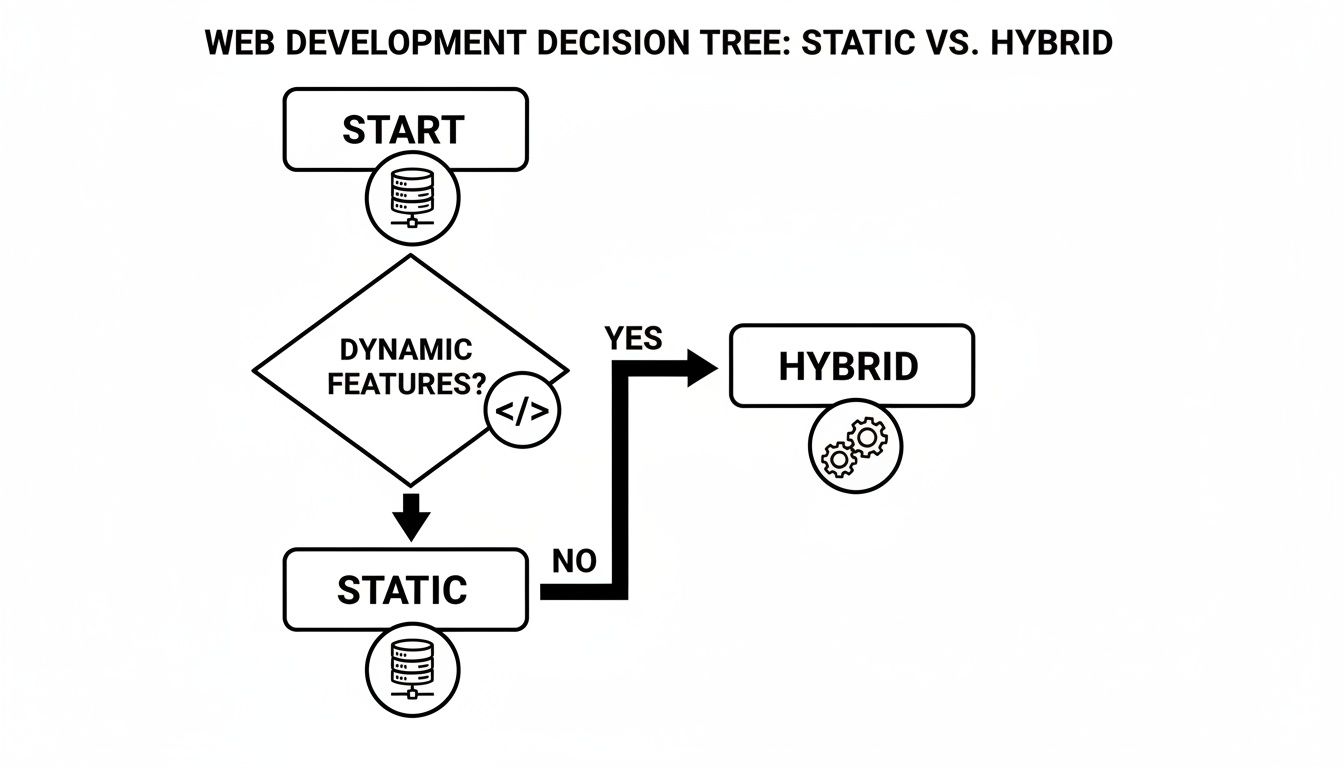
As you can see, starting with a static foundation and layering in dynamic functionality where you absolutely need it is a powerful modern strategy.
Final Recommendation: Default to a static-first mindset. The performance and security gains are just too big to ignore. Only introduce the complexity of a dynamic backend if a core feature—like user accounts or a full-blown e-commerce system—absolutely requires it. For almost everything else, a hybrid Jamstack approach is the smarter path.
Today's user expectations really hammer this point home. Chrome holds a 71.37% market share, and its users expect sites to load instantly. Pre-built static files deliver that experience best, which is critical when you consider that 61.19% of all web traffic is now on mobile devices. For a global audience, server lag is a deal-breaker, making the case for static builds even stronger for any project where performance truly matters. You can dig into more of the numbers on the latest browser market share statistics.
Common Questions, Answered
When you're weighing whether to go with a static or dynamic website, a few questions always seem to pop up. Let's clear the air and get you some straight answers to help you pick the right path for your project.
Can a Static Website Have Interactive Features?
You bet. It's a common misconception that "static" means "not interactive." Modern static sites can easily handle features like contact forms, site search, and even comment sections.
The magic happens through JavaScript and third-party services—the core idea behind the Jamstack approach. Instead of running your own backend to process a form submission, you can lean on a service like Netlify Forms or Formspree. Need comments? A simple script from Disqus or Commento gets the job done. You get all the functionality without the baggage of a server.
Which Website Type Is Better For SEO?
Static websites usually have a built-in edge here. Google loves speed and security, and these are two areas where static sites naturally shine. Because the HTML pages are pre-built, they load in a flash, which keeps users happy and bounce rates low—both are huge wins for search rankings.
Search engine bots find it much easier to crawl and index plain HTML files. While a well-configured dynamic site can rank perfectly well, it often takes more work to get its performance on par with a static site's out-of-the-box speed.
Is It Difficult For Non-Technical Users To Update Content?
It used to be, but that's ancient history now. The old workflow often required developers comfortable with the command line, but modern tools have completely flipped the script. Headless CMS platforms and Git-based tools offer intuitive, web-based interfaces that feel just as friendly as WordPress.
These systems neatly separate the content from the code. This means your marketing team or content creators can write, edit, and publish posts without ever needing to see a single line of code, giving them a safe and streamlined way to manage the site.
Are Dynamic Websites Always More Expensive to Operate?
Generally, yes. The costs for a dynamic site add up quickly. You're paying for server hosting, database maintenance, security patches, and constant software updates. And if you need to handle more traffic, scaling that infrastructure can get very pricey, very fast.
Static sites, on the other hand, have a much lower total cost of ownership. You can host the files for next to nothing—or even for free—on platforms like Netlify, Vercel, or GitHub Pages. The simpler setup translates to fewer maintenance headaches and a much smaller bill at the end of the day.
For teams ready to embrace the power of static sites without the usual technical hurdles, JekyllPad provides a clean, browser-based CMS that works directly with GitHub. Find out more at JekyllPad's official site.