
Here's a little secret many developers know but marketers are just catching onto: static websites often run circles around dynamic sites when it comes to SEO. Why? They are blazing fast and incredibly secure, two things that Google's algorithm absolutely rewards.
Because they serve pre-built HTML files, there's no waiting around for a database to respond. This leads to near-instant load times, which is a massive win for your Core Web Vitals score. That raw speed isn't just a nice-to-have; it's a core strategic advantage.
Why Static Websites Are an SEO Powerhouse

Choosing a static site generator isn't just a technical decision; it's a powerful move for your SEO. The magic is in the simplicity. A static site is essentially a folder of ready-to-go HTML, CSS, and JavaScript files. No real-time server-side processing, no complex database calls every time someone wants to view a page.
This stripped-down architecture gives you some serious SEO firepower right out of the box:
- Incredible Speed: Pages load in a flash because the server is just handing over a finished file. This is a direct boost to your Core Web Vitals, a confirmed ranking factor.
- Rock-Solid Security: No database means no database vulnerabilities. With a much smaller attack surface, static sites are inherently more secure, which builds trust with search engines.
- Superior Reliability: Static files are perfect for distribution on a global Content Delivery Network (CDN). This guarantees high uptime and consistently fast performance for users, no matter where they are.
The Undeniable Link Between Speed and Rankings
The connection between site speed and search rankings isn't a new concept—Google has been talking about it since 2010. But today, it's more critical than ever. With 92.3% of users now browsing on mobile devices, speed is everything.
Consider this: a jaw-dropping 53% of mobile users will bounce if a site takes more than 3 seconds to load. Static sites solve this problem by their very nature. You can find more stats like this over at SearchAtlas.
By cutting out the common performance killers of dynamic platforms like WordPress—think slow database queries, plugin conflicts, and server overhead—static sites deliver an experience that both people and search engines love.
The core idea is simple: a static site generator builds your entire website once, before anyone even visits. Every visitor gets a pre-packaged, lightning-fast page. This directly satisfies Google's need for speed and creates a far better user experience.
Static vs Dynamic Sites SEO Snapshot
To really see the difference, a side-by-side comparison makes it clear. While you can definitely optimize a dynamic site, a static site gives you a head start with these advantages baked right in.
| SEO Factor | Static Websites (e.g., Hugo, Jekyll) | Dynamic Websites (e.g., WordPress) |
|---|---|---|
| Page Load Speed | Excellent. Pre-built HTML files load almost instantly. | Variable. Can be slow due to server processing & database queries. |
| Core Web Vitals | Naturally strong. Easy to score well due to minimal overhead. | Often a challenge. Requires caching plugins & heavy optimization. |
| Security | High. No database or server-side scripts reduce vulnerabilities. | Lower. Frequent target for attacks via plugins & database exploits. |
| Hosting & CDN | Simple & affordable. Easy to distribute on global CDNs. | More complex. Requires specific server environments (PHP, etc.). |
| Uptime/Reliability | Excellent. Less can go wrong with simple, static files. | Good, but can be impacted by server issues or plugin failures. |
| Technical SEO | Clean foundation. Full control over HTML output. | Dependent on themes/plugins which can add code bloat. |
The main difference is how a page gets to the user. A dynamic CMS builds the page on the fly for every single visitor. A static site does that work just once, during the build process. If you want to dive deeper into the mechanics, we have a helpful guide on what a static site generator is that breaks it all down.
Ultimately, going static lays a rock-solid foundation for your technical SEO. It clears away common performance hurdles, freeing you up to focus on what really moves the needle: creating fantastic content and building your site's authority. In today's competitive landscape, that head start is priceless.
Mastering On-Page SEO with Front Matter

One of the best parts of working with a static site is the direct, hands-on control you have over on-page SEO. You don't have to fight with clunky plugins or confusing dashboards. Instead, your main tool is front matter—a simple block of metadata you place at the very top of each Markdown file.
Think of it as the command center for every single page and blog post on your website. This small snippet of text, typically written in YAML, is where you define all the critical signals search engines use to understand and rank your content. It effectively turns each content file into a self-contained SEO powerhouse.
The Essential SEO Fields for Every Page
At a bare minimum, every piece of content you publish needs a core set of SEO fields defined in its front matter. These are the non-negotiables that directly influence how your page looks in search results and when shared on social media.
Your baseline setup should always include these three:
title: This isn't just the headline on your page; it's the SEO title that populates the browser tab and, more importantly, becomes the main clickable blue link in Google search results. Make it count.description: This is your meta description, the short blurb that appears under your title on the search results page. While it's not a direct ranking factor, a compelling description can drastically improve your click-through rate.date: For articles and blog posts, including a publication date is a clear signal of freshness to both search engines and your readers.
Here's what that looks like in a real-world YAML front matter block, right at the top of a Markdown file:
layout: post title: "A Beginner's Guide to Static Site Generators" description: "Discover how static site generators work and why they're a great choice for modern web development." date: 2025-01-15
That's it. The three dashes (---) at the beginning and end tell your static site generator to process this metadata when it builds the page.
Going Deeper: Advanced SEO in Your Front Matter
Beyond the basics, you can tuck much more sophisticated SEO controls right into your front matter. This is where you can start handling more technical signals to prevent duplicate content, improve social sharing, and give search crawlers specific instructions.
For instance, you can easily tell search engines not to index a specific page by adding noindex: true. This is perfect for internal drafts, thank-you pages, or admin areas you don't want showing up in public search results.
My Personal Tip: I make it a habit to add a
canonical_urlfield to every single piece of content. Even if the URL is just pointing to itself, explicitly setting the canonical tag is a rock-solid best practice. It completely eliminates any risk of duplicate content penalties, especially if your content ever gets syndicated or shared with tracking parameters.
Here’s an expanded front matter example that puts these more advanced static website seo concepts into practice:
title: "The Ultimate Guide to Static Website SEO in 2025" description: "Learn how to optimize your static site for search engines with our complete guide. We cover everything from front matter to sitemaps and speed." date: 2025-10-26 canonical_url: "https://yourdomain.com/blog/static-website-seo/" noindex: false og_title: "A Deep Dive into Static Site SEO" og_description: "Unlock the SEO potential of your static website." og_image: "https://yourdomain.com/images/social-card.jpg"

This snippet also includes Open Graph (og:) tags. These are what platforms like Facebook, LinkedIn, and X (formerly Twitter) use to generate those nice preview cards when someone shares your link. A custom og_title and og_image make your content look far more professional and click-worthy, driving more social traffic your way.
How to Automate Your SEO with Layouts
The real magic happens when you connect your front matter to your site's layout templates. Your static site generator is smart enough to read the data from each page's front matter and inject it into the right spots in your final HTML—specifically, inside the <head> section.
Using a templating language like Liquid, your main layout file might look something like this:
This approach is incredibly efficient. You set the strategy once in your layout file, and from then on, you just focus on filling in the details in the front matter for each new article. It’s a scalable, nearly error-proof system for managing SEO.
This workflow is fundamental to running a well-optimized site on platforms like GitHub Pages. For a closer look at that, check out our guide on mastering GitHub Pages SEO. This clean separation of your data (front matter) from its presentation (HTML) is one of the biggest advantages of using a static site generator for any serious project.
Keeping Search Engines Happy with Automated Sitemaps and Robots.txt
Let's be honest: manually updating your sitemap.xml file every time you publish a new article is a chore. It's the kind of tedious task that's incredibly easy to forget, and forgetting it can hurt your SEO.
This is where static site generators absolutely shine. Instead of treating your sitemap as another manual checklist item, you can completely automate its creation. Every single time you build your site, a fresh, perfectly accurate sitemap is generated, ensuring it's always in sync with your latest content.
This "set-it-and-forget-it" strategy is a cornerstone of solid technical SEO. It helps search engines discover your new content faster and prevents the kind of common crawl errors that pop up when a sitemap is out of date.
How to Dynamically Generate Your Sitemap
The concept here is wonderfully simple. Your static site generator, by its very nature, knows about every single page and post on your website. To create the sitemap, you just need to tap into that knowledge.
You'll typically create a new template file—something like sitemap.xml.liquid if you're using Jekyll. Inside that file, a simple loop is all it takes. This loop runs through your entire collection of pages and posts, adding a properly formatted XML entry for each one.
For instance, a basic loop in Jekyll using the Liquid templating language might look something like this:
{% raw %}
Being Smart About What's in Your Sitemap
A truly effective automated sitemap does more than just list every URL. It needs to respect the metadata you've set in your front matter. After all, you don't want to include pages you've marked with a noindex tag.
The solution is to add a simple condition to your sitemap generation logic. This check reads the front matter of each page before adding it to the list.
- Check for
noindex: The template logic can easily check for anoindex: trueflag and skip that page. - Exclude utility pages: You can also explicitly filter out specific paths you don't want indexed, like a
/thank-you/page or an internal/drafts/folder.
This tight integration between your front matter and your SEO files creates a wonderfully robust, error-proof system. It’s a hands-off approach that fits perfectly with a Git-based workflow, which is a core part of many modern GitHub-based CMS platforms.
By automating your sitemap, you eliminate the risk of human error. No more forgetting to add new URLs or remove old ones. Every time you push a content update, you can be confident that Google is getting a perfectly accurate map of your website.
Crafting the Perfect Robots.txt File
Just like your sitemap, the robots.txt file is another small-but-mighty tool in your SEO arsenal. It lives as a simple text file in your project and gives clear instructions to search engine crawlers about which parts of your site they should and should not crawl.
For most static sites, this file is beautifully straightforward. A typical setup looks something like this:
User-agent: * Disallow: /admin/ Disallow: /private/
Sitemap: https://yourdomain.com/sitemap.xml
This configuration tells all bots (User-agent: *) to stay away from directories like /admin/ or /private/. Most importantly, it points them directly to your auto-generated sitemap.xml, making it incredibly easy for them to find.
Once these files are in place, the final step for a new site is often manual. You'll want to learn how to submit a URL to Google to get the initial indexing process rolling.
Implementing Structured Data and Prerendering
Having a fast, crawlable static site gives you a massive head start in SEO, but to really pull ahead, you need to help search engines understand the context of your content. This is exactly what structured data is for. Think of it as adding little labels to your content that tell Google, "Hey, this is a blog post," or "This is a product review with a 5-star rating."
When you do this right, you can earn rich snippets—those eye-catching search results with review stars, event dates, or recipe times. They don't just look better; they can seriously boost your click-through rate. The best way to do this is with JSON-LD, a script you can pop right into your HTML templates.
Earning Rich Snippets with JSON-LD
One of the great things about working with static sites is how cleanly you can implement JSON-LD. You can bake it directly into your page layouts and pull data straight from your front matter. This means you can dynamically generate the correct schema for every single page without ever having to think about it again.
For example, on a blog post, you could add a script tag to your template that populates an Article schema. It would grab the title, description, author, and publication date from the variables you've already defined for the page.
Here’s a simple example of what this could look like in a Liquid template:
With that code in your template, every new post you publish automatically gets the structured data it needs. This helps Google immediately understand it's an article and raises its chances of showing up with enhanced features in search results.
This is a powerful move when you consider that organic search drives 53% of all website traffic. Getting the top result on Google can pull in up to 34% of all clicks on desktop, and a rich snippet makes your listing far more compelling. If you want to dive deeper, you can discover more insights about SEO statistics on MonsterInsights.
The flow is simple: your build process regenerates all your key SEO files automatically.
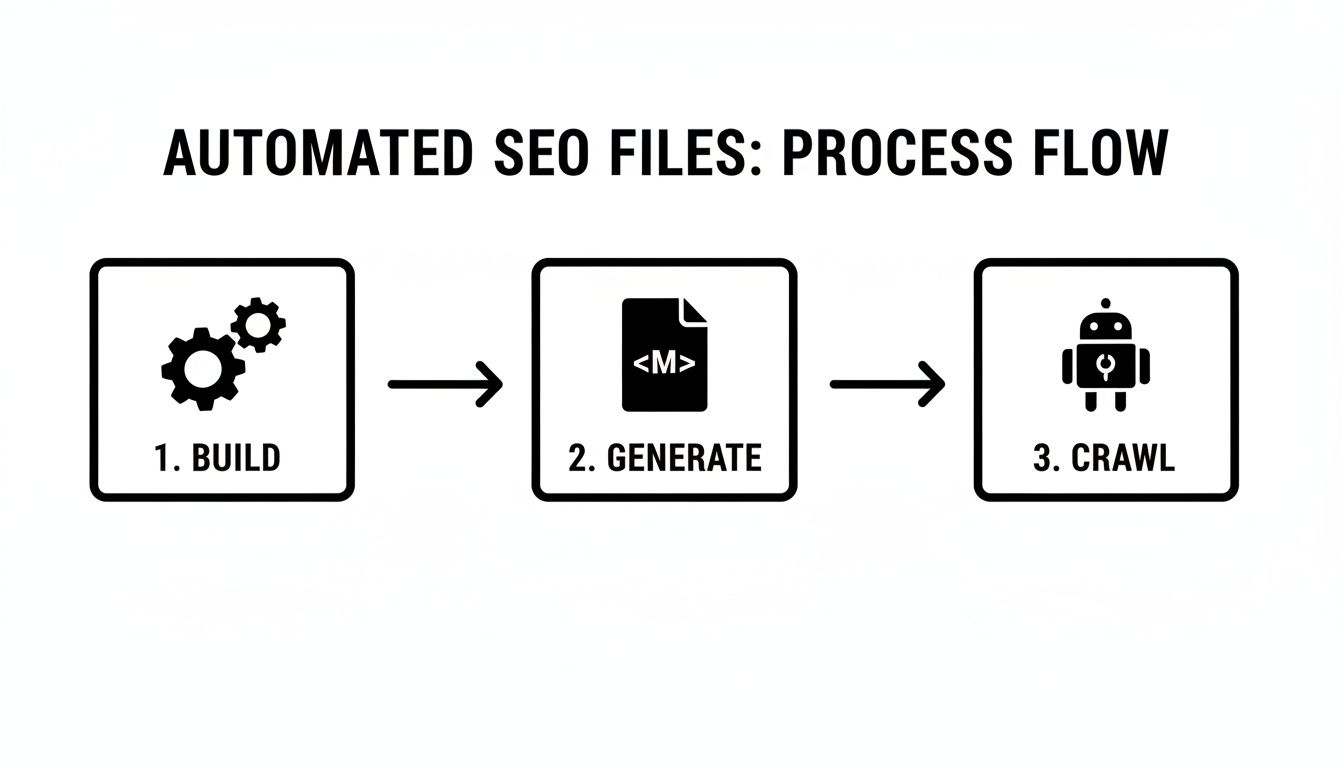
This automation ensures your sitemap, robots.txt, and even structured data are perfectly up-to-date every single time you push a change.
Solving the Jamstack SEO Problem with Prerendering
Modern Jamstack sites often rely on JavaScript to fetch content from an API after the page loads. This can create a fantastic, app-like user experience, but it can be a total disaster for SEO. When a search crawler hits the page, it often sees a nearly blank HTML file before the JavaScript has a chance to run, completely missing your most important content.
This is where prerendering becomes a non-negotiable part of your static SEO strategy. It’s the process of loading your site in a headless browser, letting all the dynamic content populate, and then saving that final, fully-rendered HTML.
The concept is simple but incredibly effective: serve the fast, static shell to human visitors, but give search engine bots the complete, content-rich HTML snapshot. You get the best of both worlds—a dynamic app for users and a perfectly indexable site for Google.
You generally have two ways to tackle this:
- Use a prerendering service: Tools like Prerender.io act as a middleman. They detect when a search bot visits, generate the fully rendered page on their servers, and serve that version to the bot.
- Integrate it into your build process: Many modern frameworks like Next.js or Nuxt.js have this solved out of the box with features like Server-Side Rendering (SSR) or Static Site Generation (SSG), which handle this for you.
By setting up a prerendering solution, you ensure that every piece of content on your site—no matter how it's loaded—is visible, indexable, and ready to rank.
Optimizing Performance Beyond the Static Build

Starting with a static build gives you a serious head start on page speed, but it doesn't automatically get you to the finish line. To truly fly past the competition, you have to get granular and refine every single asset a visitor's browser has to download. This final polish is what turns a "fast" site into an "instant" one, nailing those top Lighthouse scores and making both users and search engines happy.
Even on a static site, the most common speed bump I see is unoptimized images. A single, massive JPEG can completely erase the speed advantage you gained from going static in the first place. That’s why a smart, modern image strategy is non-negotiable for serious static website seo.
Advanced Image Optimization Strategies
First things first: stop serving old-school JPEGs and PNGs when you don't have to. Modern formats like WebP are a game-changer. It was developed by Google, and it typically shrinks file sizes by 25-34% compared to a JPEG, with no visible difference in quality. Most static site generators have plugins or built-in functions to handle this conversion for you during the build.
Next, you absolutely must use responsive images with the <picture> element or the srcset attribute. This is how you tell the browser, "Hey, here are a few different sizes of this image; pick the one that best fits the screen." It stops you from sending a giant 2000-pixel-wide hero image to a tiny mobile phone.
Finally, lazy loading is your best friend for initial page load times. By simply adding loading="lazy" to your <img> tags, you tell the browser not to bother loading images that are below the fold until the user actually scrolls down to them. This is a massive win for your Largest Contentful Paint (LCP) score.
When you combine WebP formats, responsive sizing, and lazy loading, you create an incredibly efficient image delivery pipeline. It’s smart, respects your user's data plan, and directly improves your Core Web Vitals—a clear signal to Google that your site offers a great experience.
Minification and Asset Bundling
After images, your CSS and JavaScript files are the next place to look for quick wins. Minification is just a fancy word for stripping out all the code that humans need but browsers don't—things like comments, whitespace, and line breaks. It’s a simple step that makes your files smaller and faster to download.
Most build tools can automate this. For example, Hugo has a handy resources.Minify function you can run right in your templates. Just set it up once, and every build will spit out the leanest assets possible.
This obsession with speed really pays off. A huge SEO advantage of static sites is how well they perform on Core Web Vitals, which is a direct ranking factor. Studies show that pages loading in 0-4 seconds have the best conversion rates, and a site that loads in 1 second can convert 3x better than one that takes 5 seconds.
The Critical Role of Hosting and CDNs
All your on-site optimization work can be wasted if your hosting is slow. This is where modern static hosting platforms like Netlify, Vercel, or even GitHub Pages shine. They aren’t just servers; they are delivery platforms built for speed.
The secret sauce is their integrated Content Delivery Network (CDN). A CDN is a network of servers spread across the globe that stores copies (a cache) of your website's files. So, when someone in London visits your site, they get the files from a server nearby in Europe, not all the way from a server in California. This slashes latency and ensures a consistently fast experience for everyone, everywhere.
Of course, performance isn't a one-and-done task. It's crucial to regularly check in on your site's health. I recommend using a comprehensive ultimate site audit checklist to make sure you're covering all your bases. This helps you spot any performance issues before they have a chance to affect your rankings or your users.
Answering Your Questions About Static Site SEO
Even with all the performance perks, I still get a lot of questions from folks who are hesitant about SEO on a static site. There are a handful of common myths and concerns that pop up again and again.
Let's clear the air and tackle these head-on. The truth is, modern tools and hosting platforms have solved nearly all the old challenges, making static sites an SEO powerhouse.
"Are Static Sites Really Better for SEO?"
Yes, without a doubt. Their entire architecture is practically built to make Google happy.
Think about it: static sites are incredibly fast, more secure, and dead simple for search engines to crawl. By serving pre-built HTML files, they don't have to wait for a database query or server-side processing. This means they nail Google's Core Web Vitals, have lightning-fast server response times, and present a much smaller target for hackers. All of these are positive quality signals.
A well-built static site gives your content the best possible technical foundation to compete. It removes performance issues that often plague other platforms, letting your great content and strong backlinks do their job without being held back by a slow website.
"How Do I Handle Redirects Without Server Access?"
This is one of the most common questions, and the answer is surprisingly simple. You don't need .htaccess files or server-level access anymore. Modern static hosting providers have this built right into their platforms.
Hosting services like Netlify, Vercel, and Cloudflare Pages let you manage redirects through a simple text file in your project's repository.
For example, with Netlify, you just create a file named _redirects in your project's root directory. Inside, you can list all your permanent (301) or temporary (302) redirects. It looks like this:
Permanent Redirects
/my-old-blog-post/ /my-new-blog-post/ 301 /about-us.html /about/ 301
This approach is fantastic because your redirects are version-controlled right alongside your website code. It’s clean, easy to manage, and far less error-prone than fiddling with complex server configurations.
The key takeaway here is that modern static hosting platforms are much more than just a place to dump HTML files. They are intelligent systems with essential SEO features baked right in, making tasks like redirect management a breeze.
"Can a Static Site Actually Rank for Competitive Keywords?"
Absolutely. It's a huge misconception that their simplicity is a limitation. In many cases, it’s a competitive advantage.
When you're trying to rank for a tough keyword, every little bit helps. The flawless technical SEO and speed of a static site can be the tiebreaker that puts you ahead of a slower, more complex competitor.
Of course, the fundamentals of SEO still apply. You won't rank just because your site is static. You still need:
- Exceptional Content: It must answer the searcher's query better than anyone else.
- A Strong Backlink Profile: Earning links from trusted, relevant websites is non-negotiable.
- A Great User Experience: This is where the speed and stability of a static site give you a real, tangible edge.
The static site just ensures that no technical issues are holding back your other SEO efforts.
"Isn't It Hard to Add a Blog to a Static Site?"
Not at all! This is actually one of the main reasons people use static site generators in the first place. The workflow is incredibly efficient.
You just write your blog posts in simple Markdown files. At the top of each file, you add your SEO metadata—like the title, description, and author—in a section called "front matter." When you're ready to publish, the generator takes all your Markdown files and instantly converts them into fast, fully-styled HTML pages.
For many writers and content teams, this process is much faster and cleaner than logging into a clunky, database-driven CMS. Plus, it all integrates perfectly with Git, so you get version history, collaboration, and easy rollbacks.
Managing content with Markdown and front matter should be simple. JekyllPad gives you a clean, browser-based editor that connects directly to your GitHub repository. This makes it easy for anyone on your team to create, edit, and publish content for your static site without needing to use the command line. Start for free and streamline your static site workflow with JekyllPad.