
In a world of complex content management systems and clunky word processors, Markdown offers a refreshingly simple, powerful, and portable way to write for the web. From blog posts and technical documentation to quick notes and README files, its clean syntax keeps you focused on the words, not the formatting toolbar. But not all Markdown editors are created equal, especially when you need to work from anywhere. The right markdown text editor online can be the difference between a frustrating, fragmented workflow and a seamless, productive one.
This guide dives deep into the best online Markdown editors available today. We move beyond generic feature lists to give you real-world insights into each tool's strengths, weaknesses, and ideal use cases, complete with direct links and screenshots. We will explore critical features like real-time previews, robust GitHub integration for version control, and privacy models that distinguish between client-side and server-side processing. You will learn which platforms excel at supporting modern static site generator (SSG) workflows for frameworks like Jekyll, Hugo, or Astro.
Whether you are a developer authoring technical docs, a content creator managing a static blog, or part of a team needing real-time collaboration on shared documents, this curated list is designed to help you find the perfect tool. Our goal is to streamline your writing and publishing process by matching your specific needs to the ideal online editor, so you can spend less time fighting with software and more time creating great content.
1. JekyllPad
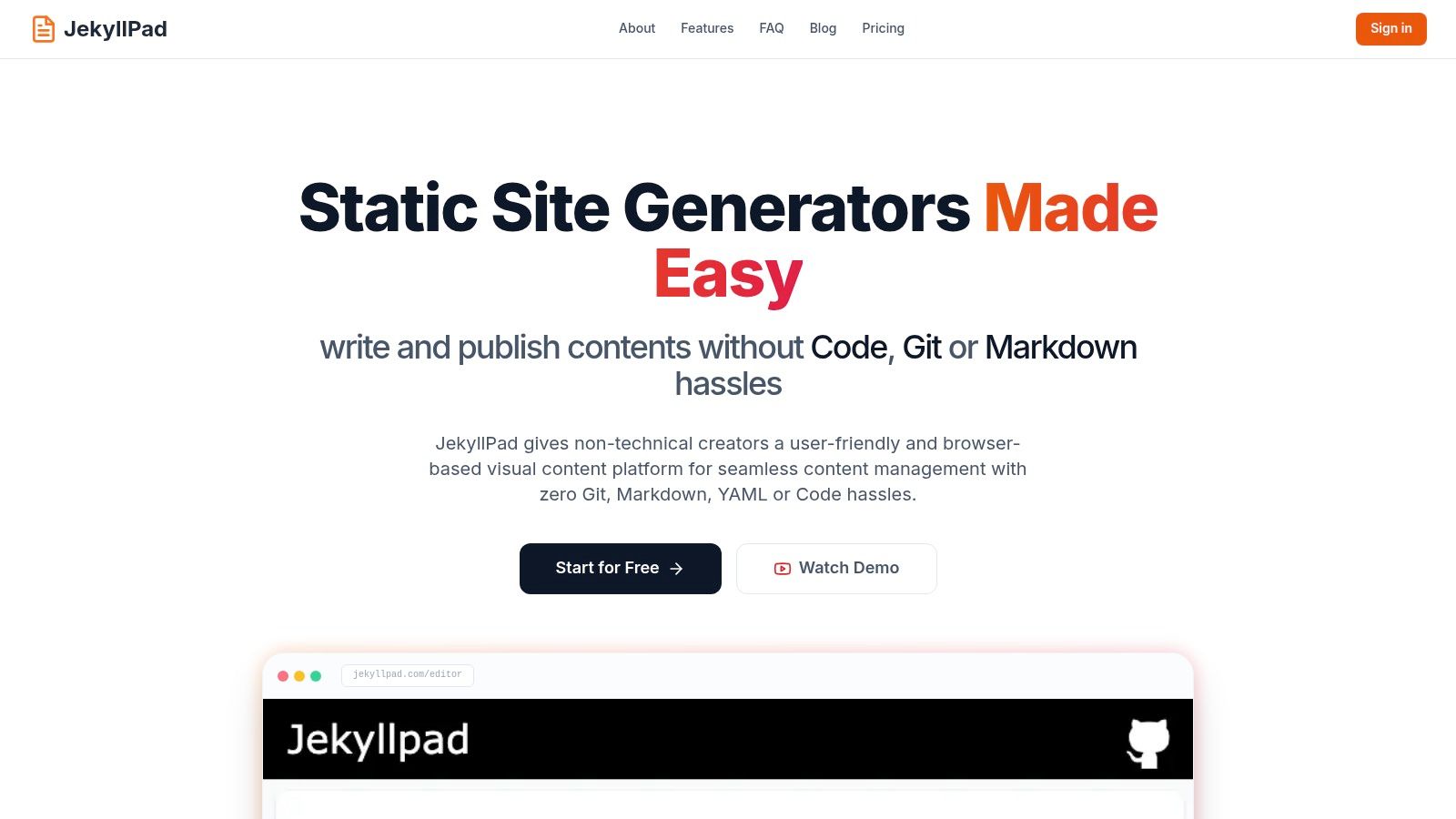
JekyllPad is a powerful, browser-based visual CMS designed specifically for static site generator workflows, positioning it as a standout markdown text editor online. It excels by seamlessly integrating a sophisticated editor with native GitHub functionality, effectively bridging the gap between content creation and development. This approach empowers both technical and non-technical users to manage content on static sites without grappling with complex local development environments or command-line tools.
Its core strength lies in its dual-editor interface. Users can write in a clean, intuitive WYSIWYG editor or switch to a raw Markdown view with syntax highlighting and a real-time preview. This flexibility makes it highly approachable for content creators who prefer a visual interface, while still providing the precision and control that developers demand.
Core Features & Use Cases
JekyllPad is engineered to streamline the entire content lifecycle for static sites. Its direct GitHub integration is a game-changer; after a simple one-click sign-in, every save becomes a direct commit to your repository. This eliminates the need for manual Git commands, CI/CD pipelines for content updates, or a separate backend server. Because it operates entirely client-side, your data remains private between your browser and your GitHub account.
- Best For: Technical bloggers, documentation teams, and content marketers using static site generators like Jekyll, Hugo, Astro, Eleventy, and Gatsby.
- Key Advantage: The combination of a user-friendly editor with deep, native Git integration significantly lowers the barrier to entry for content collaboration on developer-centric platforms.
The platform also provides robust support for front-matter, allowing users to edit metadata like titles, dates, tags, and custom fields through a simple, form-based UI. This is a critical feature for managing structured content in static site generators. To get a deeper perspective on how these features compare, JekyllPad offers a detailed guide to choosing an online markdown editor for your specific needs.
Platform Details
| Feature | Details |
|---|---|
| Pricing | A "free forever" plan is available, starting with 5 free posts per month. Paid tiers offer higher limits and additional features for growing teams. |
| Primary Audience | Developers, content managers, and agencies building and maintaining content-heavy static websites (blogs, documentation, marketing sites). |
| Strengths | Zero-backend architecture for enhanced security and privacy; direct GitHub commits for simplified publishing; dual WYSIWYG/Markdown editor that serves all user skill levels. |
| Limitations | Asset management is currently basic, lacking the advanced features of a full Digital Asset Management (DAM) system. Advanced team collaboration features like granular permissions are still evolving. |
| Website | https://www.jekyllpad.com |
2. StackEdit
StackEdit is a powerful, in-browser markdown text editor online that operates entirely from your web browser, requiring no installation. It excels at bridging the gap between local writing and cloud-based publishing, making it ideal for users who need to draft content on the go and sync it directly to platforms like Google Drive, Dropbox, or GitHub. Its robust feature set and offline functionality ensure you can work from anywhere, even without an internet connection.
What sets StackEdit apart is its extensive integration and publishing capabilities. Users can not only synchronize documents but also publish them directly to blogging platforms like WordPress and Blogger or helpdesk software like Zendesk. The interface provides a familiar two-pane view with a scroll-synced live preview, augmented by WYSIWYG-style toolbar buttons for common formatting tasks. This makes it accessible for both Markdown purists and those who prefer visual controls.
Key Features and Use Case
StackEdit supports extended Markdown flavors, including GitHub Flavored Markdown (GFM) and Markdown Extra, along with specialized syntax for LaTeX, UML diagrams, and emojis. This makes it a versatile tool for technical writers, academics, and bloggers who need to incorporate complex elements into their documents.
Best For: Content creators and bloggers who need a zero-install editor with powerful cloud synchronization and direct publishing features for platforms like WordPress or GitHub.
Practical Tip: Use the "Synchronize" feature to link a document to a specific file in Google Drive or GitHub. Any changes you make in StackEdit will be automatically saved to the cloud, providing a seamless, multi-device workflow without manual file transfers.
| Feature | Details |
|---|---|
| Price | Free (Community-maintained) |
| Core Function | In-browser Markdown editing with extensive cloud sync and publish options. |
| Offline Access | Yes, fully functional offline; syncs when reconnected. |
| Collaboration | No native team workspaces; collaboration relies on shared cloud folders. |
| Website | https://stackedit.io/ |
3. Dillinger
Dillinger is a sleek, cloud-enabled markdown text editor online designed for simplicity and speed. It runs entirely in your browser with zero setup, offering a clean, distraction-free environment for writing. Its core strength lies in its extensive import and export capabilities, allowing users to quickly pull in existing files or push their finished work to various cloud storage services or publishing platforms, making it a highly flexible tool for writers on the move.
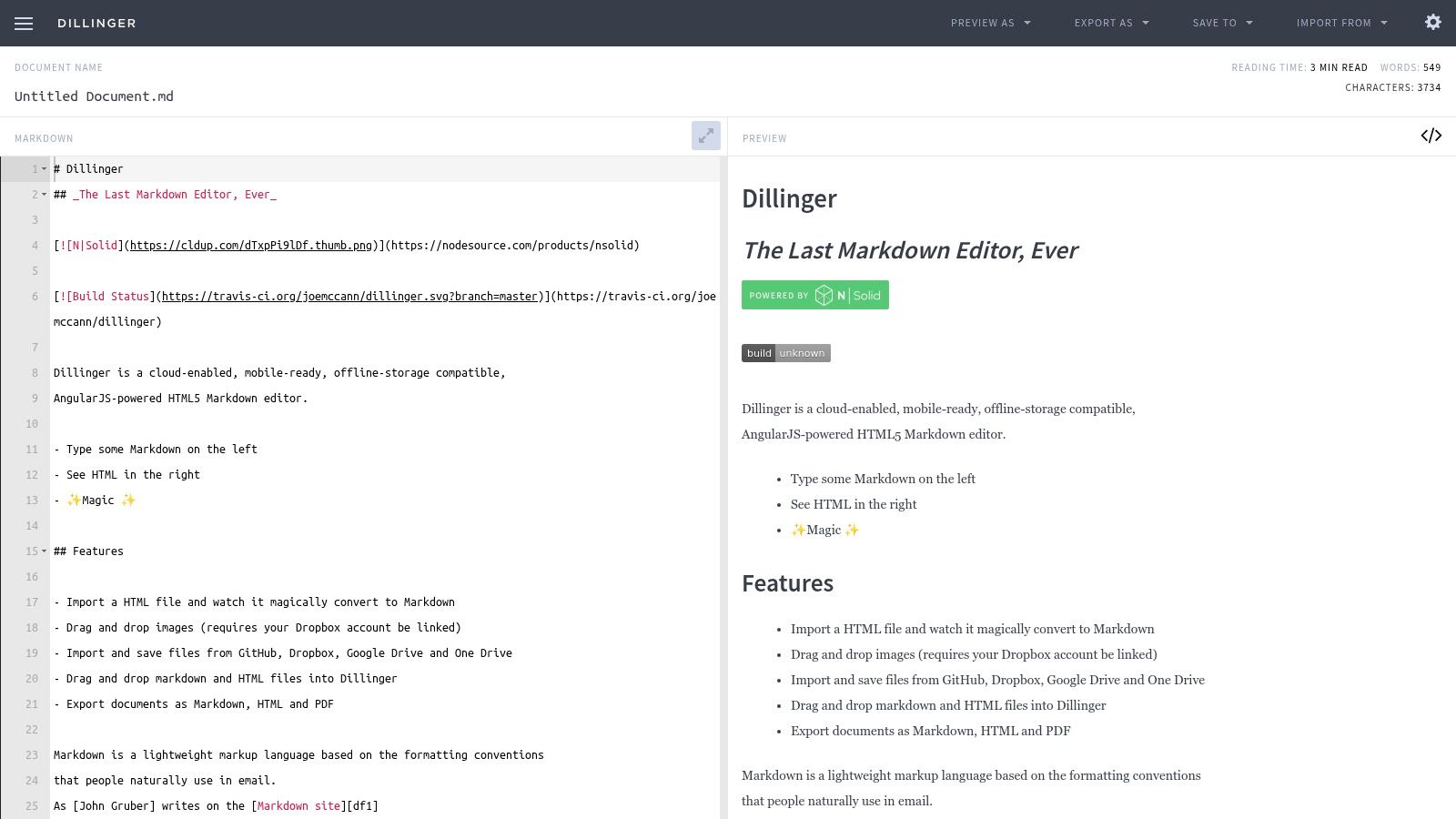
What makes Dillinger stand out is its broad range of integrations packed into a minimalist interface. Users can link their accounts from Dropbox, Google Drive, OneDrive, GitHub, and even Bitbucket, facilitating a smooth workflow between drafting and version control. The standard two-pane view features a scroll-synced live preview and essential stats like word and character counts, ensuring writers have everything they need without unnecessary complexity. The ability to export directly to HTML and PDF adds another layer of utility.
Key Features and Use Case
Dillinger is ideal for users who need to quickly edit Markdown files from various sources without installing any software. Its direct publishing option to Medium is a notable advantage for bloggers looking to streamline their content pipeline. While it lacks advanced collaborative tools, its straightforward design and robust connectivity make it a reliable choice for individual writers, developers, and content creators who prioritize efficiency and broad cloud support.
Best For: Writers and developers who need a quick, no-frills online editor with extensive import/export options and direct integration with multiple cloud storage and version control systems.
Practical Tip: Use the "Import from" feature to directly open and edit a README.md file from a GitHub repository. Once you are finished editing, you can save it back to the same repository, making it an efficient tool for quick documentation updates without cloning the repo locally.
| Feature | Details |
|---|---|
| Price | Free (Open-source) |
| Core Function | In-browser Markdown editing with a focus on cloud import/export options. |
| Offline Access | Yes, uses browser local storage for offline work. |
| Collaboration | No direct collaboration features; relies on shared cloud service folders. |
| Website | https://dillinger.io/ |
4. HackMD
HackMD is a real-time, collaborative markdown text editor online designed for teams and individuals who need to co-author documents simultaneously. It transforms Markdown into a dynamic workspace where multiple users can edit a single note, see changes instantly, and communicate effectively. With features like version history, granular permissions, and robust integrations, it serves as a central hub for meeting notes, technical documentation, and team wikis.
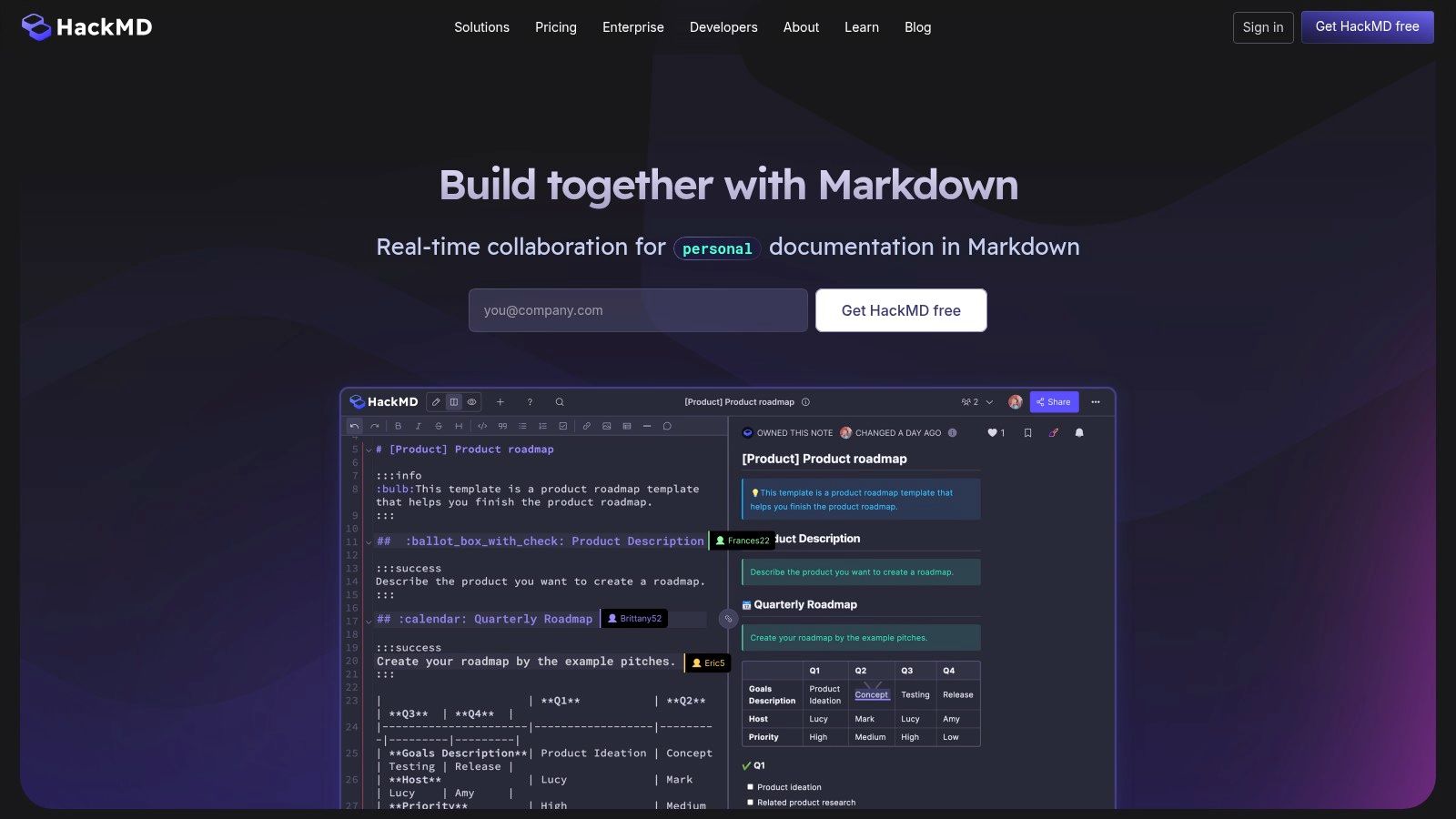
What truly distinguishes HackMD is its emphasis on interactive and multi-format content creation. Users can effortlessly switch between a standard editor, a book mode for structured documents, and a slide mode for presentations, all from the same Markdown source. This versatility, combined with powerful GitHub synchronization and support for complex elements like math equations and UML diagrams, makes it a uniquely powerful tool for technical teams that need to both collaborate on and present information.
Key Features and Use Case
HackMD’s real-time collaboration is its standout feature, allowing teams to work concurrently with clear authorship tracking. It also supports templates, a VS Code extension, and an API for custom workflows. Its ability to generate slides and organized books directly from Markdown files streamlines the process of creating and sharing polished content without leaving the editor.
Best For: Development teams, academic groups, and organizations needing a collaborative, real-time Markdown editor for documentation, note-taking, and creating presentations.
Practical Tip: Use the "Book Mode" to organize multiple notes into a single, navigable document with a sidebar. This is perfect for creating project documentation, internal wikis, or tutorials where structure and easy navigation are essential for readers.
| Feature | Details |
|---|---|
| Price | Free tier available; paid plans for advanced features and team workspaces. |
| Core Function | Real-time collaborative Markdown editing with presentation and book modes. |
| Offline Access | No, requires an internet connection for real-time collaboration. |
| Collaboration | Yes, core feature with real-time co-authoring and permission controls. |
| Website | https://hackmd.io/ |
5. HedgeDoc (formerly CodiMD)
HedgeDoc is an open-source, collaborative markdown text editor online designed for users who prioritize data ownership and privacy. Unlike cloud-based SaaS products, HedgeDoc is built to be self-hosted, giving you complete control over your documents and infrastructure. It operates directly in the browser, providing a seamless real-time collaborative experience similar to Google Docs but exclusively for Markdown.
What makes HedgeDoc stand out is its focus on self-sovereignty. It's the ideal solution for teams or individuals who cannot use public cloud services due to privacy policies or data security requirements. The platform supports simultaneous editing, revision history, and commenting, making it perfect for drafting documents, taking meeting notes, or writing technical documentation as a team. Its low resource requirements and straightforward Docker deployment lower the barrier to entry for self-hosting.
Key Features and Use Case
HedgeDoc includes powerful features like a presentation mode powered by reveal.js, allowing you to turn your Markdown notes directly into a slideshow. It also supports various diagrams, including UML, making it a versatile tool for software developers and technical teams. The permission system allows you to control who can view or edit documents, adding another layer of security for sensitive information.
Best For: Development teams, privacy-conscious organizations, and open-source projects needing a self-hosted, real-time collaborative editor with full data control.
Practical Tip: Use the official Docker image for a quick and painless setup. This allows you to deploy a private instance for your team in minutes, ensuring your collaborative environment is isolated and secure from the start without complex server configuration.
| Feature | Details |
|---|---|
| Price | Free (Open-source, AGPL-3.0 license) |
| Core Function | Self-hosted, real-time collaborative Markdown editing. |
| Offline Access | No, requires a connection to the self-hosted server. |
| Collaboration | Yes, real-time, multi-user editing with permissions and comments. |
| Website | https://hedgedoc.org/ |
6. VS Code for the Web (vscode.dev)
VS Code for the Web brings the powerful and familiar Visual Studio Code experience directly to your browser, offering a full-featured markdown text editor online without any installation. It is an excellent choice for developers and technical writers who want to edit files directly from GitHub repositories or their local machine using the File System Access API. This lightweight version of the desktop app provides a consistent, robust environment for coding and writing from anywhere.
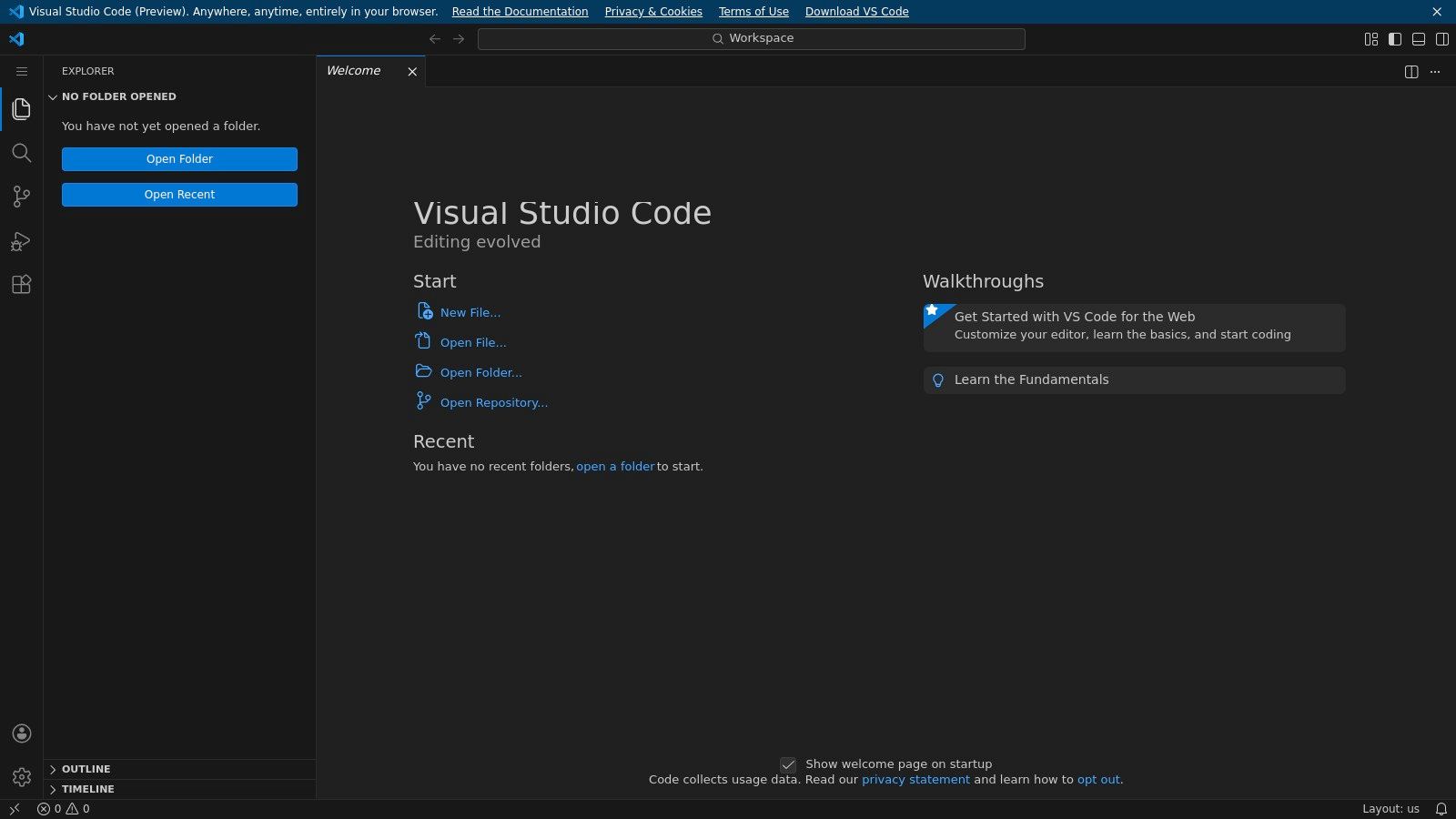
What makes vscode.dev stand out is its deep integration with the VS Code ecosystem, including support for themes, settings sync, and a vast library of web-enabled extensions. For Markdown editing, this means you get a high-fidelity, scroll-synced preview pane out of the box. You can also install extensions to add support for features like KaTeX for math formulas, custom CSS for previews, and advanced linting, tailoring the editor precisely to your project's needs.
Key Features and Use Case
The platform excels at providing a seamless transition between local and remote development workflows. You can open a GitHub repository simply by changing the URL from github.com to github.dev, instantly accessing a fully capable editor. This makes it incredibly efficient for quick edits, code reviews, or drafting documentation directly within a project's source control.
Best For: Developers, technical writers, and static site generator users who want the full power of the VS Code editor in a browser for editing Markdown alongside code.
Practical Tip: Open a GitHub repository directly in the editor by changing its URL. For example, to edit a file in github.com/owner/repo, simply navigate to github.dev/owner/repo in your browser for an instant, web-based editing environment.
| Feature | Details |
|---|---|
| Price | Free |
| Core Function | Full-featured VS Code editor in the browser with GitHub integration. |
| Offline Access | Limited; relies on browser caching and requires an initial connection. |
| Collaboration | Yes, through the Live Share extension. |
| Website | https://vscode.dev/ |
7. GitHub.dev (GitHub’s web editor)
GitHub.dev is a lightweight, VS Code–powered markdown text editor online that runs entirely within your browser. It is designed for developers and technical writers who need to make quick edits to files stored in GitHub repositories without cloning them locally. By simply pressing the "." key on any repository page or changing .com to .dev in the URL, you instantly get a familiar code editor interface, making it perfect for updating documentation, READMEs, and blog posts.
What makes GitHub.dev unique is its deep integration with the GitHub ecosystem. It isn't a standalone editor for general notes; its entire purpose is to provide a seamless in-repo editing experience. This focus allows you to edit files, preview Markdown changes, and commit them back to your repository in a single, fluid motion. Since it leverages the VS Code interface, it supports syntax highlighting, IntelliSense, and even extensions, providing a powerful editing environment with zero setup. When collaborating on documentation, mastering the pull request workflow on GitHub becomes crucial for proposing and merging changes effectively.
Key Features and Use Case
GitHub.dev is the ideal tool for minor documentation tweaks, fixing typos in a README, or contributing to open-source projects directly from the browser. It streamlines the content lifecycle for static site generators like Jekyll or Hugo, where content and code live together. For those managing content on a platform like GitHub Pages, this editor significantly reduces friction.
Best For: Developers, technical writers, and open-source contributors who need to make fast, targeted edits to Markdown files within a GitHub repository without a local setup.
Practical Tip: To quickly edit a file in a pull request, navigate to the PR on GitHub and change the URL from github.com to github.dev. This will open a dedicated environment where you can review changes, make edits, and commit suggestions directly to the branch.
| Feature | Details |
|---|---|
| Price | Free (Included with a GitHub account) |
| Core Function | In-browser VS Code experience for editing files in GitHub repos. |
| Offline Access | No, requires an active internet connection to GitHub. |
| Collaboration | Yes, via standard GitHub pull requests and commit-based workflows. |
| Website | https://github.dev/ |
8. GitHub Codespaces
While not a dedicated editor, GitHub Codespaces provides a full-featured, cloud-hosted development environment that serves as an exceptional markdown text editor online. It runs a complete instance of VS Code directly in your browser, giving you access to the entire repository's context, including extensions, terminal, and Git integration. This makes it perfect for documentation-as-code workflows where Markdown files live alongside application code.
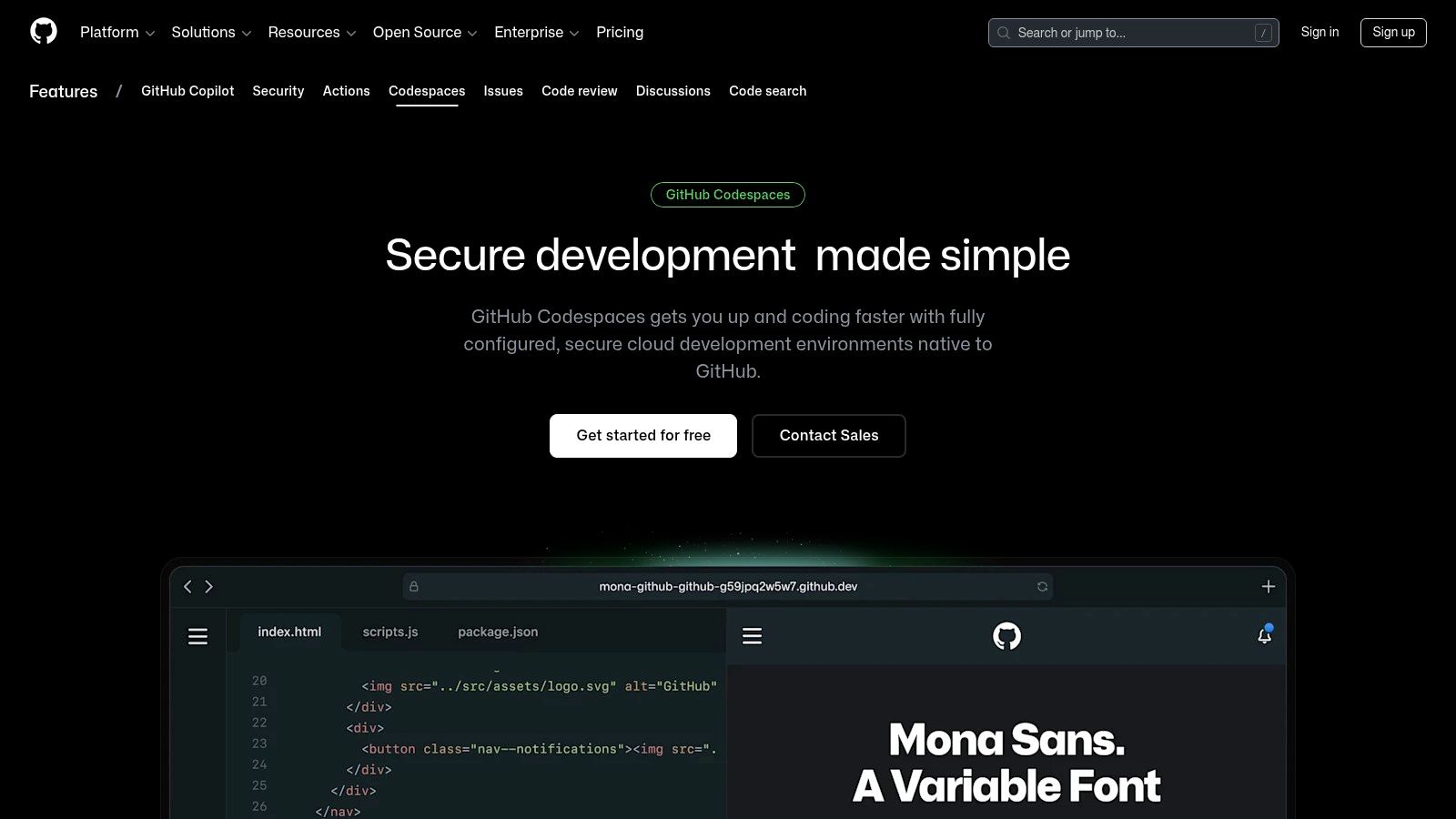
What sets Codespaces apart is its environment-first approach. Instead of just editing a single file, you are working within a containerized, reproducible development environment. This allows you to install specific VS Code extensions for enhanced Markdown linting or previews, run scripts to build a static site, and commit your changes directly from the same interface. It eliminates the need for a local setup, ensuring consistency across a team.
Key Features and Use Case
GitHub Codespaces leverages the power of VS Code's built-in Markdown preview and allows for the installation of popular extensions like "Markdown All in One" for advanced features. Because it provides access to a terminal, you can run commands to preview a Jekyll or Hugo site build in real-time, offering a true end-to-end content development workflow entirely within the cloud.
Best For: Developers and technical writers managing documentation within large codebases or monorepos who need a reproducible, full-featured editing and preview environment.
Practical Tip: Define a devcontainer.json file in your repository to pre-configure your Codespace. You can specify which VS Code extensions to install automatically, ensuring every team member who opens the project in Codespaces has the same optimized Markdown editing toolkit from the start.
| Feature | Details |
|---|---|
| Price | Free tier with monthly usage quota; then pay-as-you-go for compute/storage. |
| Core Function | Full cloud-based VS Code IDE for editing Markdown within a repository. |
| Offline Access | No, requires an active internet connection. |
| Collaboration | Yes, via Git workflows (pull requests) and Live Share extension. |
| Website | https://github.com/features/codespaces |
9. Readme.so
Readme.so is a highly specialized and efficient markdown text editor online designed for one specific purpose: creating professional-looking README files for software projects. It streamlines the process by offering a library of pre-built, editable sections like "Installation," "Usage," "Features," and "License." This simple, click-to-add interface eliminates the need to remember common README structures or boilerplate text, making it incredibly fast.
What sets Readme.so apart is its laser focus on developer productivity. Instead of providing a general-purpose editor, it offers a guided experience for composing project documentation. Users can quickly select the sections their project needs, fill in the details, and reorder them with drag-and-drop functionality. The live preview updates instantly, and the final Markdown can be copied or downloaded with a single click, ready to be dropped into a GitHub repository.
Key Features and Use Case
The platform's strength lies in its simplicity and speed. It's not meant for long-form writing but excels at its designated task. By providing a template-driven workflow, it ensures developers include all the essential information needed for a quality README file without having to think about the formatting or structure from scratch.
Best For: Developers and open-source contributors who need to rapidly generate a well-structured and comprehensive README file for their projects without the overhead of a full-featured editor.
Practical Tip: Before starting, outline the key sections your project needs (e.g., API Reference, Environment Variables, Roadmap). Then, use Readme.so's "All sections" list to quickly add and populate each part, ensuring you don't miss any critical documentation.
| Feature | Details |
|---|---|
| Price | Free (Maintained by Katherine O'Leary) |
| Core Function | Guided, template-based creation of project README files. |
| Offline Access | No, requires an active internet connection. |
| Collaboration | No collaboration features; it is a single-user utility tool. |
| Website | https://readme.so/ |
10. Simplenote (Web)
Simplenote is a clean, lightweight note-taking app from Automattic that doubles as a simple markdown text editor online. It focuses on speed and efficiency, offering a distraction-free writing environment that syncs instantly across its web, desktop, and mobile clients. While not a dedicated Markdown powerhouse, it allows users to enable Markdown on a per-note basis, making it perfect for drafting quick notes, blog posts, or ideas in plain text format from any device.
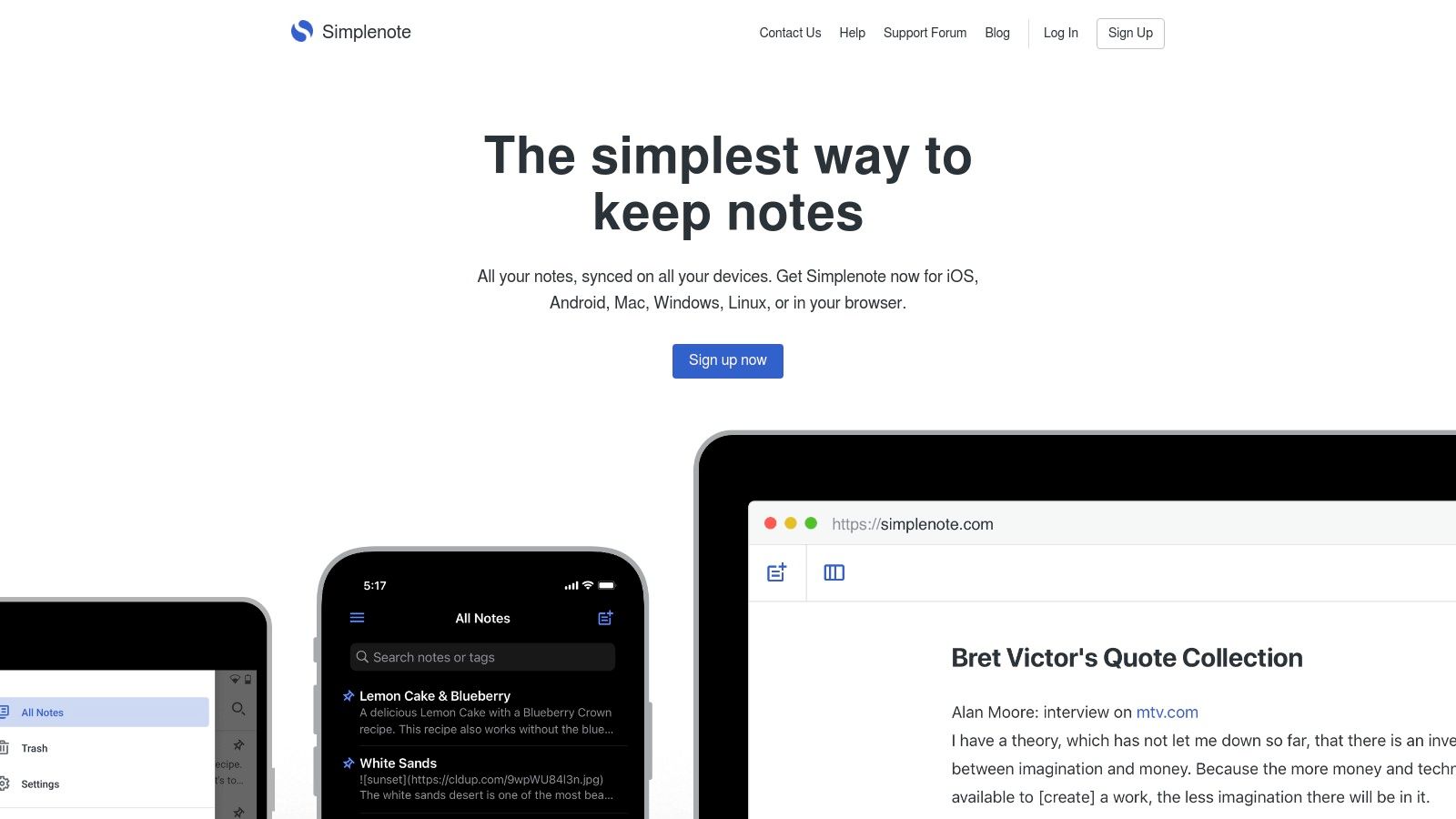
What sets Simplenote apart is its sheer simplicity and reliability. There are no complex menus, folder structures, or formatting toolbars to get in the way. Instead, you get a clean canvas for your thoughts. Its strength lies in its cross-platform synchronization, ensuring that a note started on your phone is immediately available on your laptop. For Markdown users, enabling the feature provides a simple preview mode, keeping the focus squarely on the content.
Key Features and Use Case
Simplenote includes a handy version history slider, allowing you to easily revert to previous iterations of a note. You can also collaborate by adding a collaborator's email or generate a public link to share a read-only version of your Markdown document. Its tag-based organization system is fast and effective for managing a large volume of notes without the rigidity of traditional folders.
Best For: Writers and developers who need a completely free, fast, and minimalist editor for capturing ideas and drafting simple Markdown content with seamless multi-device sync.
Practical Tip: To activate Markdown, open a note, click the "Info" (i) icon in the top-right corner, and toggle the "Markdown" switch. This setting is saved per note, allowing you to mix plain text and Markdown-formatted notes within the same account.
| Feature | Details |
|---|---|
| Price | Free |
| Core Function | Minimalist note-taking with optional Markdown support and instant sync. |
| Offline Access | Yes, available through its dedicated desktop and mobile apps. |
| Collaboration | Yes, via note sharing with other Simplenote users or public web links. |
| Website | https://simplenote.com/ |
11. Obsidian
Obsidian is a powerful personal knowledge base and note-taking app built on local Markdown files. While primarily a desktop and mobile application, it earns its place on this list through its optional Sync and Publish services, which transform your local markdown text editor online into a web-accessible knowledge hub. It's designed for building a "second brain," where notes are linked together to create a web of information, visualized through its signature graph view.
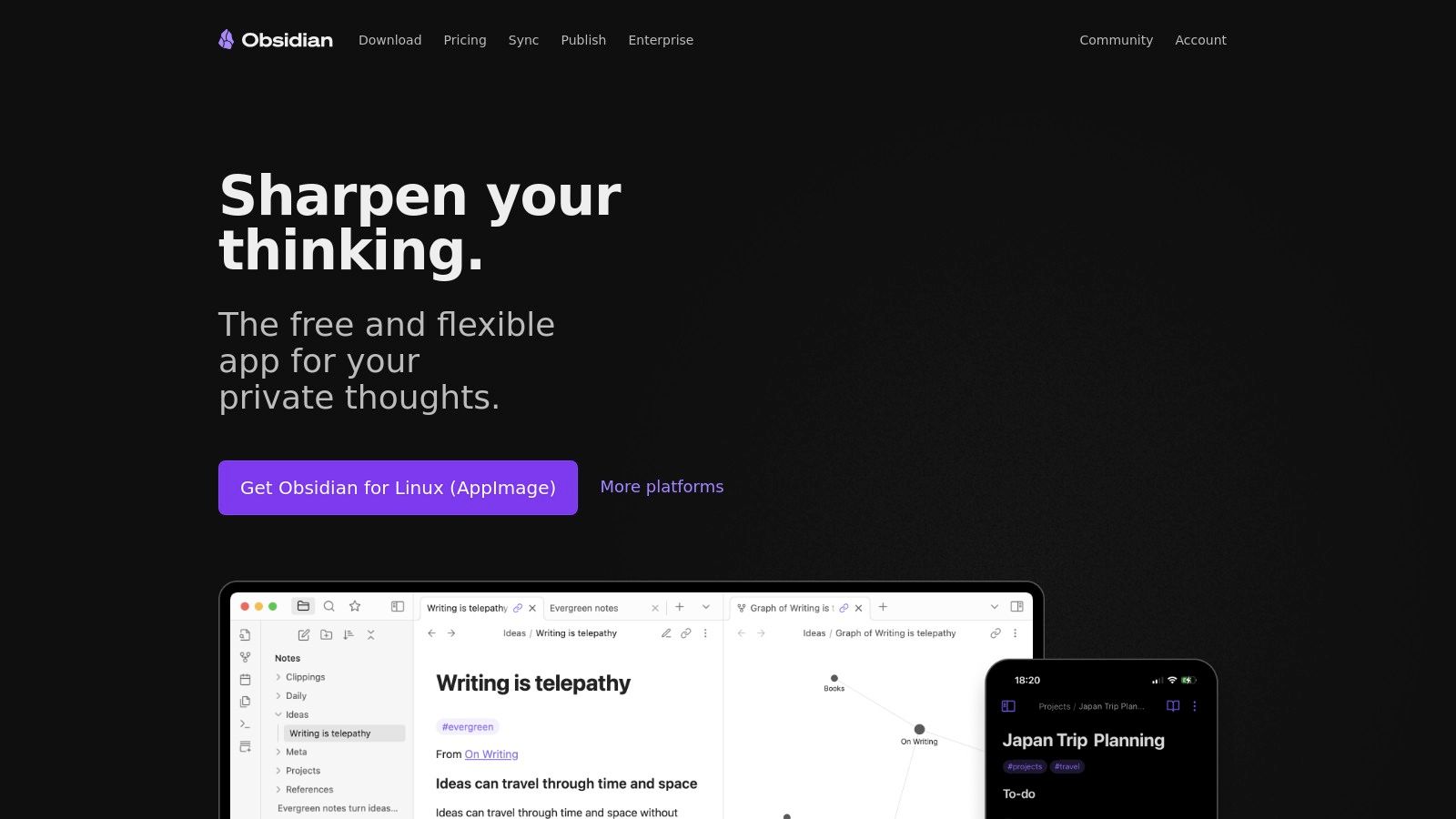
What makes Obsidian unique is its philosophy of local-first data ownership combined with unparalleled extensibility. Your files are plain text Markdown, stored on your device, ensuring privacy and longevity. The experience is then enhanced by a massive ecosystem of community-built plugins and themes, allowing you to tailor the editor to almost any workflow, from project management to writing a novel. The optional paid services provide the "online" component, enabling seamless cloud synchronization and one-click publishing of your notes as a polished website.
Key Features and Use Case
Obsidian’s core strength is its bidirectional linking and knowledge graph, which helps users discover relationships between ideas. Its plugin system adds functionalities like Kanban boards, calendars, and advanced tables, making it far more than just an editor. The Obsidian Publish service allows users to selectively share their notes as a fast, clean, and navigable website, perfect for digital gardens, personal wikis, or project documentation.
Best For: Researchers, writers, and lifelong learners who want a powerful, private Markdown environment for knowledge management with the option to publish their work online.
Practical Tip: Leverage community plugins to supercharge your workflow. For example, install the "Kanban" plugin to manage tasks within your notes or use "Excalidraw" to embed editable sketches and diagrams directly into your Markdown files, which can then be shared via Obsidian Publish.
| Feature | Details |
|---|---|
| Price | Core app is free; Optional Sync and Publish services are paid subscriptions. |
| Core Function | Local-first Markdown knowledge base with linking, graph view, and plugins. |
| Offline Access | Yes, the application is fundamentally offline-first. |
| Collaboration | Limited; requires shared vaults via third-party services like Git or Dropbox. |
| Website | https://obsidian.md/ |
12. Typora
Typora presents a unique take on Markdown editing by merging the writing and preview panes into a single, seamless interface. While not strictly a markdown text editor online as it requires a desktop installation, its philosophy of distraction-free writing earns it a spot for those who prioritize a clean, focused environment. It replaces Markdown syntax with formatted text as you type, offering a true "what you see is what you mean" experience that feels intuitive and polished.
What sets Typora apart is its live rendering engine. Instead of a split-screen preview, it formats your text in real-time within the same window, creating an elegant and uncluttered workspace. This approach is excellent for writers who find the constant syntax of raw Markdown visually noisy. Its powerful export options to PDF, HTML, and other formats with theme support make it a fantastic tool for producing polished, ready-to-share documents directly from your desktop.
Key Features and Use Case
Typora supports GitHub Flavored Markdown and includes advanced features like tables, diagrams (using Mermaid and other libraries), and mathematical expressions with LaTeX. This powerful combination, hidden behind its minimalist interface, makes it suitable for academic papers, technical documentation, and personal note-taking. To understand more about this live-preview approach, you can learn more about WYSIWYG editors and how they compare to traditional Markdown.
Best For: Writers, academics, and developers who want a beautiful, distraction-free desktop editor with a seamless live preview and robust export capabilities for creating polished documents.
Practical Tip: Use the "Focus Mode" and "Typewriter Mode" to enhance concentration. Focus Mode grays out all paragraphs except the one you are currently editing, minimizing distractions and helping you concentrate on one idea at a time.
| Feature | Details |
|---|---|
| Price | $14.99 one-time purchase (for up to 3 devices) |
| Core Function | Native desktop Markdown editor with a seamless, live-rendering interface. |
| Offline Access | Yes, it is a native desktop application. |
| Collaboration | No; relies on external version control systems like Git for collaboration. |
| Website | https://typora.io/ |
Top 12 Online Markdown Editors — Feature Comparison
| Tool | Core features | UX / Quality (★) | Price / Value (💰) | Target audience (👥) | Unique selling points (✨) |
|---|---|---|---|---|---|
| 🏆 JekyllPad | WYSIWYG + Markdown, live preview, front‑matter, native GitHub commits, client‑side | ★★★★★ | 💰 Free tier (5 posts/mo) → scalable | 👥 Non‑technical & technical creators for static sites | ✨ Zero‑backend privacy, direct GitHub commits, multi‑generator support |
| StackEdit | In‑browser Markdown, two‑pane preview, offline, cloud sync (Drive/Dropbox/GitHub) | ★★★★ | 💰 Free | 👥 Writers needing cloud sync & advanced Markdown | ✨ Offline + multi‑publish/export flows |
| Dillinger | Split‑pane editor, import/export (MD/HTML/PDF), cloud connectors | ★★★★ | 💰 Free | 👥 Quick editors needing many import/export options | ✨ Broad cloud integrations (Drive/Dropbox/OneDrive/Bitbucket) |
| HackMD | Real‑time co‑authoring, GitHub sync, slides/templates, math/diagrams | ★★★★★ | 💰 Free tier; paid team plans | 👥 Teams needing live collaboration & publishing | ✨ Strong realtime collaboration and sharing controls |
| HedgeDoc | Real‑time collaboration, presentation mode, Docker self‑host | ★★★★ | 💰 Free (AGPL‑3.0) | 👥 Self‑hosters and privacy‑focused teams | ✨ Fully self‑hostable collaborative Markdown |
| VS Code for the Web | VS Code UI in browser, Markdown preview, extensions support | ★★★★★ | 💰 Free | 👥 Developers wanting VS Code experience without install | ✨ Familiar VS Code environment + extension ecosystem |
| GitHub.dev | Lightweight VS Code web editor, open repo/PR fast, commit in browser | ★★★★ | 💰 Free (GitHub account) | 👥 Repo maintainers and quick doc fixers | ✨ Instant repo/PR editing (press ".") |
| GitHub Codespaces | Cloud dev containers, full VS Code, previews, extensions | ★★★★ | 💰 Usage‑based (free quota then paid) | 👥 Teams needing reproducible cloud dev environments | ✨ Full dev container + cloud compute for complex workflows |
| Readme.so | Click‑to‑add README sections, live preview, quick export | ★★★★ | 💰 Free | 👥 Project maintainers building READMEs fast | ✨ Template‑driven README assembly |
| Simplenote (Web) | Minimal note app, per‑note Markdown toggle, instant sync | ★★★★ | 💰 Free | 👥 Note‑takers wanting distraction‑free sync | ✨ Simple, reliable cross‑device sync |
| Obsidian | Local Markdown vaults, graph view, plugins, optional Sync/Publish | ★★★★★ | 💰 Free core; paid sync/publish | 👥 Personal knowledge managers & power users | ✨ Plugin ecosystem + local‑first privacy |
| Typora | Single‑pane live WYSIWYG rendering, math/tables, export to PDF/HTML | ★★★★★ | 💰 One‑time affordable license | 👥 Writers preferring a polished desktop WYSIWYG editor | ✨ True inline rendering with strong export options |
Choosing Your Perfect Editor: From Writing to Publishing
Navigating the expansive world of online Markdown editors reveals a simple truth: the "best" tool is entirely dependent on your specific workflow, technical comfort, and publishing goals. We've explored a wide spectrum, from minimalist writing pads like Simplenote to powerhouse development environments like GitHub Codespaces. Your ideal markdown text editor online is the one that removes the most friction between your ideas and their final, published form.
The journey from a blank screen to a live webpage or a polished document involves distinct stages, and the right editor should feel like a natural extension of your process, not a hurdle to overcome.
Key Takeaways and Decision Factors
As you make your choice, reflect on the core needs we've discussed throughout this guide. The decision-making process can be simplified by focusing on a few critical questions:
- Who is the primary user? A developer comfortable with Git and the command line has vastly different needs than a content marketer who requires a visual, WYSIWYG interface. Tools like VS Code for the Web cater to the former, while JekyllPad is purpose-built for the latter, bridging the gap with its intuitive design.
- Where does your content live? If your entire workflow is centered around a GitHub repository, editors with native Git integration like GitHub.dev, StackEdit, or JekyllPad are non-negotiable. They streamline the commit process and eliminate the cumbersome cycle of writing elsewhere, then copying and pasting.
- What is your collaboration style? For teams that require simultaneous, real-time co-authoring, platforms like HackMD and HedgeDoc are unparalleled. Their document-sharing and permission features are designed specifically for interactive, multi-user sessions.
- How important is privacy and data control? Client-side editors that process everything in your browser, such as Dillinger and JekyllPad, offer excellent privacy. For ultimate control, a self-hosted solution like HedgeDoc puts you in complete command of your data infrastructure.
From Editor to Endpoint: A Strategic Workflow
Remember that your Markdown editor is just one piece of a larger content ecosystem. The content you craft is destined for a specific endpoint, whether that's a blog post on a static site, an entry in a project wiki, or a page in a company-wide manual. When it comes to publishing, especially for internal documentation or client support, the content you create with your markdown editor will often populate various best knowledge base software platforms. Selecting an editor that aligns with your final publishing platform can save countless hours of reformatting and integration headaches down the line.
For teams managing content on static site generators like Jekyll, Hugo, or Astro, this integration is paramount. The ideal workflow isn't just about writing Markdown; it's about seamlessly committing that Markdown, complete with front matter, directly to the correct repository branch. This is where specialized tools shine, transforming the editor from a simple text-input box into a true content management system (CMS) for your Git-based website. By carefully considering your endpoint, you choose an editor that supports your entire lifecycle, from the first draft to the final deploy. This holistic approach ensures a smoother, more efficient, and ultimately more enjoyable content creation process.
Ready to eliminate the friction in your static site content workflow? JekyllPad provides an intuitive, WYSIWYG-first markdown text editor online with direct GitHub integration, designed for bloggers, marketers, and documentation teams. Try JekyllPad today and experience a truly seamless bridge between your content and your code.