
Let's face it: writing technical documentation often feels like a tedious chore, something to be checked off a list right before a product launch. But here’s a secret I've learned from years in the field: the best documentation isn't an afterthought. It's treated like a core product feature.
The whole process really boils down to three things: deeply understanding your audience, structuring your content in a way that makes sense to them, and using a modern, efficient workflow. When you shift your focus from just listing features to solving user problems with clear, direct language, you turn dense, unread guides into powerful tools that people actually want to use.
Why Great Technical Documentation Is a Competitive Advantage

We've all seen it happen. Documentation gets pushed to the very end of a project, rushed out the door as a necessary evil. It's viewed as a cost center, not an asset. But this perspective misses a massive opportunity. In my experience, high-quality documentation is one of the most effective—and most overlooked—levers for business growth.
Think about it. When a developer can find a crucial answer in your API reference in 30 seconds instead of spending 30 minutes wrestling with a support ticket, you're doing more than just saving money. You're building momentum. That developer is far more likely to integrate your tool successfully, champion it to their team, and become a loyal, long-term user.
From Cost Center to Growth Engine
Poor documentation is a constant source of friction. It creates frustrated users, clogs up your support queues, and makes it painfully slow for new hires to get up to speed.
On the flip side, great documentation acts as your best salesperson and a 24/7 support agent, all rolled into one. It empowers users, builds a foundation of trust, and directly fuels product adoption.
Here are a few of the real-world impacts I've seen firsthand:
- Reduced Support Costs: Well-written guides and tutorials proactively answer common questions, freeing your support team to tackle the truly complex, high-value problems.
- Faster Onboarding: New developers and internal team members can self-serve and learn the ropes independently, cutting down their ramp-up time from weeks to just days.
- Increased Product Adoption: When people can clearly see how your product solves their specific problems, they're much more likely to integrate it deeply into their daily workflows.
The demand for this kind of clarity is exploding. The global market for technical writing tools tells the story—the software documentation segment alone was valued at $850 Million in 2024 and is projected to skyrocket to $1,500 Million by 2035. This isn't just a niche trend; it’s a fundamental shift in how successful companies view their documentation.
Adopting a Docs-as-Code Mindset
To truly unlock this competitive edge, you need to change your approach. The modern "docs-as-code" philosophy is all about treating your documentation with the same rigor you apply to your software development. This means using familiar tools like Markdown, version control with Git, and automated publishing workflows.
By treating documentation as a living product—one that is versioned, reviewed, and continuously improved—you create a reliable resource that evolves alongside your software, ensuring it remains accurate and valuable over time.
This mindset breaks documentation out of its silo, turning it into a collaborative and scalable effort. It’s also important to remember that strong technical documentation is a crucial part of any effective knowledge management system, helping you centralize and share mission-critical information across the entire company.
Throughout this guide, we'll dig into the practical, actionable steps to put this philosophy to work and build documentation that truly delivers for your business.
Before we dive deep into the how-to, here's a quick overview of the essential components we'll be covering. Think of these as the foundational pillars for building any successful documentation project.
The Core Pillars of Effective Technical Documentation
| Pillar | What It Means | Why It's Critical |
|---|---|---|
| Audience Analysis | Identifying who your readers are, what they know, and what they need to accomplish. | Ensures your content is relevant, useful, and speaks the user's language. |
| Content Structure | Organizing information logically with clear hierarchies, from high-level guides to API references. | Makes information easy to find and digest, preventing user frustration. |
| Writing & Style | Writing with clarity, consistency, and conciseness, using a defined voice and tone. | Builds trust and comprehension, making complex topics accessible. |
| Tooling & Workflow | Using modern tools (like Git and Markdown) to write, review, and publish documentation efficiently. | Enables collaboration, version control, and seamless updates. |
| Review & Maintenance | Establishing processes for quality assurance, feedback, and ongoing updates. | Keeps documentation accurate, relevant, and valuable as the product evolves. |
Understanding these pillars is the first step. Now, let's get into the details of how to implement each one.
Understanding Your Audience Before You Write a Single Word

This is the one step everyone is tempted to skip, and it's precisely where most documentation projects go off the rails. Before you even think about writing a single line of Markdown, you need a rock-solid understanding of who you're writing for. If you don't, you're just throwing information at a wall and hoping something sticks. Your docs will end up feeling generic and, frankly, unhelpful.
Knowing your audience goes way beyond slapping a vague label like "developer" or "end-user" on them. It's about getting into their world—understanding their existing knowledge, the pressures they're under, and what they need to accomplish right now. Only then can you craft documentation that actually solves problems.
Going Beyond Generic User Labels
The biggest mistake I see is writers assuming all "developers" are the same. That's a recipe for disaster. A senior back-end engineer troubleshooting a production outage has entirely different needs than a junior front-end developer building their first feature with your tool.
This is where creating some simple user personas is a game-changer. I’m not talking about a massive, multi-page marketing document. A persona can just be a quick sketch of your typical reader. Its real value is forcing you to build empathy, which in turn guides every single decision, from your tone of voice to the complexity of your code examples.
Just think about these two very different scenarios:
- The Panicked Problem-Solver: It’s 2 a.m., and a developer is scrambling to fix a production bug. They need scannable solutions, clear explanations for error codes, and code snippets they can copy and paste immediately. They have absolutely no time for long-winded introductions or conceptual overviews.
- The Calm Newcomer: It's a Tuesday afternoon, and a new user is exploring your product for the first time. They’re looking for a guided tour, step-by-step tutorials, and simple explanations of core concepts. A friendly, welcoming tone that builds their confidence is key.
You can't write for both of them at the same time in the same way. If you don't pick a lane, you’ll end up with documentation that doesn't really serve either one well.
Building Practical User Personas
You don't need a huge budget or a dedicated research team to build useful personas. You can get most of the way there by just asking a few pointed questions about your target reader. The answers will directly shape the structure, tone, and depth of your writing.
Here’s a quick checklist to get you started:
- What’s their primary goal? Are they trying to install something, integrate an API, fix a specific error, or just learn a new skill?
- What's their technical expertise? Are they an expert in this field or a complete beginner? Do they speak your lingo, or do you need to define every acronym?
- What's their emotional state? Are they calm and curious, or are they stressed out and staring down a deadline?
- What information do they need right now? Focus on giving them the absolute minimum they need to succeed at their immediate task.
Thinking through these questions forces you to shift your perspective. You stop writing about your product's features and start writing about your user's goals. This user-centric mindset is the single most important factor in creating docs people love to use.
This isn't just a hunch; the demand for tailored content is real. Recent studies show that 73% of users now expect personalized experiences. To deliver that, you have to know them. You can also make your content more effective by chunking information and using visuals, which can boost comprehension by up to 65%. You can find more data on how users interact with documentation over at SenseTask.com.
Putting Audience Analysis into Action
Let's make this concrete. Imagine you're documenting a new API endpoint for a marketing analytics platform.
- For the Senior API Developer: Your doc would be lean and data-driven. You'd lead with the endpoint URL, HTTP methods, and parameter definitions in a clean table. Code examples in Python and JavaScript would be right there, assuming they already get REST principles and authentication. No fluff.
- For the Non-Technical Marketing User: Your approach would be totally different. You’d start with a simple paragraph explaining what the API lets them do. Instead of raw code, you might show them how to connect it to a tool like Zapier, using annotated screenshots to walk them through the UI.
By defining your audience from the get-go, you can create two incredibly useful but distinct pieces of documentation from the same source material. Getting this foundational step right ensures all your hard work results in clarity, not confusion.
Structuring Your Docs for Clarity and Scannability
Let's be honest: great documentation isn't just written; it's architected. You can have the most accurate, detailed information on the planet, but if a user can't find what they need—or worse, gets hit by a wall of text—it’s useless. A smart structure is what turns a data dump into a helpful guide that actually solves problems.
The trick is to put yourself in the shoes of someone who’s short on time and probably a little frustrated. They aren't settling in with a cup of tea to read your docs cover-to-cover. They're scanning, hunting for a specific answer. Your job is to make that hunt as quick and painless as possible by breaking your content into logical, easy-to-digest pieces.
Choosing the Right Structure for the Job
Not all docs are created equal, and a one-size-fits-all approach is a recipe for confusion. The format you choose has to match what the user is trying to accomplish. Thinking about how to write effective technical documentation really starts here, with picking the right tool for the job.
You'll find yourself reaching for these three structures over and over again:
- The Tutorial: This is your classic, hand-holding guide. It walks a user through a complete task from start to finish, step-by-step. Think of it as a linear, action-packed journey filled with code snippets they can run themselves to see immediate results.
- The How-To Guide: This is more surgical. It answers one specific question, like "How do I reset my API key?" It assumes the user already knows the basics and just needs a direct, no-nonsense solution to a particular problem.
- The Reference Guide: This is the encyclopedia. It’s dense, detailed, and describes every parameter, class, or API endpoint you have. Nobody reads this sequentially. It needs to be incredibly well-organized and searchable, acting as the ultimate technical dictionary for your product.
Mixing these up is a classic mistake. A developer looking for a quick syntax fix doesn’t want a 20-step tutorial, and a brand-new user will be completely lost in a technical reference guide.
The Power of Scannable Content
Once you’ve picked a structure, it’s time to wage war on the "wall of text." This is where formatting becomes your best friend. Your reader is probably juggling multiple tasks and just wants a quick win, so you have to make your content easy on the eyes.
Use formatting to build a clear visual path. Short paragraphs, bolded keywords, and bulleted lists are like signposts that let a user's eyes jump right to the information they need. A big part of writing good documentation is understanding what is concise writing and applying it relentlessly to avoid overwhelming your audience.
The goal is to make your content look inviting, not intimidating. A reader should be able to glance at the page and get the gist in seconds, then dive into the sections that matter to them.
This whole approach respects the user's cognitive load. By breaking complex topics into smaller chunks, you make the information far easier to process and remember.
Embracing Modular Documentation
Here’s a strategy that will save you a ton of time and headaches: modular documentation. The idea is simple. You create small, reusable snippets of content—or "chunks"—that you can pull into multiple documents whenever you need them.
Got a standard set of installation instructions or a critical API authentication warning? Don't write it out ten different times. Write it once as a module, then reference that module everywhere it applies. This gives you two massive advantages:
- Consistency: Every user gets the exact same information, which cuts down on confusion from slightly different wording across your docs.
- Efficiency: Need to update a detail? You only have to change it in one spot. That update then instantly rolls out to every document using that module, which dramatically slashes your maintenance work.
This "docs-as-code" workflow is incredibly powerful. Of course, managing all these little pieces requires the right tools. For anyone writing in Markdown, checking out some of the top online Markdown editors can help you find a workflow that makes this process feel effortless. By building your docs this way, you create a system that’s not just clearer for your readers, but also vastly more sustainable for your team to manage.
Choosing Your Tools for a Modern Docs-as-Code Workflow
If you're still emailing Word documents back and forth to manage your technical content, it's time for a change. To create documentation that actually keeps up with modern software development, you need a workflow that’s just as agile and reliable as your engineering process. This is where the docs-as-code philosophy comes in.
The idea is simple but powerful: treat your documentation just like you treat your software. You write it in a plain-text format, use version control to track every change, and automate the publishing pipeline. This isn't about chasing the latest tech trend; it’s a fundamental shift that injects collaboration, accuracy, and real efficiency into how you create and maintain content.
The Building Blocks of a Docs-as-Code Workflow
Making this modern approach work requires a few key pieces working in harmony. Each part of the puzzle plays a critical role in getting your content from a rough idea to a polished, published website.
- Plain Text with Markdown: Forget proprietary formats like
.docx. With docs-as-code, you write in Markdown, a simple syntax that focuses on the content itself, not fussy styling. It's clean, incredibly portable, and easy for anyone on the team to pick up. - Version Control with Git and GitHub: Every edit, addition, or deletion is tracked using Git, the same version control system that developers rely on. This gives you a complete, transparent history of your documentation, making reviews and collaboration a breeze. Storing it all on GitHub provides a central, accessible hub for your team.
- Static Site Generators (SSGs): This is where the magic happens. Tools like Hugo, Jekyll, or Astro take your Markdown files and automatically build a professional, blazing-fast documentation website. They handle the heavy lifting of creating layouts, navigation, and even search functionality.
This workflow might sound a bit technical, especially the Git part, but the payoff is huge. It ensures your docs are always perfectly in sync with your product, makes it ridiculously easy for developers to contribute, and automates what used to be a tedious, manual publishing process.
Lowering the Barrier to Entry
A common sticking point for many teams is the learning curve that comes with Git. Let's be honest, the command line can be intimidating for writers who don't live in a terminal. This is where modern tooling is so important—it can remove the technical roadblocks so everyone can contribute.
The goal is to make the powerful docs-as-code workflow accessible to the entire team, regardless of their comfort level with Git. By simplifying the process, you empower writers to focus on what they do best: creating clear, helpful content.
Tools designed to bridge this gap can completely change the dynamic. For example, a visual CMS that integrates directly with GitHub allows writers to edit and save their work in a friendly interface while it handles all the complex Git commands behind the scenes.
If you want to see exactly how that works, you can learn how to sync your content with GitHub without ever touching the command line. This approach truly democratizes the documentation process, making it seamless for both your technical and non-technical folks to work together.
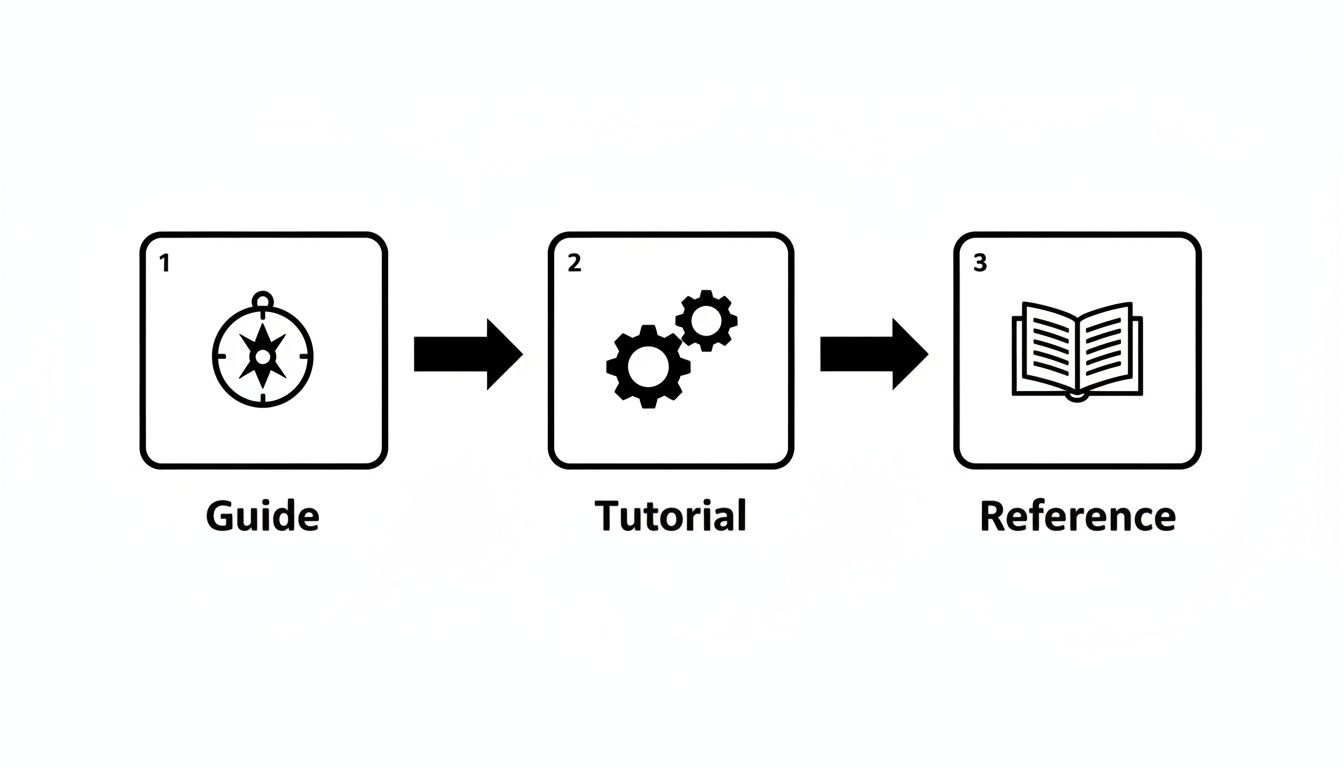
This kind of visualization helps us remember that users progress from high-level guides to specific tutorials and finally to detailed reference material, reinforcing the need for different content types and structures in your docs.
Comparison of Technical Documentation Workflows
There’s no one-size-fits-all solution here; the right toolchain depends entirely on your team's size, technical chops, and specific goals. The table below breaks down the most common workflows to help you figure out which one is the best fit for your organization.
| Workflow | Core Tools | Best For | Pros | Cons |
|---|---|---|---|---|
| Traditional (Word/Docs) | MS Word, Google Docs, Confluence | Small, non-technical teams creating internal-only docs. | Very low technical barrier to entry; familiar interface. | No version control, difficult collaboration, manual publishing process. |
| Pure Docs-as-Code | VS Code, Git CLI, Static Site Generator (Hugo, Astro) | Highly technical teams where all writers are comfortable with Git. | Full control, powerful automation, tight integration with code repos. | Steep learning curve for non-developers; requires command-line skills. |
| Hybrid (Visual CMS) | JekyllPad, GitHub, Static Site Generator (Jekyll, Hugo) | Mixed teams of technical and non-technical writers. | Simplifies Git, provides a user-friendly editor, automates publishing. | May have fewer advanced features than a full local development setup. |
Ultimately, the best tools are the ones your team will actually adopt and use consistently. By choosing a workflow that aligns with your team's skills while embracing the core principles of docs-as-code, you’re setting yourself up to create and maintain high-quality technical documentation far more effectively.
Keeping Your Documentation Alive and Accurate

There’s a dangerous myth in our industry that once you hit "publish" on your documentation, the job is done. The truth? Outdated documentation isn't just unhelpful—it's actively harmful. It erodes trust, causes frustrating bugs, and floods your support team with tickets that never should have existed in the first place.
The best teams I've worked with have made a crucial mental shift. They stop seeing docs as a one-off project and start treating them as a living product. Just like your software, your documentation needs a lifecycle of continuous updates, user feedback, and routine maintenance to stay valuable.
Building a Continuous Update Cycle
The secret to preventing stale documentation is to weave it directly into your development workflow. When updating docs is just part of the engineering cycle, it never gets left behind.
Forget about those massive, quarterly "docs audits" that everyone dreads. Instead, integrate small, consistent updates into your regular sprints. This turns a monumental chore into a simple, manageable habit.
Here are a few practical ways to do this:
- Link Docs to Tickets: When a developer picks up a ticket for a new feature or a bug fix, that ticket should include a checklist item: "Update Documentation." The feature isn't truly done until the docs are updated to match.
- Schedule Regular Reviews: Block off a little time each sprint or release cycle to review a specific section of your docs. This proactive approach helps you spot outdated info long before your users do.
- Automate the Small Stuff: Run scripts to find broken links or formatting errors. Automating these simple checks frees up your team to focus on what really matters: the quality and accuracy of the content.
Tying documentation directly to your development sprints creates a system where accuracy is the default. The docs evolve naturally right alongside the product, ensuring they always reflect reality.
This continuous cycle is the absolute heart of a healthy documentation strategy. It flips the script from a reactive scramble to a proactive, predictable workflow.
Gathering and Acting on User Feedback
You can't fix problems you don't know about. Your users are the ultimate source of truth for uncovering confusing explanations, missing steps, or outright errors in your documentation. The trick is to make it ridiculously easy for them to give you that feedback.
Don't make people hunt for a "Contact Us" page. Bring the feedback form right to them, on the page they're reading.
A few simple but powerful methods:
- "Was this page helpful?" Widgets: A simple yes/no button with an optional comment box at the bottom of each article can give you priceless, low-effort insights.
- Embedded Forms: For more detailed feedback, a short form can ask users what they were trying to do and where they got stuck.
- GitHub Issues: If your docs are on GitHub, let users open an issue for a documentation bug the same way they would for a code bug. This puts feedback directly into the developers' workflow.
Once you have this feedback, it's critical to act on it. Treat documentation issues with the same gravity as software bugs. Create tickets, assign them, and prioritize them based on their impact. A quick "thank you" in the commit message when you fix an issue also goes a long way toward building a community that cares about your docs.
Versioning Docs with Your Code
Using a Git-based workflow is a total game-changer for keeping docs in sync with product releases. When your documentation lives in the same repository as your code, you can version them together. This guarantees perfect alignment between the product and its instructions.
It means you can work on docs for a new feature in a separate branch. When that feature branch is merged into your main codebase, the updated documentation gets merged right along with it. No more frantic, last-minute writing sprints right before a release.
For teams looking to make this even smoother, adopting a GitHub-based CMS can simplify the editing and versioning process, making it accessible even to non-developers. This approach ensures your public documentation always matches the currently deployed version of your software, which is key to preventing confusion and building user trust.
Common Questions (and Straight Answers) About Technical Documentation
Even with the best plan in place, you're going to hit some snags. It happens to everyone. This section is all about tackling those common questions and tricky situations that pop up when you're in the weeds of writing technical content.
Think of this as a quick chat with a seasoned pro, giving you practical answers to get you unstuck and moving forward.
What's the Single Biggest Mistake to Avoid in Technical Writing?
Hands down, the biggest blunder is assuming your audience already knows what you know. It’s so easy to do. You live and breathe this stuff, but for your user, it’s often brand new territory.
Always, always write for the least experienced person you identified back in your audience analysis.
This means you need to define technical terms the first time you use them. Never gloss over a step in a process, no matter how tiny it seems. Give your examples real-world context. The goal of great documentation is to empower a complete beginner without boring an expert to tears.
I'd say a very close second is letting your documentation get stale. Out-of-date information is often worse than no information at all. It actively misleads users and completely shatters their trust.
Keeping your docs fresh isn't a "nice to have"—it's just as critical as writing them in the first place.
How Do I Actually Know if My Documentation Is Any Good?
Measuring the success of your documentation is the only way to prove its value and make a case for getting more resources. You can't just go by gut feeling; you need to track a mix of hard data and real human feedback.
Looking at both the numbers and what people are saying gives you the full story.
- Quantitative Metrics: Are you seeing a drop in support tickets for features that now have solid documentation? That's a huge win. Other things to track are faster onboarding times for new users or a clear uptick in the adoption of a specific feature you've documented.
- Qualitative Metrics: You have to ask people for their thoughts. Simple "Was this page helpful?" widgets are a great start. You can also embed short surveys or just pay attention to conversations happening in your community forums. This is where you find out why something isn't working.
Honestly, one of the best signs that you're on the right track is when your support team reports a big drop in those basic "how do I do this?" questions. That means people are finding the answers themselves.
What Exactly Is "Docs-as-Code" and Why Bother?
Docs-as-code is a philosophy where you treat your documentation with the same tools and workflows that developers use for software. Instead of clunky word processors, you write in a clean, plain-text format like Markdown, track every single change using a version control system like Git, and automate your publishing pipeline.
It might sound a little technical, but the payoff is enormous. It solves some of the most frustrating problems in documentation.
The main benefits really boil down to this:
- Collaboration Becomes Way Easier: Anyone on the team—especially developers—can fix a typo or suggest a clarification with a simple pull request. No more emailing Word docs back and forth.
- Versioning Is Spot-On: Your documentation stays perfectly synchronized with your product. When you release version 2.5 of your software, the docs for version 2.5 go live at the same time.
- Publishing Is Automated: Building and deploying your documentation site becomes a reliable, repeatable process. This eliminates manual steps and the human errors that come with them.
In short, it brings the discipline and power of modern software development to your content workflow.
How Can I Make My Technical Docs More Engaging?
Here’s the thing: "engaging" technical documentation isn't about flashy graphics or clever prose. It’s about being incredibly useful. The most engaging doc is one that helps a user solve their problem and get back to their work as fast as possible.
To make your content genuinely more helpful (and therefore more engaging), focus on these fundamentals:
- Use a natural, active voice. Just write like you're explaining it to a smart colleague sitting next to you.
- Don't be afraid to use simple analogies to break down really complex ideas. Real-world examples are your best friend.
- Show, don't just tell. Use annotated screenshots, simple diagrams, or even short video clips to walk through a process.
- Provide plenty of code snippets that users can copy and paste directly. This gives them an immediate win.
When you help someone achieve their goal without making them feel frustrated or stupid, you've created a positive experience. That’s what true engagement looks like in the world of technical docs.
Ready to build a modern documentation workflow without the Git command-line headaches? JekyllPad provides a visual, browser-based CMS that connects directly to your GitHub repository. Write in a clean editor, manage your content, and publish updates effortlessly. Get started for free at https://www.jekyllpad.com.